

.PLA Bestandsextensie
Archicad-projectarchief
| Ontwikkelaar | GRAPHISOFT |
| Populariteit |
3,7 | 21 stemmen |
Een PLA-bestand is een projectarchief dat is gemaakt door GRAPHISOFT Archicad, een programma voor 3D-architectuurmodellering. Het bevat een of meer ontwerpen (.PLN-bestanden) en bibliotheekonderdelen waarnaar wordt verwezen door ontwerpen die in het archief zijn opgeslagen. PLA-bestanden lijken op PLN-bestanden, maar slaan de onderdelen waarnaar wordt verwezen op, in plaats van alleen verwijzingen naar de onderdelen op te slaan. Hierdoor zijn de bestanden groter.
Meer informatie
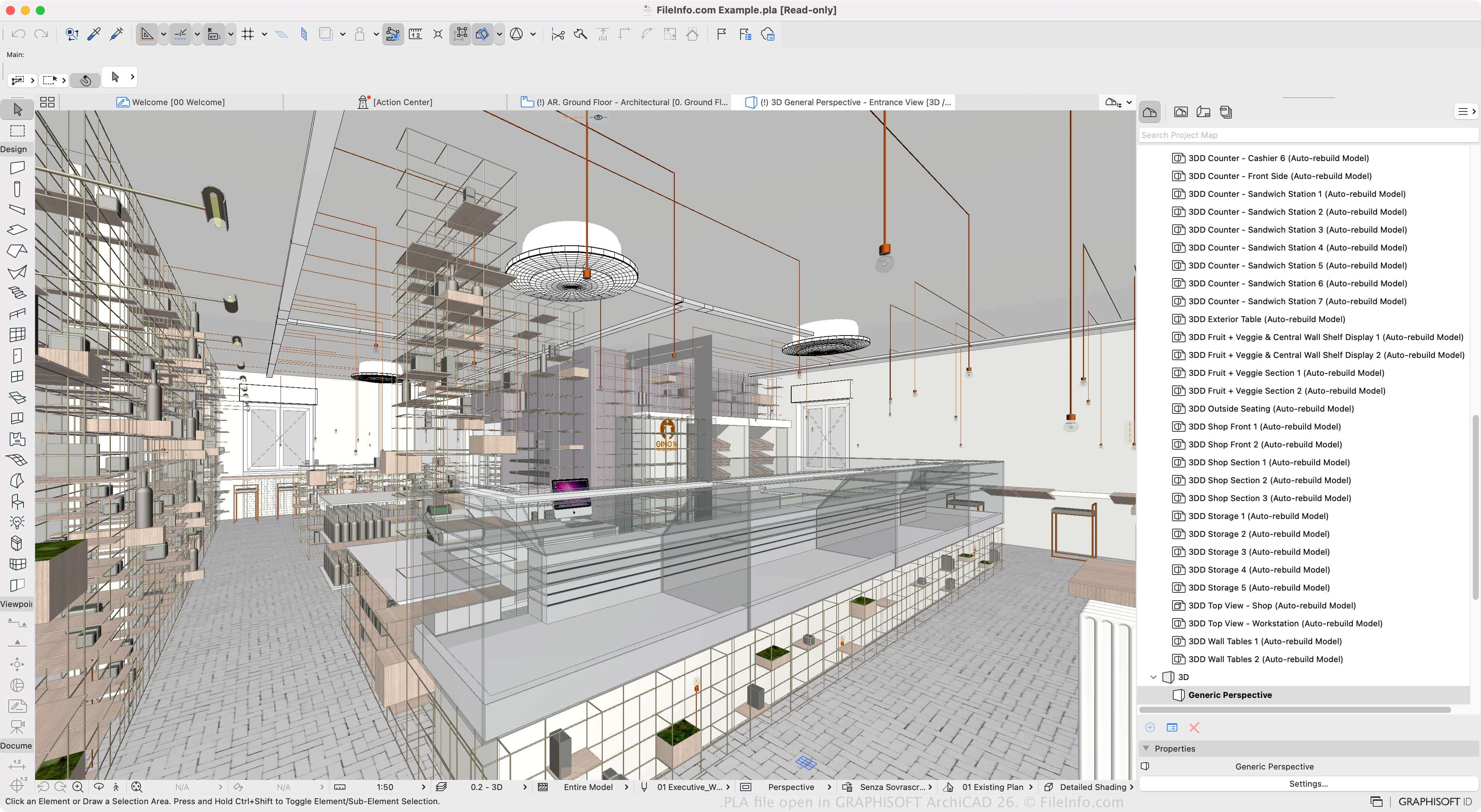
Archicad is een bouwinformatiemodelleringsprogramma (BIM) dat architecten gebruiken om constructies, interieurs, exterieurs en landschappen te ontwerpen. De software is beschikbaar voor Windows en macOS en heeft verschillende functies voor het ontwerpen en visualiseren van bouwkundige modellen.
Je kunt ontwerpprojecten opslaan in de oorspronkelijke PLN-indeling, maar als je een project met al zijn bronnen wilt opslaan (in plaats van verwijzingen ernaar), kun je een of meer PLN-projecten opslaan als een PLA-archief. Dit is handig wanneer je een project naar een andere computer verplaatst of projecten opslaat. Omdat het PLA-bestand echter alle inhoud opslaat, is het aanzienlijk groter dan een PLN-bestand.
Om een PLA-bestand te maken, selecteer je en kies je vervolgens "ARCHICAD Archive Project" in het vervolgkeuzemenu "Save as type". Je kunt daarna kiezen welke elementen in het archief worden opgenomen, zoals de achtergrondafbeelding, gekoppelde texturen en geladen bibliotheekeigenschappen. Met de software kun je projecten ook opslaan als PLN-projectbestanden, .BPN-back-upprojecten en TPL-projectsjablonen.
Een PLA-bestand openen
Je kunt PLA-bestanden openen met GRAPHISOFT Archicad in Windows en macOS. Om een PLA-bestand te openen, selecteer je .
Een PLA-bestand converteren
GRAPHISOFT Archicad kan PLA-bestanden naar veel bestandstypen converteren, waaronder de volgende indelingen:
- .PLN - Archicad Solo-project
- .DWG - AutoCAD-tekening
- .DXF - Drawing Exchange Format
- .IFC - Industry Foundation Classes-bestand
- .C4D - Cinema 4D-model
- .3DS - 3D Studio-scène
- .SKP - SketchUp-document
- .OBJ - Wavefront 3D-objectbestand
- .STL - Stereolithografiebestand
- .PDF - Portable Document Format
- .JPG - JPEG-afbeelding
Programma's die PLA-bestanden openen
PlantStudio-plantbestand
| Ontwikkelaar | Kurtz-Fernhout Software |
| Populariteit |
3,0 | 1 stem |
Een PLA-bestand is een plantengroeisimulatie die is gemaakt met Kurtz-Fernhout Software PlantStudio. Het bevat tekst zonder opmaak die wordt gebruikt om 3D-weergaven van een of meer gesimuleerde kruidachtige planten te tonen. Met PlantStudio kunnen gebruikers de planten die in een PLA-bestand worden beschreven bekijken, animeren en kruisen.
Meer informatie
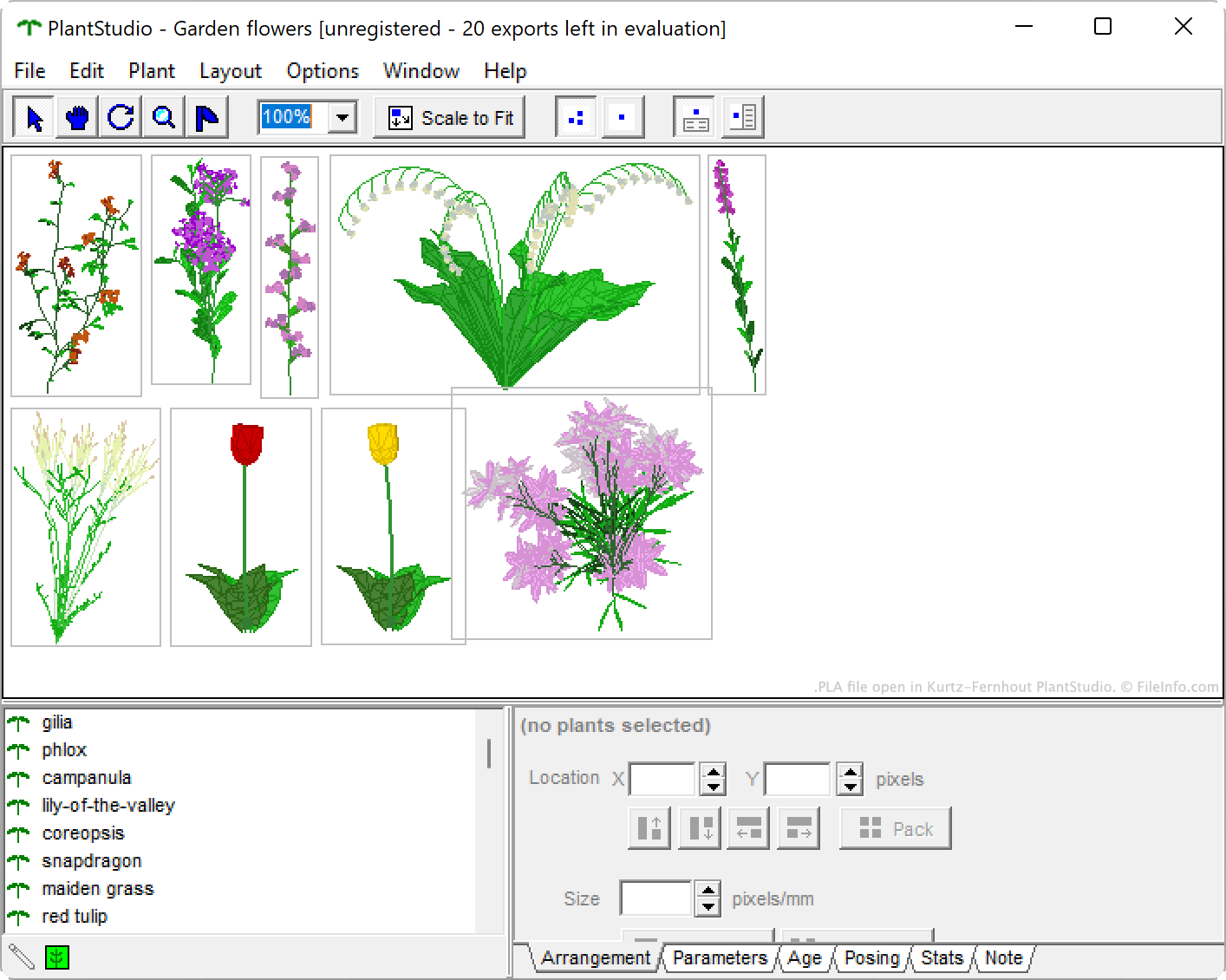
PlantStudio is een programma voor botanische illustraties waarmee gebruikers de groei van wilde bloemen, groenten, onkruid, grassen en andere kruidachtige planten kunnen simuleren. Nadat ze een of meer planten hebben laten groeien, kunnen gebruikers verschillende gegevens over hun planten bekijken, hun planten kruisen om nieuwe planten te maken en de groeicycli van hun planten animeren. Ze kunnen hun planten ook exporteren als 2D-afbeeldingen of 3D-modellen.
Als een gebruiker een PlantStudio-simulatie wil bewaren, zodat die de simulatie later kan blijven bekijken en bewerken, kan die de simulatie opslaan als PLA-bestand. Elk PLA-bestand bevat een reeks parameters, coördinaten en andere instellingen in tekst zonder opmaak die de simulatie definiëren.
Een PLA-bestand openen
Je kunt een PLA-bestand openen met Kurtz-Fernhout Software PlantStudio (Windows). Ga hiervoor als volgt te werk:
- Open PlantStudio.
- Selecteer .
- Ga naar je PLA-bestand en open het.
Een PLA-bestand converteren
Je kunt PlantStudio gebruiken om een PLA-bestand naar elk van de volgende indelingen (en verschillende andere) te converteren:
- .3DS - 3D Studio-scène
- .LWO - LightWave 3D-object
- .OBJ - Wavefront 3D-object
- .DXF - Drawing Exchange Format
- .BMP - Bitmapafbeelding
- .JPG - JPEG-afbeelding
Open hiervoor je PLA-bestand en selecteer vervolgens .