

.SRT Bestandsextensie
SubRip-ondertitelbestand
| Ontwikkelaar | Brain, T.V. Zuggy, mrSHADOW, Yakov, ai4spam, Blood |
| Populariteit |
3,8 | 789 stemmen |
Wat is een SRT-bestand?
Een SRT-bestand bevat ondertiteltekst en timinginformatie in de SubRip-bestandsindeling, een van de meest gebruikte indelingen voor het leveren van ondertitels voor video's, ook voor online video's. Veel mediaspelers, waaronder VideoLAN VLC media player en MPlayer, en online videostreamingsites zoals YouTube ondersteunen SRT-ondertitels. Je kunt SRT-bestanden ook openen en bewerken met ondertitel- en teksteditors, omdat ze platte tekst opslaan.
Meer informatie
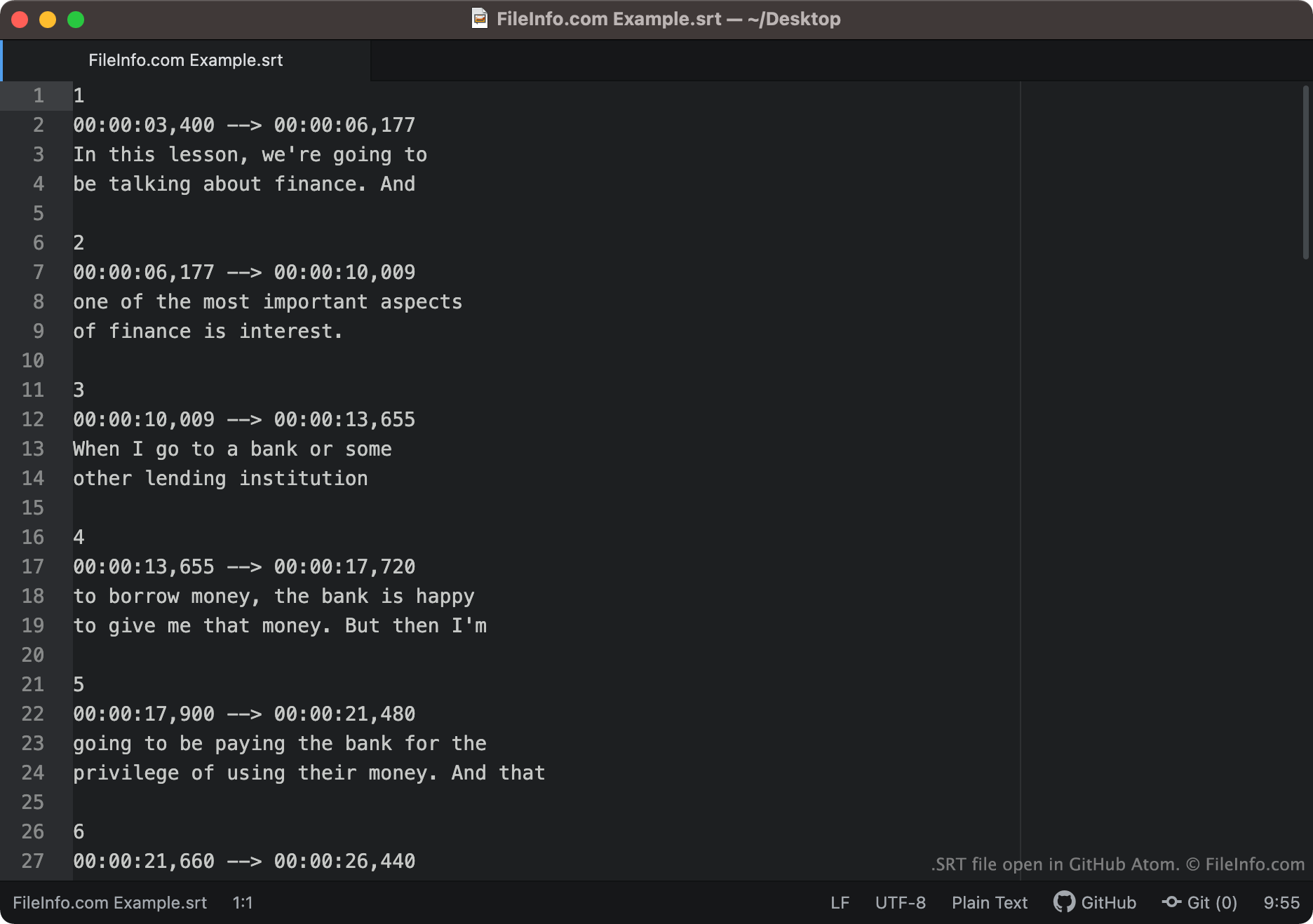
Ondertiteltekst en timinginformatie die in de SubRip-indeling zijn opgeslagen, zien er ongeveer als volgt uit:
1
00:00:03,400 -> 00:00:06,177
In this lesson, we're going to
be talking about finance. And
2
00:00:06,177 -> 00:00:10,009
one of the most important aspects
of finance is interest.
Mediaspelers laden elk segment van een SRT-bestand in de juiste volgorde en tonen de tekst van elk segment gedurende de tijd die aan die tekst is gekoppeld. Tijdcodes in SRT-bestanden worden geschreven in de indeling HH:MM:SS,MIL. De eerste hierboven getoonde tekst zou dus op het scherm verschijnen na 3,004 seconden en verdwijnen na 6,00177 seconden.
Na de eindtijdcode van elk segment kunnen schermcoördinaten staan. Als een segment geen schermcoördinaten bevat, verschijnt de tekst onderaan in het midden van je scherm.
Veelvoorkomende .SRT-bestandsnamen
[moviename].eng.srt - Bestandsnamen van ondertitels bevatten vaak een verwijzing naar de taal van de opgenomen ondertitels. Zo bevat een SRT-bestand waarvan de naam .eng bevat waarschijnlijk Engelse ondertitels, terwijl een SRT-bestand waarvan de naam .ger bevat waarschijnlijk Duitse ondertitels.
Een SRT-bestand openen
Je kunt SRT-bestanden op verschillende manieren openen. De meest gebruikelijke manier is door met SRT-bestanden ondertitels aan video's toe te voegen in mediaspelers. Voorbeelden van mediaspelers die SRT-bestanden ondersteunen zijn:
- VideoLAN VLC media player (meerdere platforms)
- MPlayer (meerdere platforms)
- CyberLink PowerDVD (Windows)
Je kunt een SRT-bestand bijvoorbeeld als ondertitelspoor gebruiken in VLC media player:
- Open VLC media player en begin met het afspelen van de video waarvoor je je SRT-bestand wilt gebruiken.
- Selecteer in de menubalk van VLC Media Player .
- Ga naar je SRT-bestand en open het.
Je kunt SRT-bestanden ook openen met een ondertitel- of teksteditor. Je kunt een SRT-bestand bijvoorbeeld openen en bewerken met Aegisub of een teksteditor (waaronder Microsoft Notepad of Apple TextEdit).
Zo controleer je of SRT-ondertitels correct zijn opgemaakt
Je kunt controleren of de ondertitels in een SRT-bestand correct zijn opgemaakt door het SRT-bestand te uploaden naar Subtitle Validator online. Selecteer de knop "Choose File" en selecteer het SRT-bestand om het te uploaden.