

.SRT Rozszerzenie pliku
Plik napisów SubRip
| Deweloper | Brain, T.V. Zuggy, mrSHADOW, Yakov, ai4spam, Blood |
| Popularność |
3,8 | 789 Głosów |
Czym jest plik SRT?
Plik SRT zawiera tekst napisów i informacje o czasie w formacie pliku SubRip, jednym z najczęściej używanych formatów udostępniania napisów do filmów, w tym filmów dostępnych online. Wiele odtwarzaczy multimedialnych, w tym VideoLAN VLC media player i MPlayer, a także internetowe serwisy do strumieniowego przesyłania wideo, takie jak YouTube, obsługuje napisy SRT. Użytkownicy mogą również otwierać i edytować pliki SRT za pomocą edytorów napisów i tekstu, ponieważ przechowują one zwykły tekst.
Więcej informacji
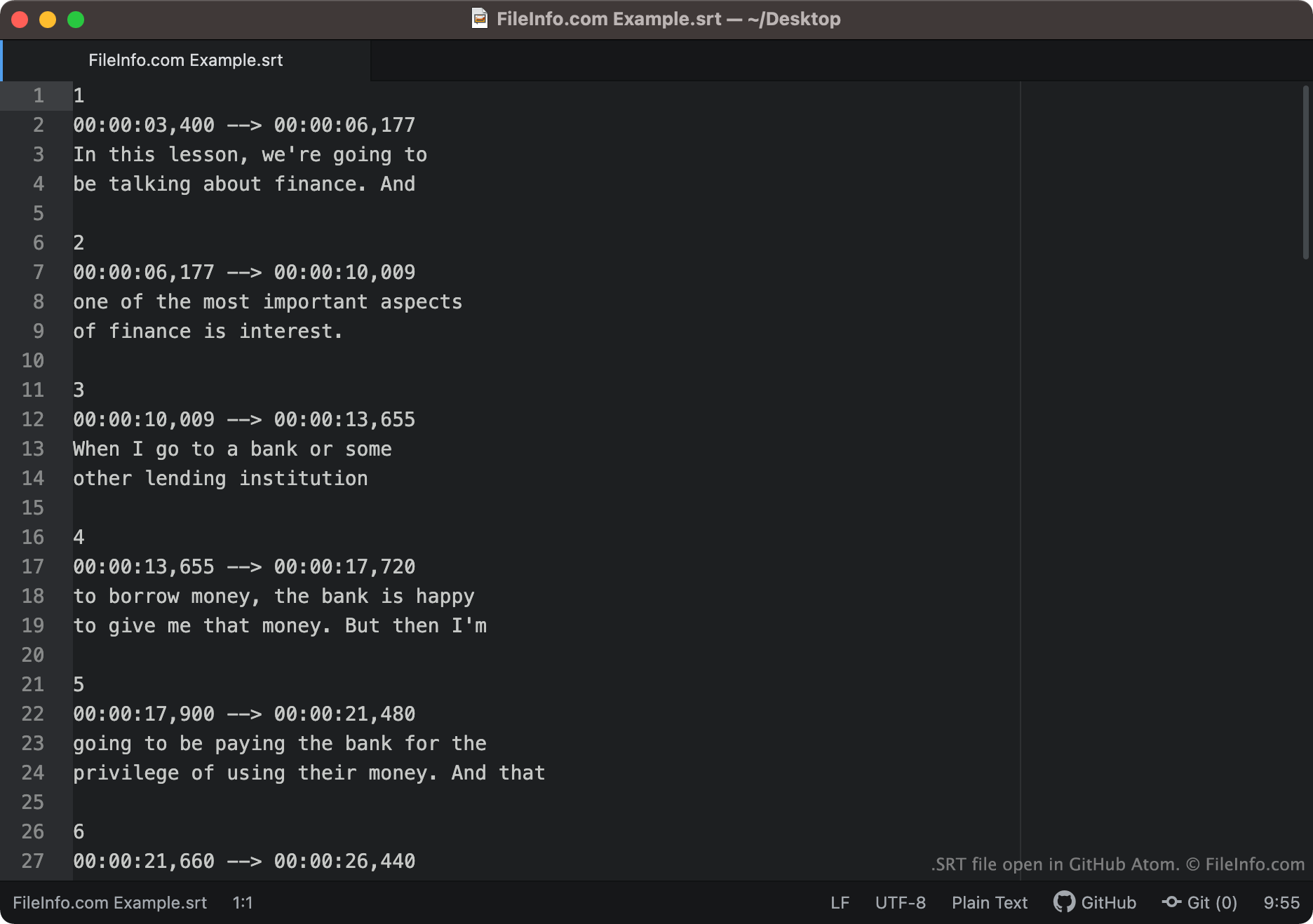
Tekst napisów i informacje o czasie zapisane w formacie SubRip wyglądają podobnie do poniższego przykładu:
1
00:00:03,400 -> 00:00:06,177
In this lesson, we're going to
be talking about finance. And
2
00:00:06,177 -> 00:00:10,009
one of the most important aspects
of finance is interest.
Odtwarzacze multimedialne wczytują kolejne segmenty pliku SRT w odpowiedniej kolejności, wyświetlając tekst każdego segmentu w czasie, z którym jest on powiązany. Kody czasowe w plikach SRT są zapisywane w formacie HH:MM:SS,MIL. Oznacza to, że pierwszy wiersz tekstu pokazany powyżej pojawiłby się na ekranie po 3,004 sekundy i zniknął po 6,00177 sekundy.
Po końcowym kodzie czasowym każdego segmentu mogą pojawić się współrzędne wyświetlania. Jeśli segment nie zawiera współrzędnych wyświetlania, jego tekst pojawi się w dolnej części, na środku ekranu.
Popularne nazwy plików .SRT
[moviename].eng.srt - Nazwy plików z napisami często zawierają informację o języku znajdujących się w nich napisów. Na przykład plik SRT, którego nazwa zawiera .eng, prawdopodobnie zawiera napisy w języku angielskim, natomiast plik SRT, którego nazwa zawiera .ger, prawdopodobnie zawiera napisy w języku niemieckim.
Jak otworzyć plik SRT
Pliki SRT można otwierać na kilka sposobów. Najczęściej dodaje się napisy do filmów w odtwarzaczach multimedialnych za pomocą plików SRT. Przykłady odtwarzaczy multimedialnych obsługujących pliki SRT:
- VideoLAN VLC media player (wiele platform)
- MPlayer (wiele platform)
- CyberLink PowerDVD (Windows)
Aby na przykład użyć pliku SRT jako ścieżki napisów w programie VLC media player:
- Otwórz program VLC media player i rozpocznij odtwarzanie filmu, z którym chcesz użyć pliku SRT.
- Na pasku menu programu VLC Media Player wybierz opcję .
- Przejdź do pliku SRT i otwórz go.
Pliki SRT można również otwierać za pomocą edytora napisów lub tekstu. Możesz na przykład otworzyć i edytować plik SRT w programie Aegisub lub dowolnym edytorze tekstu, w tym Microsoft Notepad lub Apple TextEdit.
Jak sprawdzić, czy napisy SRT są prawidłowo sformatowane
Możesz sprawdzić, czy napisy w pliku SRT są prawidłowo sformatowane, przesyłając plik SRT do internetowego narzędzia Subtitle Validator. Aby go przesłać, wybierz przycisk "Choose File", a następnie wybierz plik SRT.