

.CR2 Bestandsextensie
Canon Raw 2-afbeelding
| Ontwikkelaar | Canon |
| Populariteit |
4,0 | 312 stemmen |
Wat is een CR2-bestand?
Een CR2-bestand is een digitale foto die is opgeslagen in de indeling Canon Raw 2. Verschillende digitale camera's van Canon, waaronder de EOS 1D Mark IV en EOS 450D, slaan foto's op in de CR2-indeling. CR2-bestanden bevatten met name een verliesloos gecomprimeerde kopie van de afbeeldingsgegevens die de Charge-Coupled Device (CCD) van een camera heeft vastgelegd. CR2-bestanden hebben daarom vaak een grote bestandsgrootte (en bevatten afbeeldingen van hoge kwaliteit).
Meer informatie
Doorgaans slaan digitale camera's voor professioneel gebruik foto's op als camera-raw-bestanden. Camera-raw-bestanden bevatten een onbewerkte kopie van alle gegevens die een camera heeft vastgelegd bij het maken van een foto. Doordat al deze gegevens behouden blijven, kunnen fotografen hun foto's onder andere nauwkeuriger bewerken en met een hogere kwaliteit afdrukken. (Niet-professionele camera's verwerken en comprimeren foto's daarentegen meestal voordat ze deze opslaan als .JPG-bestanden.)
De digitale camera's van elke fabrikant slaan foto's op in hun eigen specifieke camera-raw-indelingen. De meeste Canon-camera's die tussen 2004 en 2018 zijn uitgebracht, slaan foto's op in de CR2-indeling (uitgebreid vanuit TIFF). Deze indeling verving Canon's vorige camera-raw-indeling, .CRW, bij de introductie van de EOS 20D. De indeling is zelf vervangen door de .CR3-indeling bij de introductie van de EOS M50.
Wanneer je CR2-bestanden wel en niet gebruikt
Professionele en hobbyfotografen importeren CR2-bestanden vaak in fotobewerkingssoftware van Canon en andere fotobewerkingsprogramma's, zoals Adobe Photoshop. Vervolgens gebruiken ze deze programma's om de foto's in hun CR2-bestanden te bewerken en/of af te drukken. Als je dus een foto van hoge kwaliteit wilt bewerken of afdrukken, kun je je foto het beste in de CR2-indeling opgeslagen laten en deze openen met een professionele afbeeldingseditor.
Als je de foto in een CR2-bestand echter wilt delen, wil je deze waarschijnlijk converteren naar JPG of .PNG. Hierdoor wordt het bestand aanzienlijk kleiner, waardoor je het gemakkelijker kunt delen. Houd er rekening mee dat bij het converteren van een CR2-bestand een deel van de camera-raw-gegevens in het bestand verloren gaat. Daarom kun je het CR2-bestand het beste kopiëren voordat je het converteert, als je van plan bent de foto in de toekomst te bewerken of af te drukken.
Een CR2-bestand openen
Je kunt CR2-bestanden openen met de volgende afbeeldingsviewers en -editors:
- Microsoft Photos (met de Raw Image Extension geïnstalleerd)
- Apple Preview
- Apple Photos
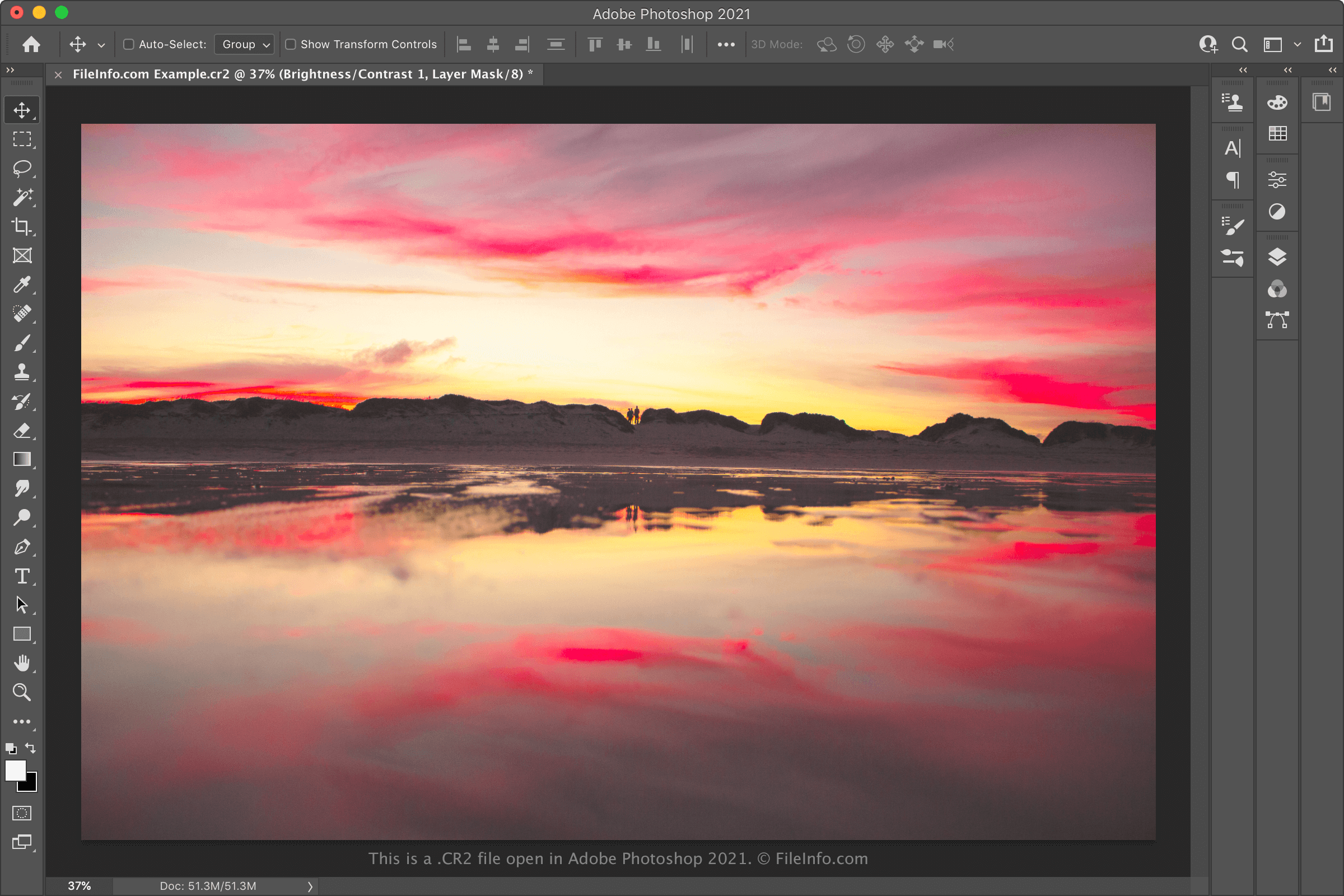
- Adobe Photoshop
- IrfanView
Als je de afbeelding in een CR2-bestand wilt bewerken, kun je deze waarschijnlijk het beste openen in Adobe Photoshop. Photoshop bevat een uitgebreide verzameling hulpmiddelen voor afbeeldingsbewerking en kan CR2-bestanden exporteren naar veelgebruikte afbeeldingsindelingen.
Een CR2-bestand converteren
Verschillende afbeeldingseditors en -viewers, waaronder Adobe Photoshop, Apple Preview en IrfanView, kunnen CR2-bestanden converteren naar andere indelingen.
Adobe Photoshop kan CR2-bestanden bijvoorbeeld converteren naar de volgende indelingen:
- .JPG - JPEG-afbeelding
- .PNG - Portable Network Graphic
- .TIFF - Tagged Image File Format
- .BMP - Bitmapafbeelding
- .GIF - Graphical Interchange Format
- .PDF - Portable Document Format
- .PSD - Photoshop Document
Apple Preview kan CR2-bestanden converteren naar de volgende indelingen: