

.CR2 Extension de fichier
Image Canon Raw 2
| Développeur | Canon |
| Popularité |
4,0 | 312 Votes |
Qu'est-ce qu'un fichier CR2 ?
Un fichier CR2 est une photo numérique enregistrée au format Canon Raw 2. Plusieurs appareils photo numériques Canon, notamment les EOS 1D Mark IV et EOS 450D, enregistrent les photos au format CR2. Notamment, les fichiers CR2 contiennent une copie compressée sans perte des données d'image capturées par le dispositif à couplage de charge (CCD) d'un appareil photo. Ainsi, les fichiers CR2 ont souvent une taille importante (et contiennent des images de haute qualité).
Plus d'informations
En général, les appareils photo numériques professionnels enregistrent les photos sous forme de fichiers bruts. Les fichiers bruts contiennent une copie non traitée de toutes les données capturées par un appareil photo lors de la prise d'une photo. La conservation de toutes ces données permet notamment aux photographes de retoucher leurs photos avec plus de précision et de les imprimer avec une meilleure qualité. (En revanche, les appareils photo non professionnels traitent et compressent généralement les photos avant de les enregistrer sous forme de fichiers .JPG.)
Les appareils photo numériques de chaque fabricant enregistrent les photos dans leurs propres formats bruts. La plupart des appareils photo Canon commercialisés entre 2004 et 2018 enregistrent les photos au format CR2 (dérivé du TIFF). Ce format a remplacé le précédent format brut de Canon, .CRW, avec la sortie de l'EOS 20D. Il a lui-même été remplacé par le format .CR3 avec la sortie de l'EOS M50.
Quand utiliser (ou ne pas utiliser) les fichiers CR2
Les photographes professionnels et amateurs importent souvent les fichiers CR2 dans les logiciels de retouche photo de Canon et d'autres éditeurs d'images, comme Adobe Photoshop. Ils utilisent ensuite ces programmes pour retoucher et/ou imprimer les photos contenues dans leurs fichiers CR2. Ainsi, si vous souhaitez retoucher ou imprimer une photo de haute qualité, vous pouvez conserver votre photo au format CR2 et l'ouvrir avec un éditeur d'images professionnel.
En revanche, si vous souhaitez partager la photo contenue dans un fichier CR2, vous voudrez probablement la convertir au format JPG ou .PNG. Cela réduira considérablement la taille du fichier, ce qui facilitera son partage. Gardez toutefois à l'esprit que la conversion d'un fichier CR2 supprimera une partie des données brutes qu'il contient. Vous pouvez donc créer une copie de votre fichier CR2 avant de le convertir si vous prévoyez de retoucher ou d'imprimer votre photo ultérieurement.
Comment ouvrir un fichier CR2
Vous pouvez ouvrir les fichiers CR2 avec l'un des visualiseurs et éditeurs d'images suivants :
- Microsoft Photos (avec l'extension Raw Image installée)
- Apple Preview
- Apple Photos
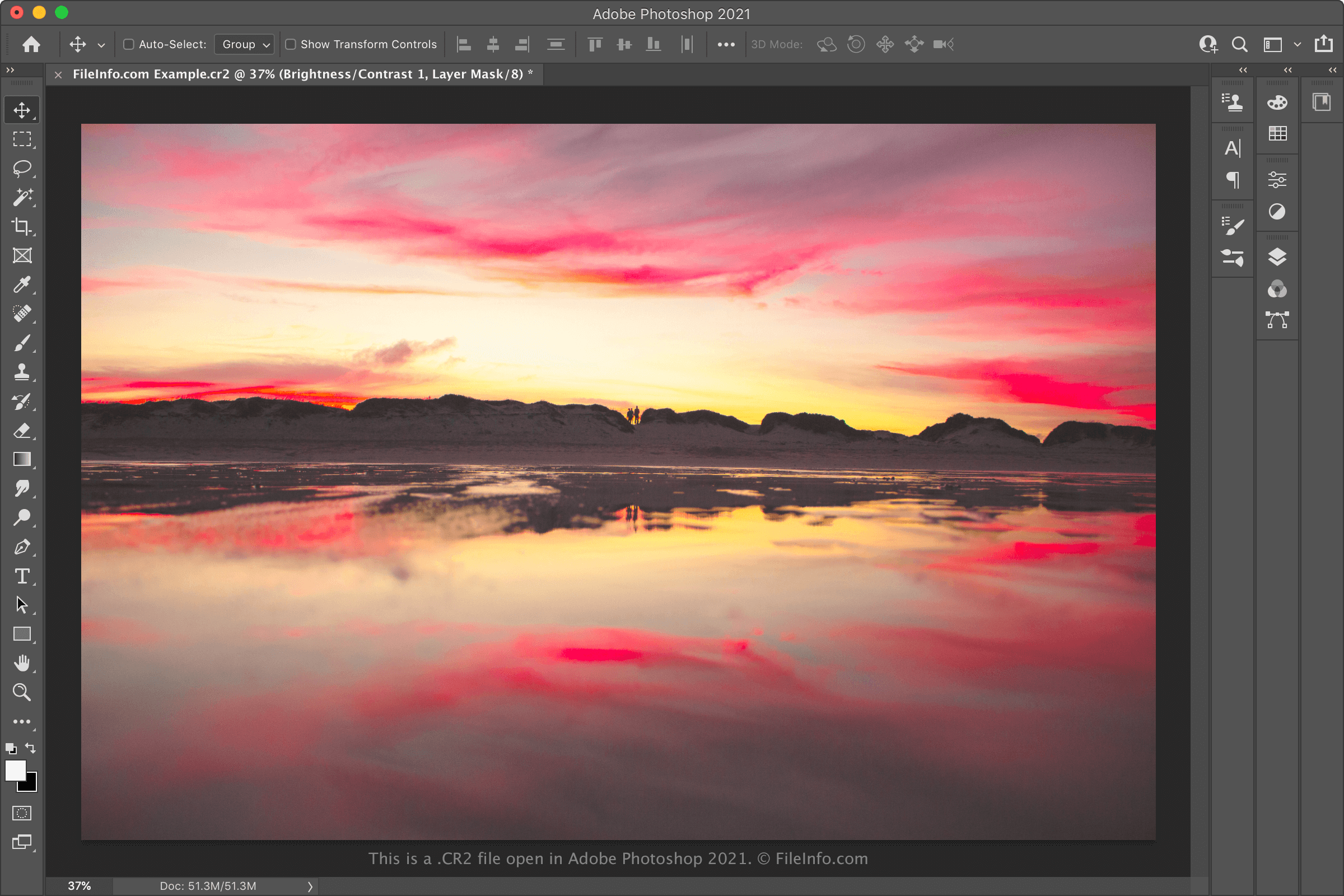
- Adobe Photoshop
- IrfanView
Si vous souhaitez retoucher l'image contenue dans un fichier CR2, l'ouvrir dans Adobe Photoshop est probablement votre meilleure option. Photoshop comprend une suite complète d'outils de retouche d'images et peut exporter les fichiers CR2 dans de nombreux formats d'image courants.
Comment convertir un fichier CR2
Divers éditeurs et visualiseurs d'images, notamment Adobe Photoshop, Apple Preview et IrfanView, peuvent convertir les fichiers CR2 dans d'autres formats.
Par exemple, Adobe Photoshop peut convertir les fichiers CR2 dans les formats suivants :
- .JPG - Image JPEG
- .PNG - Graphique réseau portable
- .TIFF - Format de fichier d'image balisé
- .BMP - Image bitmap
- .GIF - Format d'échange graphique
- .PDF - Format de document portable
- .PSD - Document Photoshop
Apple Preview peut convertir les fichiers CR2 dans les formats suivants :