

.CR2 Přípona souboru
Obraz Canon Raw 2
| Vývojář | Canon |
| Popularita |
4,0 | 312 hlasů |
Co je soubor CR2?
Soubor CR2 je digitální fotografie uložená ve formátu Canon Raw 2. Různé digitální fotoaparáty Canon, včetně modelů EOS 1D Mark IV a EOS 450D, ukládají fotografie ve formátu CR2. Soubory CR2 obsahují zejména bezztrátově komprimovanou kopii obrazových dat, která zachytil snímač Charged Coupled Device (CCD) fotoaparátu. Soubory CR2 proto často mají velkou velikost (a obsahují vysoce kvalitní snímky).
Další informace
Digitální fotoaparáty profesionální třídy obvykle ukládají fotografie jako soubory RAW z fotoaparátu. Soubory RAW z fotoaparátu obsahují nezpracovanou kopii všech dat, která fotoaparát zachytil při pořízení fotografie. Uchování všech těchto dat fotografům mimo jiné umožňuje přesněji upravovat fotografie a tisknout je ve vyšší kvalitě. (Naproti tomu neprofesionální fotoaparáty fotografie obvykle zpracují a zkomprimují, než je uloží jako .JPG soubory.)
Digitální fotoaparáty každého výrobce ukládají fotografie ve vlastních konkrétních formátech RAW z fotoaparátu. Většina fotoaparátů Canon uvedených na trh v letech 2004 až 2018 ukládá fotografie ve formátu CR2 (odvozeném od formátu TIFF). Tento formát nahradil předchozí formát RAW z fotoaparátů Canon, .CRW, při uvedení modelu EOS 20D. Sám byl nahrazen formátem .CR3 při uvedení modelu EOS M50.
Kdy soubory CR2 používat (a kdy ne)
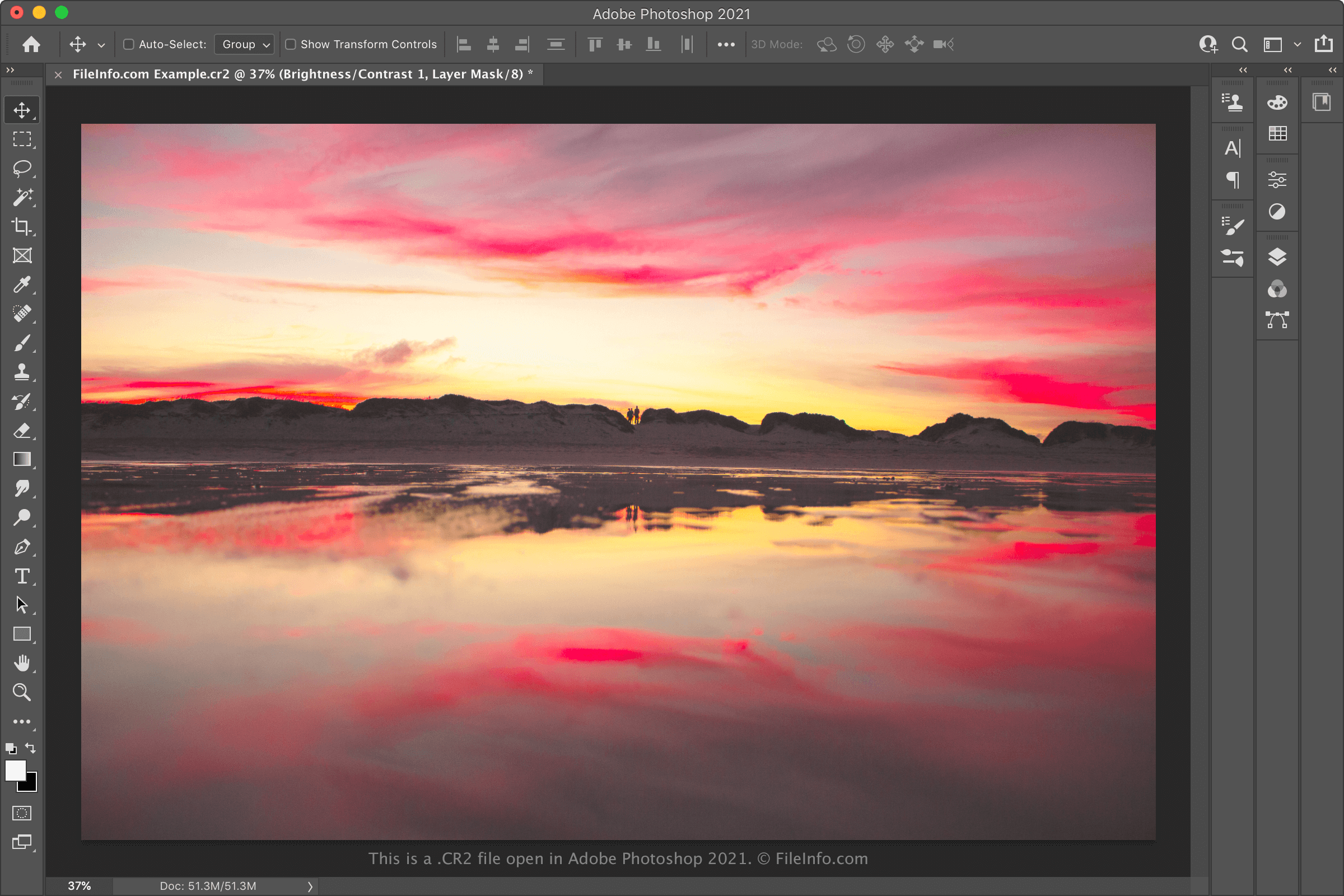
Profesionální fotografové i fotografové, kteří se fotografování věnují jako koníčku, často importují soubory CR2 do softwaru Canon pro úpravu fotografií a dalších editorů fotografií, například Adobe Photoshopu. Tyto programy pak používají k úpravě nebo tisku fotografií, které jejich soubory CR2 obsahují. Pokud tedy chcete upravovat nebo tisknout vysoce kvalitní fotografii, možná ji budete chtít ponechat uloženou ve formátu CR2 a otevřít ji v profesionálním editoru obrázků.
Na druhou stranu, pokud chcete sdílet fotografii obsaženou v souboru CR2, pravděpodobně ji budete chtít převést do formátu JPG nebo .PNG. Tím se velikost souboru výrazně zmenší a jeho sdílení bude snazší. Mějte však na paměti, že převodem souboru CR2 se odstraní část dat RAW z fotoaparátu, která soubor obsahuje. Pokud tedy plánujete fotografii v budoucnu upravovat nebo tisknout, možná budete chtít před převodem vytvořit kopii souboru CR2.
Jak otevřít soubor CR2
Soubory CR2 můžete otevřít pomocí některého z následujících prohlížečů a editorů obrázků:
- Microsoft Photos (s nainstalovaným rozšířením Raw Image Extension)
- Apple Preview
- Apple Photos
- Adobe Photoshop
- IrfanView
Pokud chcete upravovat obrázek obsažený v souboru CR2, pravděpodobně bude nejlepší otevřít jej v aplikaci Adobe Photoshop. Photoshop obsahuje rozsáhlou sadu nástrojů pro úpravu obrázků a dokáže exportovat soubory CR2 do mnoha běžných obrazových formátů.
Jak převést soubor CR2
Různé editory a prohlížeče obrázků, včetně aplikací Adobe Photoshop, Apple Preview a IrfanView, dokážou převádět soubory CR2 do jiných formátů.
Adobe Photoshop například dokáže převádět soubory CR2 do následujících formátů:
- .JPG – obrázek JPEG
- .PNG – Portable Network Graphic
- .TIFF – Tagged Image File Format
- .BMP – bitmapový obrázek
- .GIF – Graphical Interchange Format
- .PDF – Portable Document Format
- .PSD – dokument Photoshopu
Apple Preview dokáže převádět soubory CR2 do následujících formátů: