

.CR2 Rozszerzenie pliku
Obraz Canon Raw 2
| Deweloper | Canon |
| Popularność |
4,0 | 312 Głosów |
Czym jest plik CR2?
Plik CR2 to zdjęcie cyfrowe zapisane w formacie Canon Raw 2. Różne aparaty cyfrowe firmy Canon, w tym EOS 1D Mark IV i EOS 450D, zapisują zdjęcia w formacie CR2. Warto zauważyć, że pliki CR2 zawierają bezstratnie skompresowaną kopię danych obrazu zarejestrowanych przez matrycę Charged Coupled Device (CCD) aparatu. Dlatego pliki CR2 często mają duży rozmiar (i zawierają obrazy wysokiej jakości).
Więcej informacji
Zazwyczaj cyfrowe aparaty profesjonalnej klasy zapisują zdjęcia jako pliki surowe. Pliki surowe zawierają nieprzetworzoną kopię wszystkich danych zarejestrowanych przez aparat podczas robienia zdjęcia. Zachowanie wszystkich tych danych pozwala fotografom między innymi dokładniej edytować zdjęcia i drukować je w wyższej jakości. (Dla porównania aparaty nieprofesjonalne zwykle przetwarzają i kompresują zdjęcia przed zapisaniem ich jako plików .JPG.)
Aparaty cyfrowe każdego producenta zapisują zdjęcia we własnych formatach surowych. Większość aparatów firmy Canon wydanych w latach 2004–2018 zapisuje zdjęcia w formacie CR2 (rozszerzonym z formatu TIFF). Format ten zastąpił poprzedni format surowy firmy Canon, .CRW, wraz z premierą modelu EOS 20D. Następnie został zastąpiony formatem .CR3 wraz z premierą modelu EOS M50.
Kiedy używać plików CR2 (a kiedy nie)
Fotografowie profesjonalni i amatorzy często importują pliki CR2 do oprogramowania firmy Canon do edycji zdjęć oraz innych edytorów zdjęć, takich jak Adobe Photoshop. Następnie używają tych programów do edytowania i/lub drukowania zdjęć zawartych w plikach CR2. Jeśli więc chcesz edytować lub wydrukować zdjęcie wysokiej jakości, możesz pozostawić je zapisane w formacie CR2 i otworzyć w profesjonalnym edytorze obrazów.
Z drugiej strony, jeśli chcesz udostępnić zdjęcie zawarte w pliku CR2, prawdopodobnie zechcesz przekonwertować je do formatu JPG lub .PNG. Znacznie zmniejszy to rozmiar pliku, ułatwiając jego udostępnianie. Pamiętaj jednak, że konwersja pliku CR2 spowoduje usunięcie części zawartych w nim danych surowych. Dlatego przed konwersją możesz utworzyć kopię pliku CR2, jeśli planujesz w przyszłości edytować lub drukować zdjęcie.
Jak otworzyć plik CR2
Pliki CR2 można otwierać za pomocą dowolnej z następujących przeglądarek i edytorów obrazów:
- Microsoft Photos (z zainstalowanym rozszerzeniem Raw Image Extension)
- Apple Preview
- Apple Photos
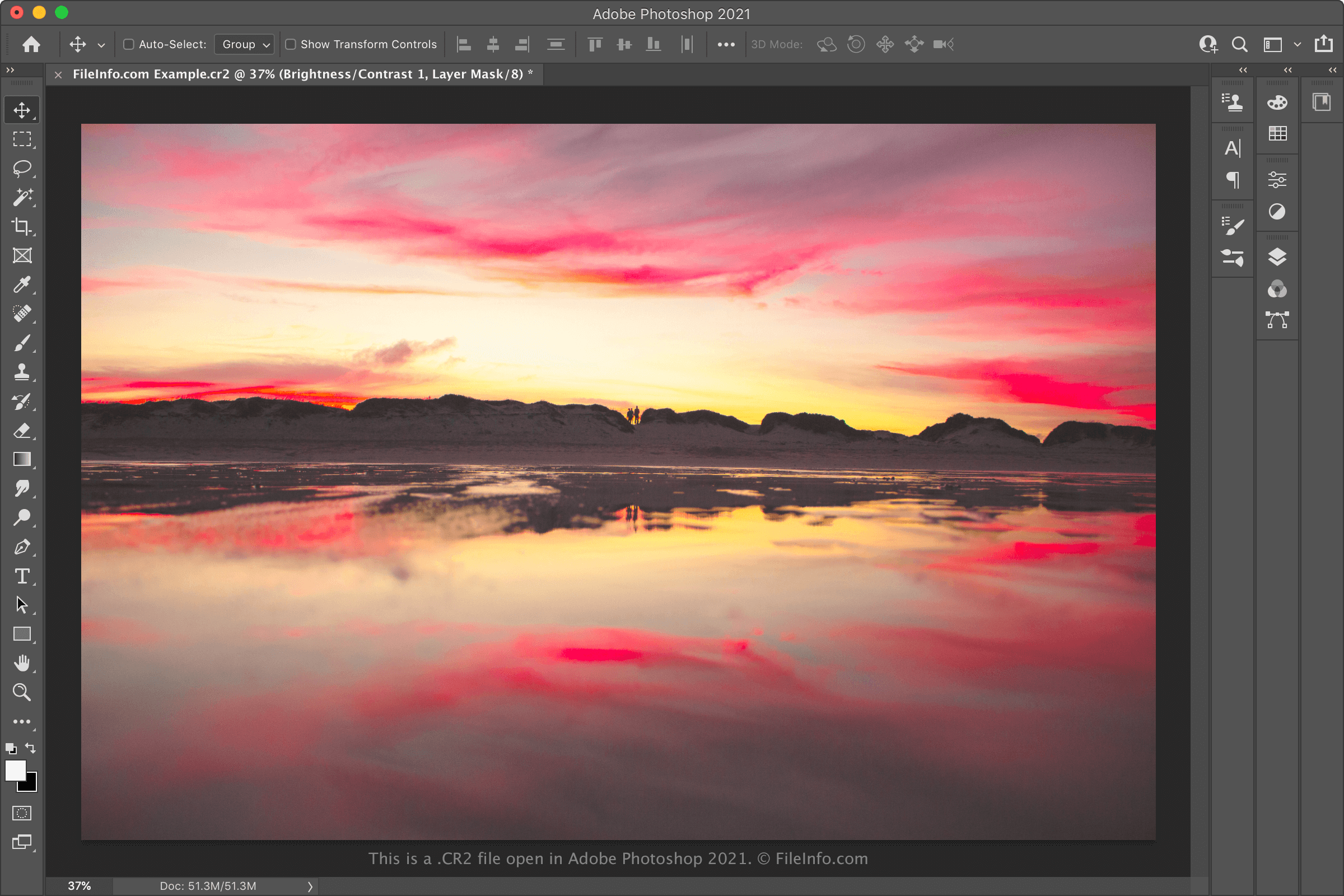
- Adobe Photoshop
- IrfanView
Jeśli chcesz edytować obraz zawarty w pliku CR2, prawdopodobnie najlepiej otworzyć go w programie Adobe Photoshop. Photoshop zawiera rozbudowany zestaw narzędzi do edycji obrazów i może eksportować pliki CR2 do wielu popularnych formatów obrazów.
Jak przekonwertować plik CR2
Różne edytory i przeglądarki obrazów, w tym Adobe Photoshop, Apple Preview i IrfanView, mogą konwertować pliki CR2 do innych formatów.
Na przykład Adobe Photoshop może konwertować pliki CR2 do następujących formatów:
- .JPG - obraz JPEG
- .PNG - Portable Network Graphics
- .TIFF - Tagged Image File Format
- .BMP - obraz bitmapowy
- .GIF - Graphical Interchange Format
- .PDF - Portable Document Format
- .PSD - dokument programu Photoshop
Apple Preview może konwertować pliki CR2 do następujących formatów: