.CR2 파일 확장자

2개의 파일 유형.cr2 확장자를 사용합니다.

Canon Raw 2 Image

개발사 Canon
인기도
4.0  |  312 투표
 
🔍File Helper(으)로 .CR2 파일을 웹 브라우저에서 바로 여세요.온라인으로 보기

CR2 파일이란 무엇인가요?

A CR2 file is a digital photo saved in the Canon Raw 2 format. Various Canon digital cameras, including the EOS 1D Mark IV and EOS 450D, save photos in the CR2 format. Notably, CR2 files contain a losslessly-compressed copy of the image data a camera's Charged Coupled Device (CCD) captured. Thus, CR2 files often have large file sizes (and contain high-quality images).

추가 정보

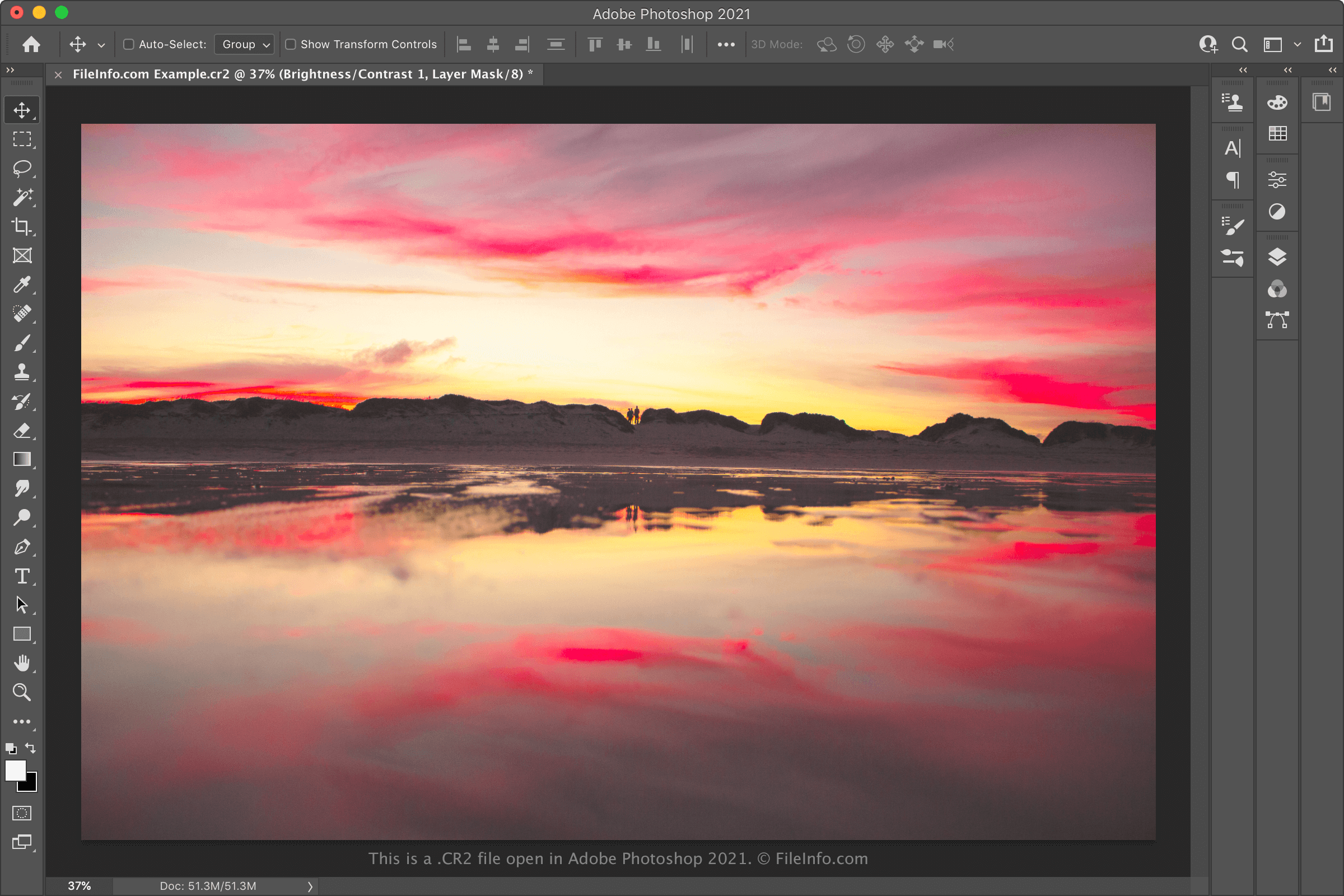
Adobe Photoshop에서 열린 .cr2 파일의 스크린샷
Adobe Photoshop에서 열린 CR2 파일

Typically, professional-grade digital cameras save photos as camera raw files. Camera raw files contain an unprocessed copy of all the data a camera captured when taking a photo. Retaining all this data allows photographers to, among other things, edit their photos more precisely and print them at higher quality. (In contrast, non-professional cameras usually process and compress photos before storing them as .JPG files.)

Each manufacturer's digital cameras save photos in their own particular camera raw formats. Most Canon cameras released between 2004 and 2018 save photos in the CR2 format (extended from TIFF). This format replaced Canon's previous camera raw format, .CRW, with the release of the EOS 20D. It has itself been replaced by the .CR3 format, with the release of the EOS M50.

When to use (and not use) CR2 files

Professional and hobbyist photographers often import CR2 files into Canon photo-editing software and other photo editors, like Adobe Photoshop. They then use these programs to edit and/or print the photos their CR2 files contain. So, if you're looking to edit or print a high-quality photo, you may want to keep your photo saved in the CR2 format and open it with a professional image editor.

On the other hand, if you want to share the photo a CR2 file contains, you'll likely want to convert it to JPG or .PNG. Doing so will reduce the file's size considerably, making it easier to share. Just be aware that converting a CR2 file will discard some of the camera raw data the file contains. Thus, you may want to create a copy of your CR2 file before converting it, if you plan to edit or print your photo in the future.

CR2 파일을 여는 방법

You can open CR2 files with any of the following image viewers and editors:

If you're looking to edit the image a CR2 file contains, opening it in Adobe Photoshop is likely your best bet. Photoshop contains a comprehensive suite of image-editing tools and can export CR2 files in many common image formats.

CR2 파일을 변환하는 방법

Various image editors and viewers, including Adobe Photoshop, Apple Preview, and IrfanView, can convert CR2 files to other formats.

For example, Adobe Photoshop can convert CR2 files to the following formats:

  • .JPG - JPEG image
  • .PNG - Portable Network Graphic
  • .TIFF - Tagged Image File Format
  • .BMP - Bitmap image
  • .GIF - Graphical Interchange Format
  • .PDF - Portable Document Format
  • .PSD - Photoshop Document

Apple Preview can convert CR2 files to the following formats:

  • .JPG - JPEG image
  • .PNG - Portable Network Graphic
  • .TIFF - Tagged Image File Format
  • .HEIC - High Efficiency Image Format
  • .PDF - Portable Document Format

CR2 파일을 여는 프로그램

Mac
OS에 포함됨
OS에 포함됨
무료 체험판
무료 체험판
Linux
무료
MATE with Atril Document Viewer
무료
무료
Web
OS에 포함됨
iOS
OS에 포함됨
Chrome OS

Poser Character Rigging File

개발사 Bondware
인기도
3.2  |  21 투표
 

3D character data file used by Poser, a 3D human modeling program; includes information about the figure's joints and bones, including where and how much they bend; may also contain information about morphs that are built into the figure; may be imported by various third-party programs.

추가 정보

참고: Poser was originally developed by Smith Micro, but was sold to Bondware in June 2019.

CR2 파일을 열거나 참조하는 프로그램

Windows
Mac
무료 체험판

검증자 FileInfo.com

FileInfo.com 팀 이 페이지에 나열된 모든 파일 형식과 소프트웨어 프로그램을 독자적으로 조사했습니다. 저희의 목표는 100% 정확성이며, 검증한 파일 유형에 대한 정보만 게시합니다.

이 페이지에 추가하거나 업데이트할 내용을 제안하고 싶으시면 알려 주세요.