.PROT ファイル拡張子

2個のファイルタイプ.prot拡張子を使用しています。

XEASY Atom List

開発元 ETH Zurich
人気度
2.3  |  3 
 

PROTファイルとは?

A PROT file is an atom list created and used by XEASY, a Nuclear Magnetic Resonance (NMR) spectrum analysis application. It is a plain text file that describes an atom's nuclear magnetic resonance. PROT files are meant to be opened and viewed in XEASY, using the Load atoms option.

詳細情報

Scientists and researchers can use XEASY to perform a 3D spectrum analysis of macromolecules, using NMR. One of the measurements XEASY records is a macromolecule's atom list. The atom list contains the name and frequencies of a macromolecule's resonances, and it is saved as a PROT file.

Each PROT file contains several rows of numerical and text values. Each row corresponds to an individual atom, and contains identifying information about that atom. In order, each atom's row includes:

  • The atom's unique ID number
  • The atom's mean chemical shift in part per million
  • The deviation of the atom's assigned peaks from the mean value
  • The atom's name
  • The atom's fragment number
  • The atom's reference lineshapes

To create an atom list in XEASY, scientists use the program's Write atoms (chem.shift) [wc] command. This produces a PROT file for the current macromolecule.

PROTファイルの開き方

You can open a PROT file in XEASY (Linux), using the program's Load atoms (chem.shift) [lc] command.

If you do not have access to XEASY, you can also open a PROT file in any text editor, to view the atom list it contains.

File Viewer Plusで400種類以上のファイル形式を開けます。無料ダウンロード

PROTファイルを開くプログラム

Windows
Mac
OSに同梱
Linux
ETH Zurich XEASY
無料
カテゴリ: データ
更新日: 2021-08-27

SnapGene Protein File

開発元 GSL Biotech
人気度
2.0  |  1 
 

A PROT file is a data file created by GSL Biotech SnapGene, a molecular biology analysis application. It contains a protein sequence and its properties, such as molecular weight and absorbance. PROT files include metadata, such as the creator, a description of the sequence, a history of changes, and comments.

詳細情報

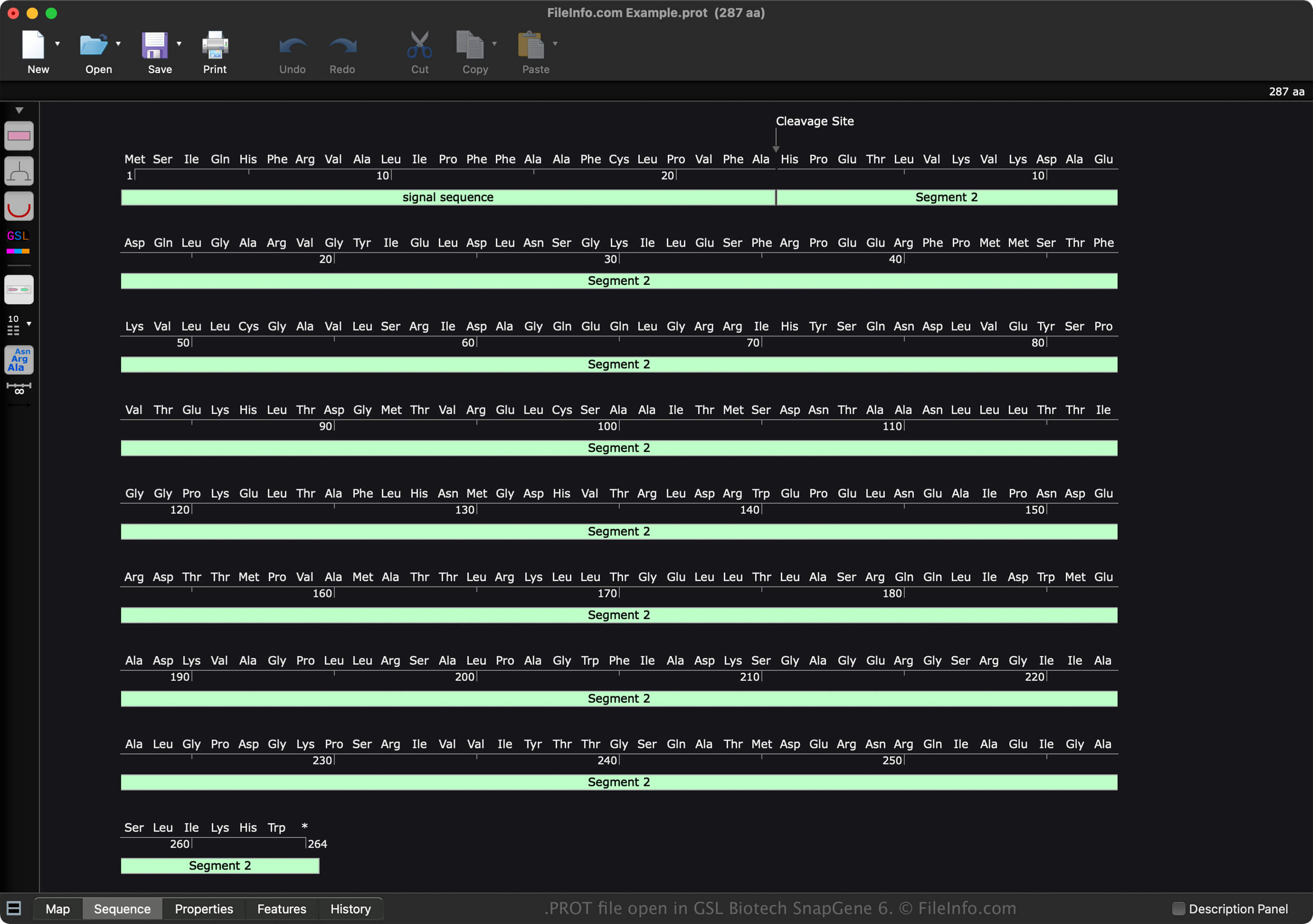
GSL Biotech SnapGene 6で開いた.protファイルのスクリーンショット
GSL Biotech SnapGene 6で開いたPROTファイル

SnapGene is a molecular biology application that documents, designs, and simulates various types of sequences, including DNA, RNA, and protein. When you save a sequence with SnapGene, the software creates a file to store the contents. Snap Gene saves each type of sequence in a different file format:

  • DNA sequence - .DNA file
  • RNA sequence - .RNA file
  • Protein sequence - PROT file

To create a PROT file with SnapGene, follow these steps:

  1. Select File → New Protein File...
  2. Choose the "RNA" sequence type
  3. Create the sequence
  4. Name the file
  5. Select OK

After creating the PROT file, you can save it by selecting File → Save or Save As.... Then, after saving the file, you can close it and re-open it to modify the sequence further.

PROTファイルの開き方

You can open a PROT file with GSL Biotech SnapGene (multiplatform). To open a PROT file with SnapGene, select File → Open Files....

You can also open a PROT file with SnapGene Viewer (multiplatform). However, it does not provide the same advanced capabilities that SnapGene offers.

PROTファイルの変換方法

GSL Biotech SnapGene can convert PROT files to various file types, including the following formats:

  • .SEQ - DNA Sequence Text File
  • .FA - FASTA Sequence File
  • .EMBL - EMBL Sequence Data File
  • .GBK - GenBank Data File
  • .TXT - Plain Text File
  • .JPG - JPEG Image
  • .PNG - Portable Network Graphic
  • .EMF - Enhanced Windows Metafile
  • .SVG - Scalable Vector Graphics File
  • .PDF - Portable Document Format

PROTファイルを開くプログラム

カテゴリ: データ
更新日: 2022-11-11

検証者 FileInfo.com

FileInfo.comチーム は、このページに掲載されているすべてのファイル形式とソフトウェアについて独自に調査しました。 私たちの目標は100%の正確性であり、検証済みのファイルタイプに関する情報のみを公開しています。

このページへの追加や更新をご提案いただける場合は、お知らせください。