.PROT Dateiendung

2 Dateitypen verwenden die Dateiendung .prot.

XEASY Atom List

Entwickler ETH Zurich
Beliebtheit
2.3  |  3 Stimmen
 

Was ist eine PROT-Datei?

A PROT file is an atom list created and used by XEASY, a Nuclear Magnetic Resonance (NMR) spectrum analysis application. It is a plain text file that describes an atom's nuclear magnetic resonance. PROT files are meant to be opened and viewed in XEASY, using the Load atoms option.

Weitere Informationen

Scientists and researchers can use XEASY to perform a 3D spectrum analysis of macromolecules, using NMR. One of the measurements XEASY records is a macromolecule's atom list. The atom list contains the name and frequencies of a macromolecule's resonances, and it is saved as a PROT file.

Each PROT file contains several rows of numerical and text values. Each row corresponds to an individual atom, and contains identifying information about that atom. In order, each atom's row includes:

  • The atom's unique ID number
  • The atom's mean chemical shift in part per million
  • The deviation of the atom's assigned peaks from the mean value
  • The atom's name
  • The atom's fragment number
  • The atom's reference lineshapes

To create an atom list in XEASY, scientists use the program's Write atoms (chem.shift) [wc] command. This produces a PROT file for the current macromolecule.

So öffnen Sie eine PROT-Datei

You can open a PROT file in XEASY (Linux), using the program's Load atoms (chem.shift) [lc] command.

If you do not have access to XEASY, you can also open a PROT file in any text editor, to view the atom list it contains.

Über 400 Dateiformate öffnen mit File Viewer Plus.Kostenloser Download

Programme, die .PROT-Dateien öffnen

Windows
Im Betriebssystem enthalten
Mac
Im Betriebssystem enthalten
Linux
ETH Zurich XEASY
Kostenlos
Kategorie: Daten
Aktualisiert: 2021-08-27

SnapGene Protein File

Entwickler GSL Biotech
Beliebtheit
2.0  |  1 Stimme
 

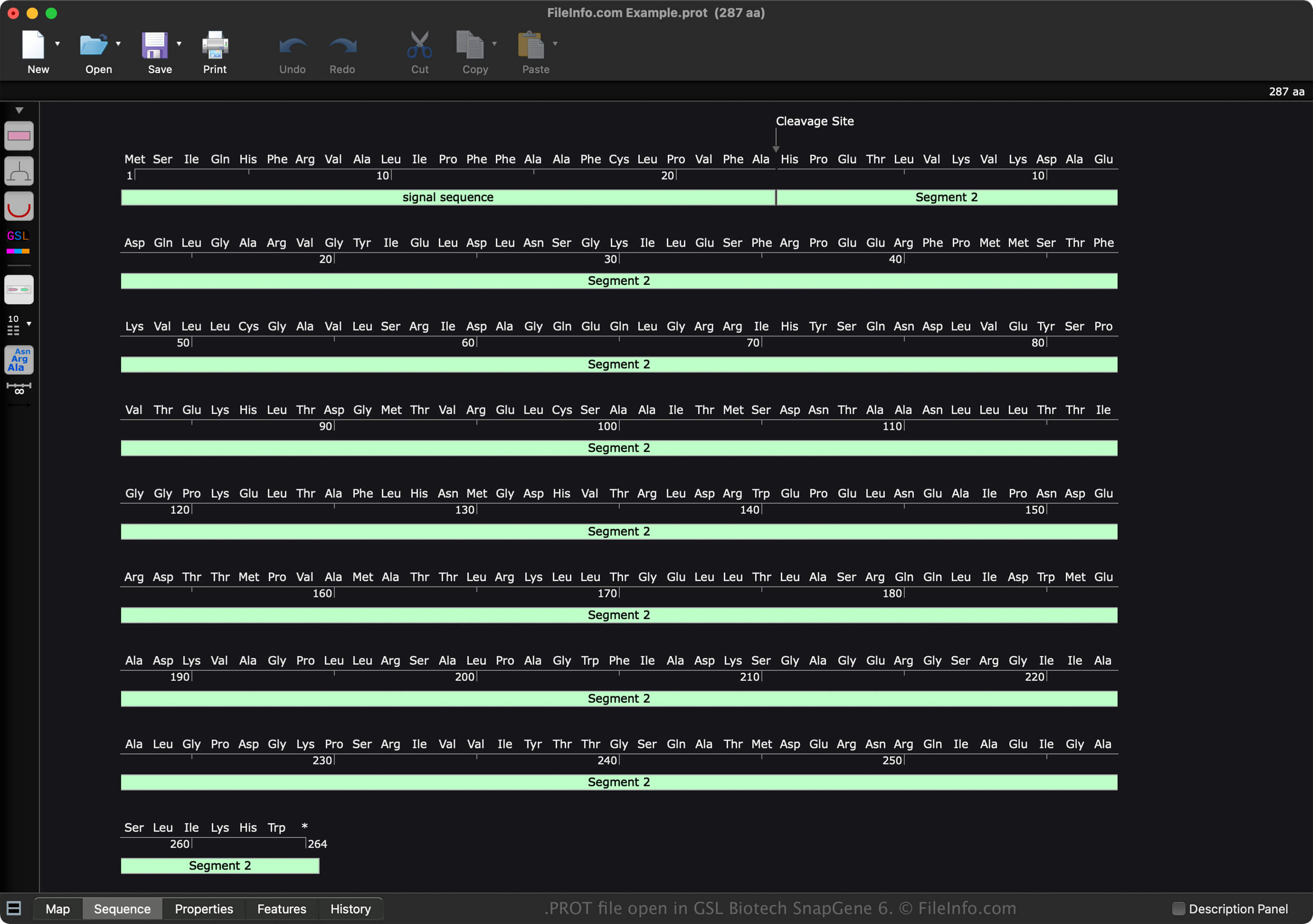
A PROT file is a data file created by GSL Biotech SnapGene, a molecular biology analysis application. It contains a protein sequence and its properties, such as molecular weight and absorbance. PROT files include metadata, such as the creator, a description of the sequence, a history of changes, and comments.

Weitere Informationen

Screenshot einer .prot-Datei in GSL Biotech SnapGene 6
PROT-Datei geöffnet in GSL Biotech SnapGene 6

SnapGene is a molecular biology application that documents, designs, and simulates various types of sequences, including DNA, RNA, and protein. When you save a sequence with SnapGene, the software creates a file to store the contents. Snap Gene saves each type of sequence in a different file format:

  • DNA sequence - .DNA file
  • RNA sequence - .RNA file
  • Protein sequence - PROT file

To create a PROT file with SnapGene, follow these steps:

  1. Select File → New Protein File...
  2. Choose the "RNA" sequence type
  3. Create the sequence
  4. Name the file
  5. Select OK

After creating the PROT file, you can save it by selecting File → Save or Save As.... Then, after saving the file, you can close it and re-open it to modify the sequence further.

So öffnen Sie eine PROT-Datei

You can open a PROT file with GSL Biotech SnapGene (multiplatform). To open a PROT file with SnapGene, select File → Open Files....

You can also open a PROT file with SnapGene Viewer (multiplatform). However, it does not provide the same advanced capabilities that SnapGene offers.

So konvertieren Sie eine PROT-Datei

GSL Biotech SnapGene can convert PROT files to various file types, including the following formats:

  • .SEQ - DNA Sequence Text File
  • .FA - FASTA Sequence File
  • .EMBL - EMBL Sequence Data File
  • .GBK - GenBank Data File
  • .TXT - Plain Text File
  • .JPG - JPEG Image
  • .PNG - Portable Network Graphic
  • .EMF - Enhanced Windows Metafile
  • .SVG - Scalable Vector Graphics File
  • .PDF - Portable Document Format

Programme, die .PROT-Dateien öffnen

Windows
Kostenlose Testversion
Mac
Kostenlose Testversion
Linux
Kostenlose Testversion
Kategorie: Daten
Aktualisiert: 2022-11-11

Geprüft von FileInfo.com

Das FileInfo.com-Team hat alle auf dieser Seite aufgeführten Dateiformate und Softwareprogramme unabhängig recherchiert. Unser Ziel ist 100% Genauigkeit, und wir veröffentlichen nur Informationen zu Dateitypen, die wir überprüft haben.

Wenn Sie Ergänzungen oder Aktualisierungen zu dieser Seite vorschlagen möchten, teilen Sie es uns bitte.