.IDX ファイル拡張子

VobSub Subtitles Index File

開発元 The VobSub Team
人気度
3.6  |  236 
 

IDXファイルとは?

An IDX file is a subtitles index file created and used by VobSub, a program that allows users to extract subtitles from DVDs. It contains a list of plain text settings and timestamps used to show the subtitles that a .SUB (VobSub Subtitles) file contains. IDX files are always paired with accompanying SUB files.

詳細情報

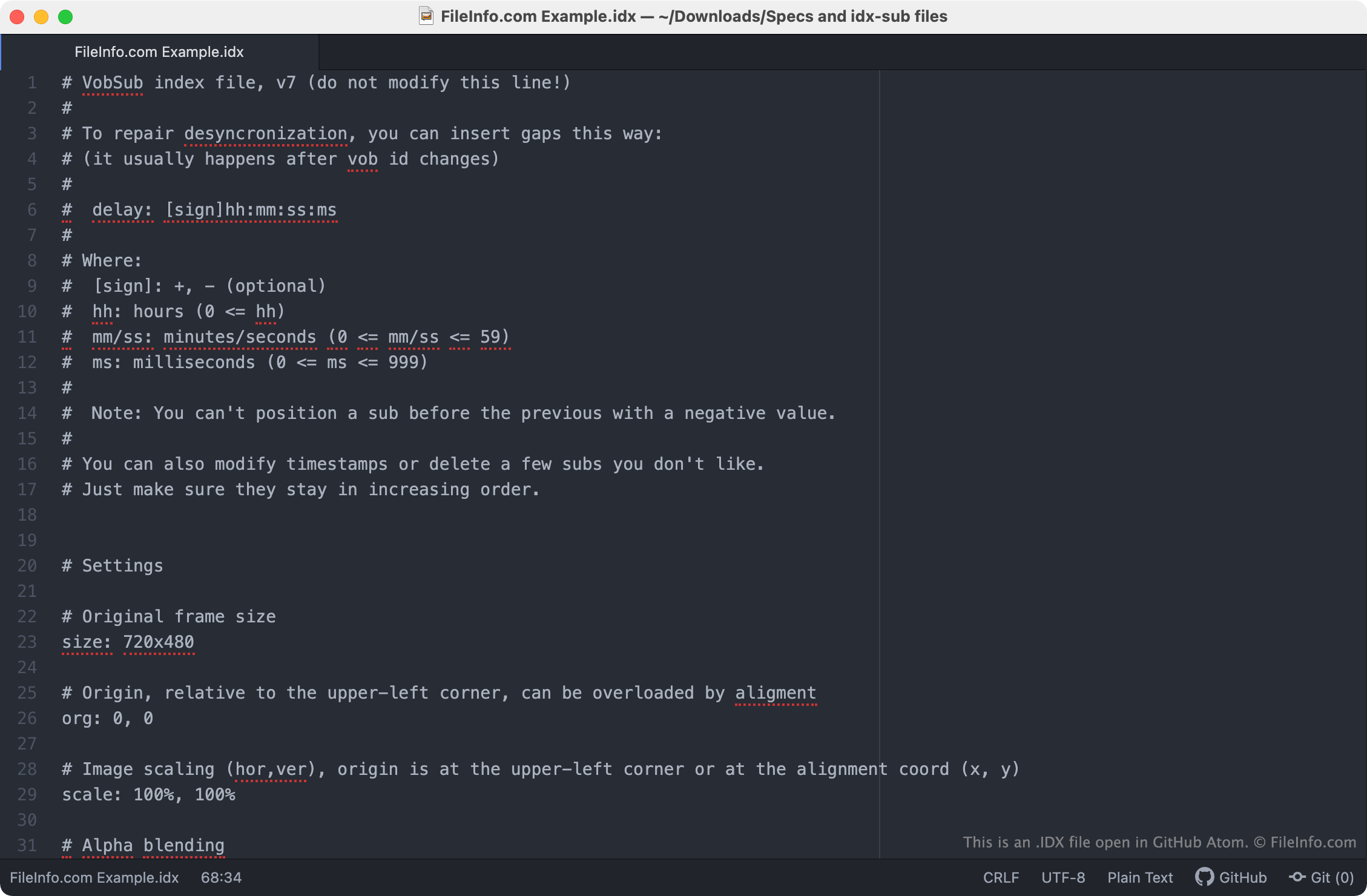
GitHub Atomで開いた.idxファイルのスクリーンショット
GitHub Atomで開いたIDXファイル

VobSub is a free program that allows users to extract and play the subtitles stored on DVDs. When VobSub extracts subtitles from a DVD, it creates two subtitles files: a SUB file and an IDX file. The SUB file contains images that are shown as subtitle text. The IDX file contains metadata that tells a media player what color the subtitle text should appear in, where the subtitles should appear on-screen, and when and in what order to show the images the SUB file contains. Subtitle settings typically appear at the beginning of an IDX file, on lines that begin with #, and timestamps and image references appear later in the file, on lines that begin with timestamp:.

Using VobSub's DirectVobSub component or a media player that supports the SUB / IDX subtitle format, users can play back DVD-format subtitles alongside the movie they were meant to be used with. This can be useful if, for example, you acquire an .MP4 copy of a movie and want to watch the movie with subtitles. If you can locate a SUB and IDX file for the movie, you can load and play them as subtitles. SUB and IDX files can also be used to embed subtitles in .MKV files.

IDXファイルの開き方

When paired with its accompanying SUB file, an IDX file can be used to play subtitles alongside a movie using DirectVobSub (Windows) or VideoLAN VLC media player (multiplatform).

To use an IDX file as a subtitles file in VLC media player:

  1. Make sure your SUB and IDX file are stored in the same directory.
  2. Begin playing the movie you want to use your IDX file with.
  3. From VLC's menu bar, select Subtitles → Add Subtitle File...
  4. Navigate to and open your IDX file.

Because they are plain text files, you can also open and edit IDX files in any text editor. However, editing an IDX file may cause the subtitles it is linked with to play incorrectly.

IDXファイルの変換方法

The .SRT subtitle format is more common than the VobSub format. Therefore, you might want to convert your VobSub subtitles to the SRT format so you can use them more easily. SubtitleTools.com has a SUB / IDX to SRT converter, called Convert Sub/Idx to Srt, that you can use to convert VobSub subtitles to the SRT format. Keep in mind that you must have both a .SUB file and an IDX file to convert VobSub subtitles to the SRT format.

File Viewer Plusで400種類以上のファイル形式を開けます。無料ダウンロード

IDXファイルを開くプログラム

カテゴリ: ビデオ
更新日: 2022-04-27

Index File

開発元 不明
人気度
3.6  |  25 
 

An IDX file stores an index of files used by various programs. It is used by search functions to speed up searches. After a hard disk, directory, or database is indexed within an IDX file, programs can search and sort the data more efficiently.

詳細情報

Some examples of programs that use IDX files include:

  • Microsoft FoxPro
  • Corel QuickFinder
  • ESRI ArcView
  • ICQ
  • Intuit Quicken (whose IDX file is named qdata.idx)

一般的な.IDXファイル名

qdata.idx - An IDX file used by Intuit Quicken.

IDXファイルの開き方

IDX files are not meant to be opened. If you accidentally delete an IDX file, the program that created the IDX file should re-create the file the next time you perform a function that requires re-indexing.

IDXファイルを開く、または参照するプログラム

Windows
無料
無料体験版
Mac
無料体験版

HMI Historical Log Index File

開発元 Wonderware
人気度
3.2  |  33 
 

An IDX file is an index file created by InTouch Human-Machine Interface (HMI) software used to monitor and control industrial systems. It contains index data that references historical log (.LGH) files generated by the HMI system. The log files IDX files reference record system activity and process values over time, allowing operators and engineers to review past performance or troubleshoot issues.

詳細情報

An example of a program that uses IDX files is ReportBuilder, which uses the InTouch ODBC (Open Database Connectivity) Connector Pack to organize and access logged data. When generating reports, the software uses the information in IDX files to locate and retrieve specific data points from large historical log sets. This allows users to efficiently produce trend analyses, performance summaries, and system reports without having to read large log files.

IDXファイルの開き方

IDX files are not meant to be opened manually. Instead, AVEVA InTouch HMI and WorkSmart Automation ReportBuilder reference IDX files to access and display historical information stored in the accompanying log files located in the same directory.

IDXファイルを開く、または参照するプログラム

Windows
カテゴリ: データ
更新日: 2025-11-06

Outlook Express Mailbox Index File

開発元 不明
人気度
3.1  |  32 
 

Stores an index of mail messages stored in an Outlook Express mailbox (.MBX file); should be located in the same folder as the mailbox files; required for importing old Outlook Express mailboxes into Outlook Express 5 or later.

IDXファイルを開くプログラム

Windows

検証者 FileInfo.com

FileInfo.comチーム は、このページに掲載されているすべてのファイル形式とソフトウェアについて独自に調査しました。 私たちの目標は100%の正確性であり、検証済みのファイルタイプに関する情報のみを公開しています。

このページへの追加や更新をご提案いただける場合は、お知らせください。