

.VWX Bestandsextensie
Vectorworks-ontwerp
| Ontwikkelaar | Nemetschek |
| Populariteit |
3,6 | 35 stemmen |
Wat is een VWX-bestand?
Een VWX-bestand is een ontwerp van een gebouw, interieur of landschap dat is gemaakt met Nemetschek Vectorworks, een CAD-ontwerppakket. Het bevat doorgaans zowel een 3D-model als 2D-weergaven van dat model. Een VWX-bestand kan bijvoorbeeld een 3D-model van een gebouw en verschillende 2D-tekeningen van de architectuur en plattegrond van het gebouw bevatten.
Meer informatie
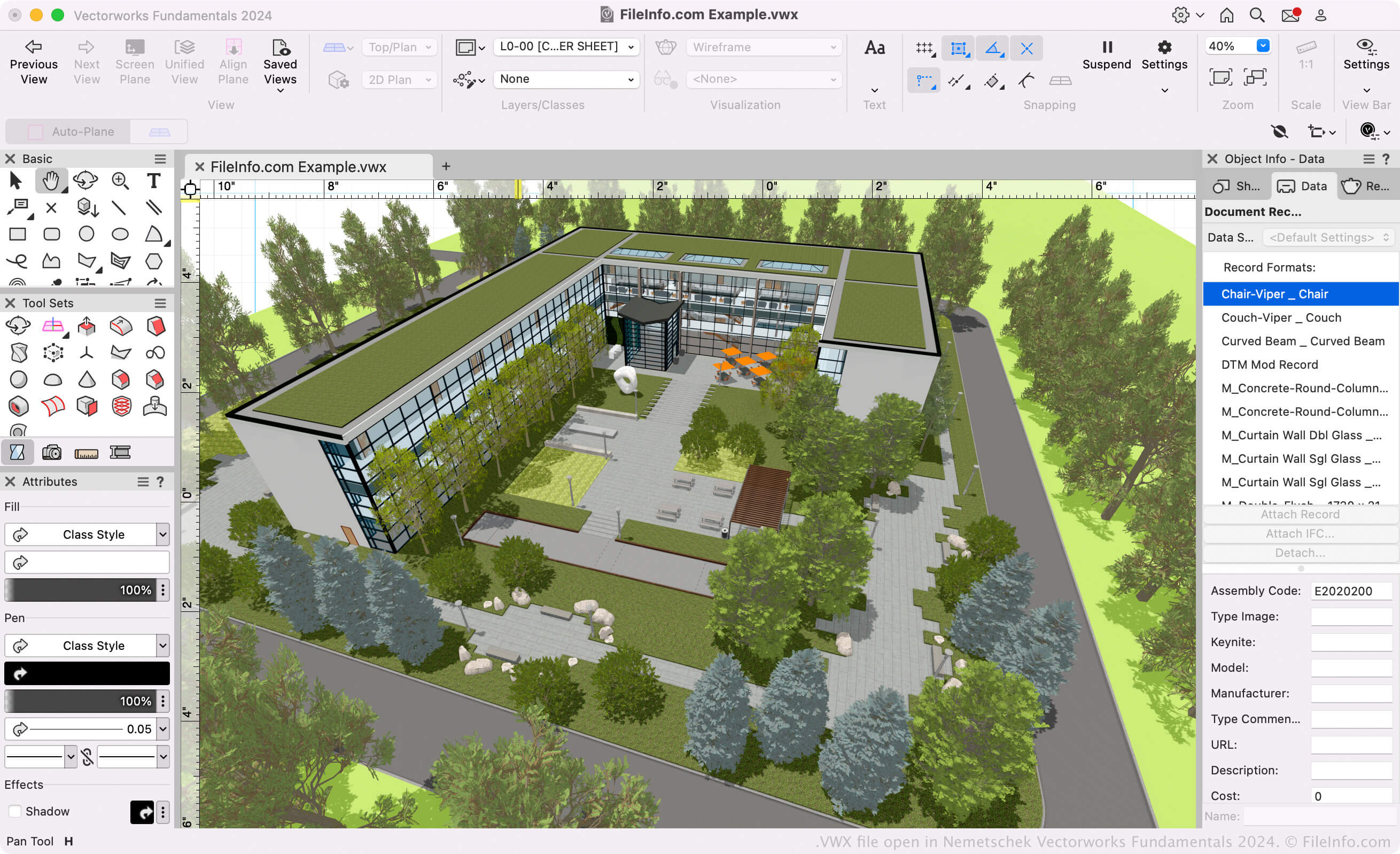
Architecten, landschapsontwerpers en ontwerpers van live-evenementen gebruiken Vectorworks-software om 3D-modellen en 2D-tekeningen van gebouwen, landschappen en opstellingen voor live-evenementen te maken. Het Vectorworks-pakket bestaat voornamelijk uit de volgende programma's (gezamenlijk bekend als de Vectorworks Design Suite):
- Architect: Wordt gebruikt om bouwprojecten te modelleren en te tekenen.
- Landmark: Wordt gebruikt om landschapsprojecten te modelleren en te tekenen.
- Spotlight: Wordt gebruikt om opstellingen voor live-evenementen te modelleren en te tekenen (podiumbouw, verlichting, interieurontwerp enzovoort).
- Fundamentals: Wordt gebruikt om CAD-tekeningen en -modellen voor ontwerp en fabricage te maken.
Al deze programma's slaan de modellen en tekeningen van gebruikers op als VWX-bestanden. Ze zijn beschikbaar in Vectorworks Design Suite en als zelfstandige apps.
Vectorworks-indeling
Nemetschek introduceerde de Vectorworks-indeling (VWX) toen het Vectorworks 2008 uitbracht. Deze verving de .MCD-indeling die door Vectorworks 12.5 en eerdere versies werd gebruikt. De binaire indeling is bedrijfseigen voor Vectorworks en slaat alle informatie van het ontwerp op, waaronder mogelijk 2D-schetsen, 3D-modelgegevens (bijvoorbeeld objecteigenschappen en geometrie), laaggegevens en project-metadata.
Een VWX-bestand openen
Als je alleen het ontwerp in je VWX-bestand wilt bekijken, kun je het openen met Nemetschek Vectorworks Viewer. Deze gratis VWX-viewer is beschikbaar voor Windows en macOS.
Als je je VWX-bestand wilt bewerken of converteren, kun je het openen met het daarvoor geschikte Nemetschek Vectorworks-programma (versie 2008 en hoger). Als je bijvoorbeeld een VWX-bestand hebt dat is gemaakt met Vectorworks Landmark, kun je dat bestand openen met Vectorworks Landmark (selecteer ).
OPMERKING: Vectorworks 12.5 en eerdere versies kunnen geen VWX-bestanden openen.
Een VWX-bestand converteren
Vectorworks-ontwerpprogramma's kunnen VWX-bestanden converteren naar verschillende teken-, 3D-model-, document- en afbeeldingsindelingen. Om een VWX-bestand naar een andere indeling te converteren, moet je doorgaans:
- Het VWX-bestand openen in het daarvoor geschikte Vectorworks-programma.
- selecteren
- De gewenste exportindeling selecteren.
- Het geconverteerde bestand een naam geven en opslaan.
Enkele veelgebruikte indelingen waarnaar Vectorworks VWX-bestanden kan converteren zijn: