.VWX 文件扩展名

Vectorworks Design

开发者 Nemetschek
受欢迎程度
3.6  |  35 
 

什么是 VWX 文件?

A VWX file is a building, interior, or landscape design created by Nemetschek Vectorworks, a CAD design suite. It typically contains both a 3D model and 2D renderings of that model. For example, a VWX file may contain a 3D model of a building and various 2D drawings of the building's architecture and floor plan.

更多信息

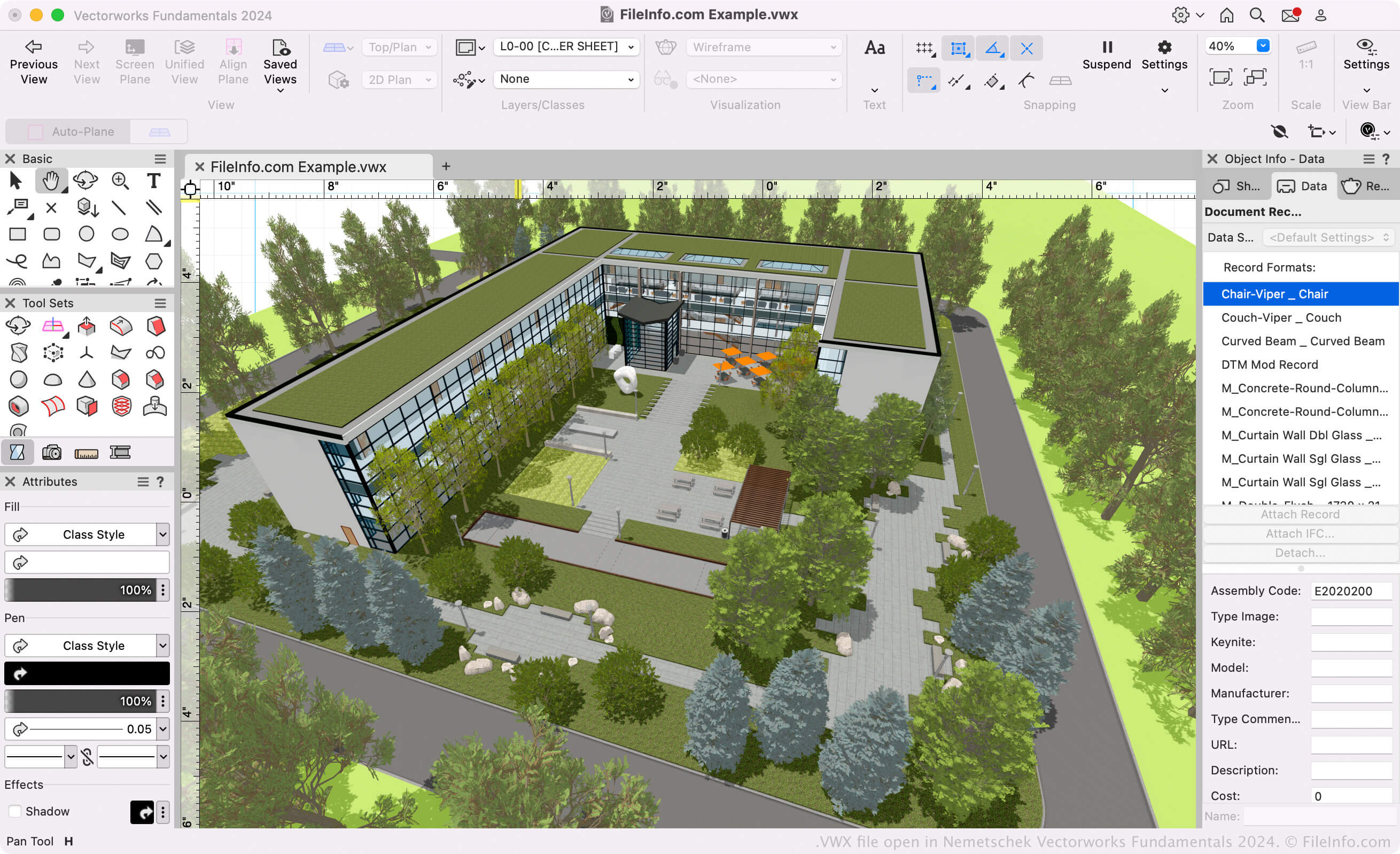
在 Nemetschek Vectorworks Fundamentals 2024 中打开的 .vwx 文件截图
在 Nemetschek Vectorworks Fundamentals 2024 中打开的 VWX 文件

Architects, landscape designers, and live event designers use Vectorworks software to create 3D models and 2D drawings of buildings, landscapes, and live event setups. Primarily, the Vectorworks suite consists of the following programs (known collectively as the Vectorworks Design Suite):

  • Architect: Used to model and draw building projects.
  • Landmark: Used to model and draw landscape projects.
  • Spotlight: Used to model and draw live event setups (staging, lighting, interior design, etc.).
  • Fundamentals: Used to create CAD drawings and models for design and fabrication.

These programs all save users' models and drawings as VWX files. They are available in Vectorworks Design Suite and as standalone apps.

Vectorworks Format

Nemetschek introduced the Vectorworks (VWX) format when it released Vectorworks 2008, replacing the .MCD format used by Vectorworks 12.5 and earlier. The binary format is proprietary to Vectorworks and saves all of the design's information, which may include 2D drafts, 3D model data (e.g., object properties and geometry), layer information, and project metadata.

如何打开 VWX 文件

If you only want to view the design your VWX file contains, you can open it with Nemetschek Vectorworks Viewer. This free VWX viewer is available for Windows and macOS.

If you need to edit or convert your VWX file, you can open it with the appropriate Nemetschek Vectorworks program (version 2008 and later). For example, if you have a VWX file created by Vectorworks Landmark, you can open that file with Vectorworks Landmark (select File → Open).

注: Vectorworks 12.5 and earlier versions cannot open VWX files.

如何转换 VWX 文件

Vectorworks design programs can convert VWX files to various drawing, 3D model, document, and image formats. Typically, to convert a VWX file to another format, you must:

  1. Open the VWX file in the appropriate Vectorworks program.
  2. Select File → Export
  3. Select your desired export format.
  4. Name and save your converted file.

Some common formats that Vectorworks can convert VWX files to include:

  • .DXF - Drawing Exchange Format
  • .DWG - AutoCAD Drawing
  • .FBX - Autodesk FBX Interchange File
  • .C4D - Cinema 4D Model
  • .OBJ - Wavefront 3D Object
  • .STP - STEP 3D Model
  • .STL - Stereolithography File
  • .KML - Keyhole Markup Language
  • .JPG - JPEG Image
  • .PDF - Portable Document Format
使用File Viewer Plus打开 400 多种文件格式。免费下载

可打开 VWX 文件的程序

分类: CAD
更新时间: 2023-10-31

验证者 FileInfo.com

FileInfo.com 团队 独立研究了本页面列出的 Vectorworks Design 文件格式和 Mac and Windows 应用。 我们的目标是达到 100% 的准确率,并且仅发布我们已验证过的文件类型信息。

如果您想为此页面提出新增或更新建议,请告诉我们