

.VWX Přípona souboru
Návrh Vectorworks
| Vývojář | Nemetschek |
| Popularita |
3,6 | 35 hlasů |
Co je soubor VWX?
Soubor VWX je návrh budovy, interiéru nebo krajiny vytvořený v programu Nemetschek Vectorworks, sadě programů pro návrh CAD. Obvykle obsahuje 3D model i 2D vizualizace tohoto modelu. Soubor VWX může například obsahovat 3D model budovy a různé 2D výkresy architektury budovy a jejího půdorysu.
Další informace
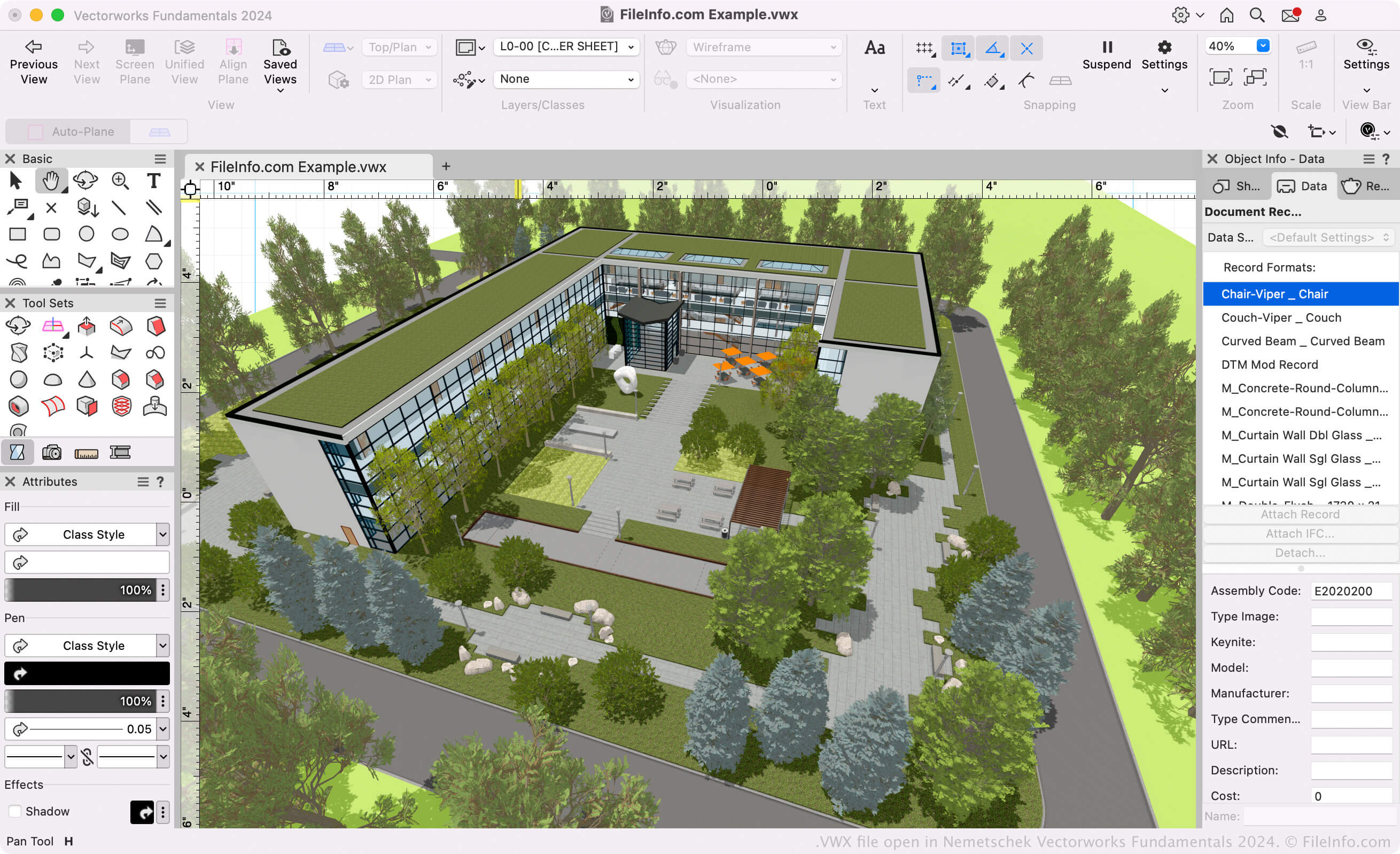
Architekti, krajinní designéři a designéři živých akcí používají software Vectorworks k vytváření 3D modelů a 2D výkresů budov, krajin a scén pro živé akce. Sada Vectorworks se skládá především z následujících programů (souhrnně známých jako Vectorworks Design Suite):
- Architect: Slouží k modelování a kreslení stavebních projektů.
- Landmark: Slouží k modelování a kreslení projektů krajinné architektury.
- Spotlight: Slouží k modelování a kreslení scén pro živé akce (jeviště, osvětlení, návrh interiéru atd.).
- Fundamentals: Slouží k vytváření výkresů a modelů CAD pro návrh a výrobu.
Všechny tyto programy ukládají modely a výkresy uživatelů jako soubory VWX. Jsou dostupné v sadě Vectorworks Design Suite i jako samostatné aplikace.
Formát Vectorworks
Společnost Nemetschek představila formát Vectorworks (VWX) při vydání programu Vectorworks 2008, čímž nahradila formát .MCD používaný programem Vectorworks 12.5 a staršími verzemi. Binární formát je proprietární formát programu Vectorworks a ukládá všechny informace o návrhu, které mohou zahrnovat 2D náčrty, data 3D modelu (např. vlastnosti objektů a geometrii), informace o vrstvách a metadata projektu.
Jak otevřít soubor VWX
Pokud chcete pouze zobrazit návrh obsažený v souboru VWX, můžete jej otevřít v programu Nemetschek Vectorworks Viewer. Tento bezplatný prohlížeč souborů VWX je dostupný pro Windows a macOS.
Pokud potřebujete soubor VWX upravit nebo převést, můžete jej otevřít v příslušném programu Nemetschek Vectorworks (verze 2008 a novější). Pokud máte například soubor VWX vytvořený v programu Vectorworks Landmark, můžete jej otevřít v programu Vectorworks Landmark (vyberte ).
POZNÁMKA: Program Vectorworks 12.5 a starší verze nedokážou otevřít soubory VWX.
Jak převést soubor VWX
Programy pro návrhy Vectorworks dokážou převádět soubory VWX do různých formátů výkresů, 3D modelů, dokumentů a obrázků. Chcete-li soubor VWX obvykle převést do jiného formátu, musíte:
- Otevřít soubor VWX v příslušném programu Vectorworks.
- Vybrat
- Vybrat požadovaný formát exportu.
- Pojmenovat a uložit převedený soubor.
Mezi běžné formáty, do kterých může Vectorworks převádět soubory VWX, patří: