

.VWX 파일 확장자
Vectorworks 설계
| 개발사 | Nemetschek |
| 인기도 |
3.6 | 35 표 |
VWX 파일이란 무엇인가요?
VWX 파일은 CAD 설계 소프트웨어 제품군인 Nemetschek Vectorworks로 만든 건물, 인테리어 또는 조경 설계 파일입니다. 일반적으로 3D 모델과 해당 모델의 2D 렌더링을 모두 포함합니다. 예를 들어 VWX 파일에는 건물의 3D 모델과 건물의 건축 구조 및 평면도를 나타내는 다양한 2D 도면이 포함될 수 있습니다.
추가 정보
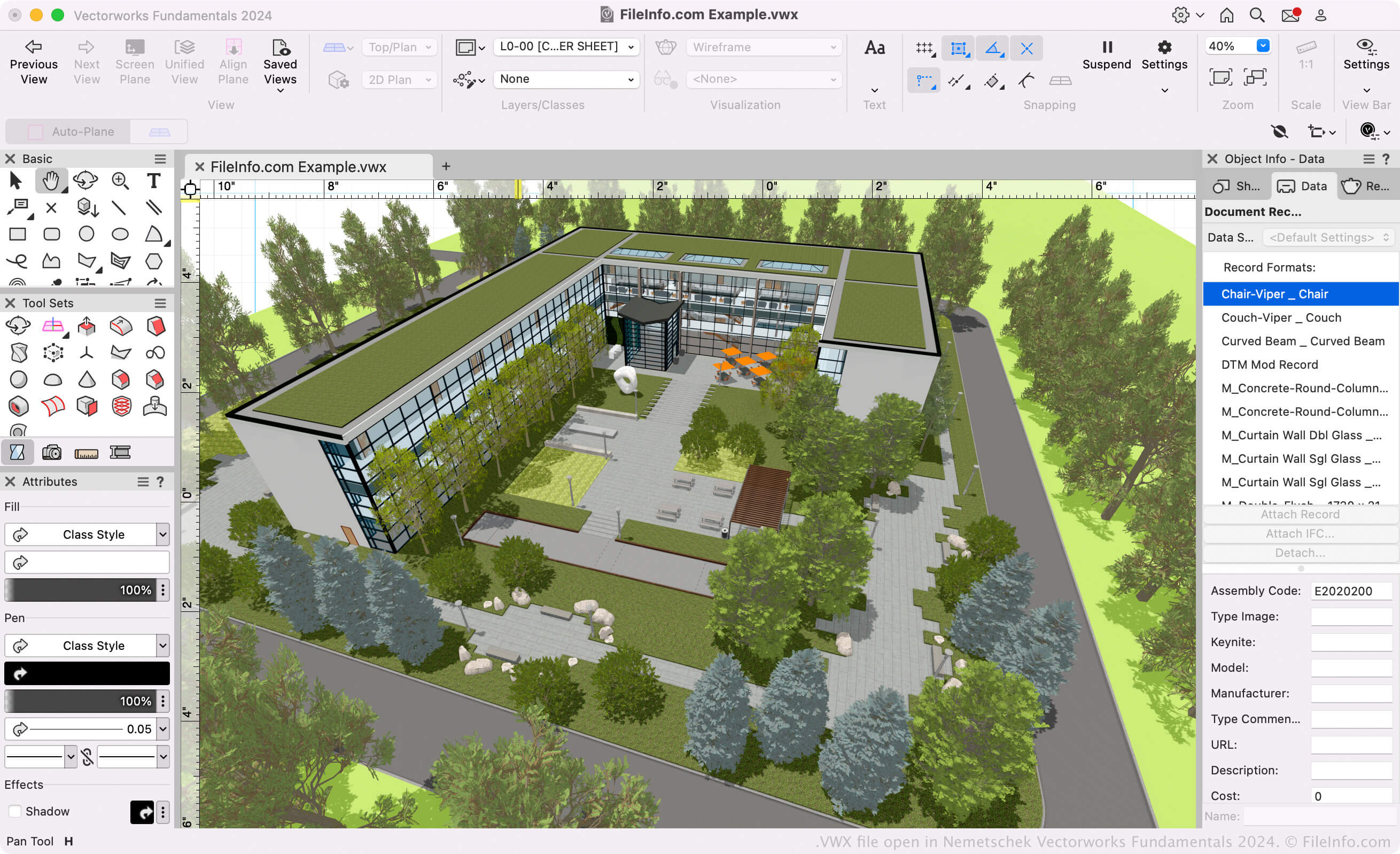
건축가, 조경 디자이너, 라이브 이벤트 디자이너는 Vectorworks 소프트웨어를 사용하여 건물, 조경, 라이브 이벤트 설치물의 3D 모델과 2D 도면을 만듭니다. 주로 Vectorworks 제품군은 다음 프로그램으로 구성됩니다(통칭하여 Vectorworks Design Suite라고 함).
- Architect: 건축 프로젝트를 모델링하고 그리는 데 사용됩니다.
- Landmark: 조경 프로젝트를 모델링하고 그리는 데 사용됩니다.
- Spotlight: 라이브 이벤트 설치물(무대, 조명, 인테리어 디자인 등)을 모델링하고 그리는 데 사용됩니다.
- Fundamentals: 설계 및 제작을 위한 CAD 도면과 모델을 만드는 데 사용됩니다.
이 프로그램들은 모두 사용자의 모델과 도면을 VWX 파일로 저장합니다. 이 프로그램들은 Vectorworks Design Suite에 포함되어 있으며 독립 실행형 앱으로도 제공됩니다.
Vectorworks 형식
Nemetschek은 Vectorworks 2008을 출시하면서 Vectorworks(VWX) 형식을 도입했으며, 이는 Vectorworks 12.5 및 이전 버전에서 사용하던 .MCD 형식을 대체했습니다. 이진 형식은 Vectorworks의 독점 형식이며, 설계의 모든 정보를 저장합니다. 여기에는 2D 초안, 3D 모델 데이터(예: 객체 속성 및 형상), 레이어 정보, 프로젝트 메타데이터가 포함될 수 있습니다.
VWX 파일을 여는 방법
VWX 파일에 포함된 설계를 보기만 하려는 경우 Nemetschek Vectorworks Viewer로 파일을 열 수 있습니다. 이 무료 VWX 뷰어는 Windows와 macOS에서 사용할 수 있습니다.
VWX 파일을 편집하거나 변환해야 하는 경우 해당 Nemetschek Vectorworks 프로그램(버전 2008 이상)으로 파일을 열 수 있습니다. 예를 들어 Vectorworks Landmark로 만든 VWX 파일이 있다면 Vectorworks Landmark로 해당 파일을 열 수 있습니다( 선택).
참고: Vectorworks 12.5 및 이전 버전에서는 VWX 파일을 열 수 없습니다.
VWX 파일을 변환하는 방법
Vectorworks 설계 프로그램은 VWX 파일을 다양한 도면, 3D 모델, 문서 및 이미지 형식으로 변환할 수 있습니다. 일반적으로 VWX 파일을 다른 형식으로 변환하려면 다음을 수행해야 합니다.
- 해당 Vectorworks 프로그램에서 VWX 파일을 엽니다.
- 를 선택합니다.
- 원하는 내보내기 형식을 선택합니다.
- 변환된 파일의 이름을 지정하고 저장합니다.
Vectorworks에서 VWX 파일을 변환할 수 있는 일반적인 형식은 다음과 같습니다.