

.VWX Extension de fichier
Conception Vectorworks
| Développeur | Nemetschek |
| Popularité |
3,6 | 35 Votes |
Qu'est-ce qu'un fichier VWX ?
Un fichier VWX est une conception de bâtiment, d'intérieur ou de paysage créée par Nemetschek Vectorworks, une suite de conception CAO. Il contient généralement à la fois un modèle 3D et des rendus 2D de ce modèle. Par exemple, un fichier VWX peut contenir un modèle 3D d'un bâtiment ainsi que différents dessins 2D de son architecture et de son plan d'étage.
Plus d'informations
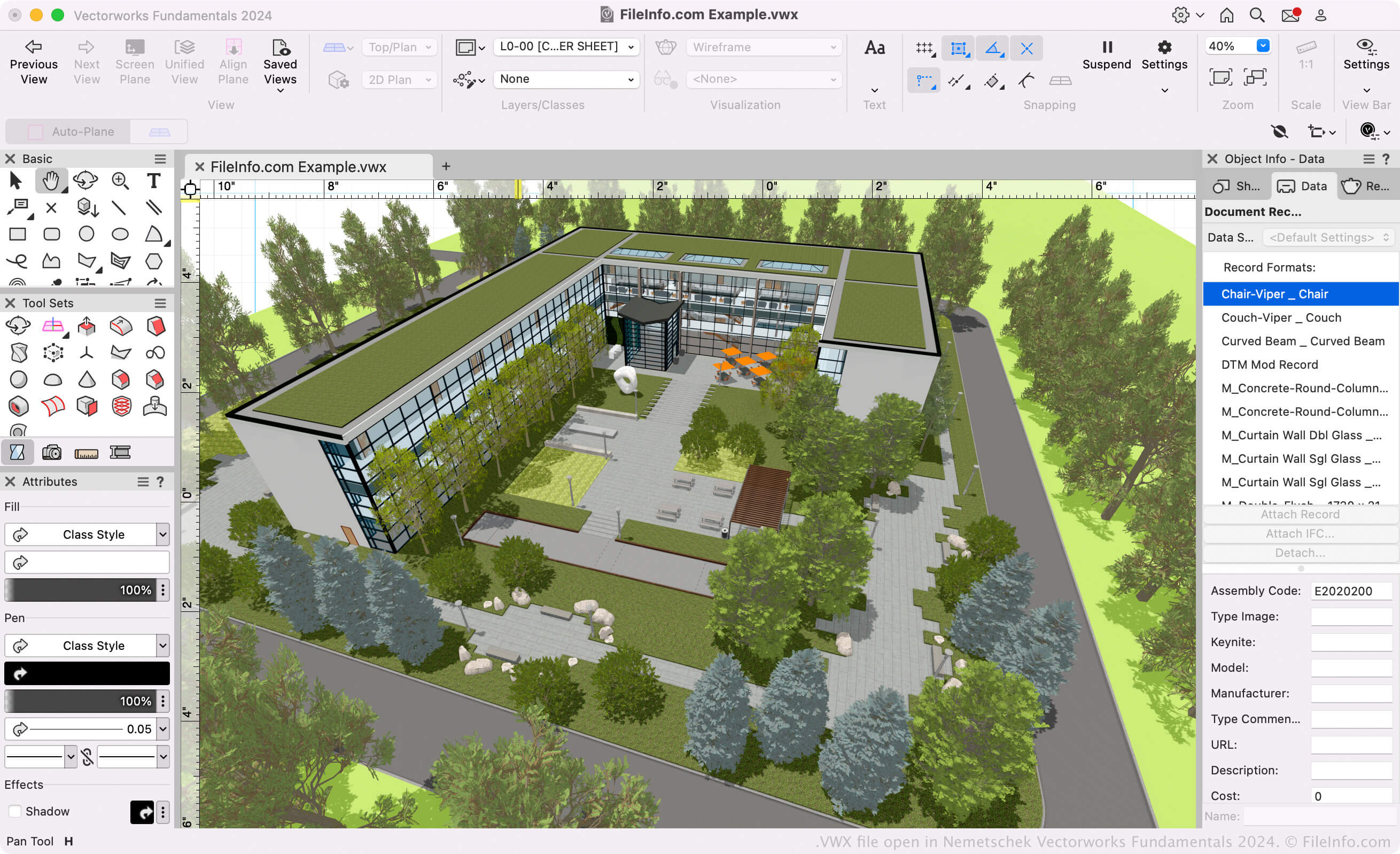
Les architectes, les paysagistes et les concepteurs d'événements en direct utilisent les logiciels Vectorworks pour créer des modèles 3D et des dessins 2D de bâtiments, de paysages et d'installations pour des événements en direct. Principalement, la suite Vectorworks comprend les programmes suivants (collectivement appelés Vectorworks Design Suite) :
- Architect : utilisé pour modéliser et dessiner des projets de construction.
- Landmark : utilisé pour modéliser et dessiner des projets d'aménagement paysager.
- Spotlight : utilisé pour modéliser et dessiner des installations pour des événements en direct (scène, éclairage, décoration intérieure, etc.).
- Fundamentals : utilisé pour créer des dessins et des modèles de CAO destinés à la conception et à la fabrication.
Tous ces programmes enregistrent les modèles et les dessins des utilisateurs sous forme de fichiers VWX. Ils sont disponibles dans Vectorworks Design Suite et en tant qu'applications autonomes.
Format Vectorworks
Nemetschek a introduit le format Vectorworks (VWX) lorsqu'il a commercialisé Vectorworks 2008, remplaçant le format .MCD utilisé par Vectorworks 12.5 et les versions antérieures. Le format binaire est propriétaire de Vectorworks et enregistre toutes les informations de la conception, notamment les plans 2D, les données du modèle 3D (par exemple, les propriétés et la géométrie des objets), les informations sur les calques et les métadonnées du projet.
Comment ouvrir un fichier VWX
Si vous souhaitez uniquement afficher la conception contenue dans votre fichier VWX, vous pouvez l'ouvrir avec Nemetschek Vectorworks Viewer. Cette visionneuse VWX gratuite est disponible pour Windows et macOS.
Si vous devez modifier ou convertir votre fichier VWX, vous pouvez l'ouvrir avec le programme Nemetschek Vectorworks approprié (version 2008 ou ultérieure). Par exemple, si vous avez un fichier VWX créé par Vectorworks Landmark, vous pouvez ouvrir ce fichier avec Vectorworks Landmark (sélectionnez ).
REMARQUE : Les versions 12.5 et antérieures de Vectorworks ne peuvent pas ouvrir les fichiers VWX.
Comment convertir un fichier VWX
Les programmes de conception Vectorworks peuvent convertir les fichiers VWX en différents formats de dessin, de modèle 3D, de document et d'image. Généralement, pour convertir un fichier VWX dans un autre format, vous devez :
- Ouvrir le fichier VWX dans le programme Vectorworks approprié.
- Sélectionner
- Sélectionner le format d'exportation souhaité.
- Nommer et enregistrer votre fichier converti.
Voici quelques formats courants vers lesquels Vectorworks peut convertir les fichiers VWX :