

.VWX Extensão de arquivo
Design do Vectorworks
| Desenvolvedor | Nemetschek |
| Popularidade |
3,6 | 35 Votos |
O que é um arquivo VWX?
Um arquivo VWX é um projeto de construção, interior ou paisagismo criado pelo Nemetschek Vectorworks, uma suíte de projetos em projeto assistido por computador. Ele normalmente contém um modelo 3D e renderizações 2D desse modelo. Por exemplo, um arquivo VWX pode conter um modelo 3D de uma construção e vários desenhos 2D da arquitetura e da planta baixa da construção.
Mais informações
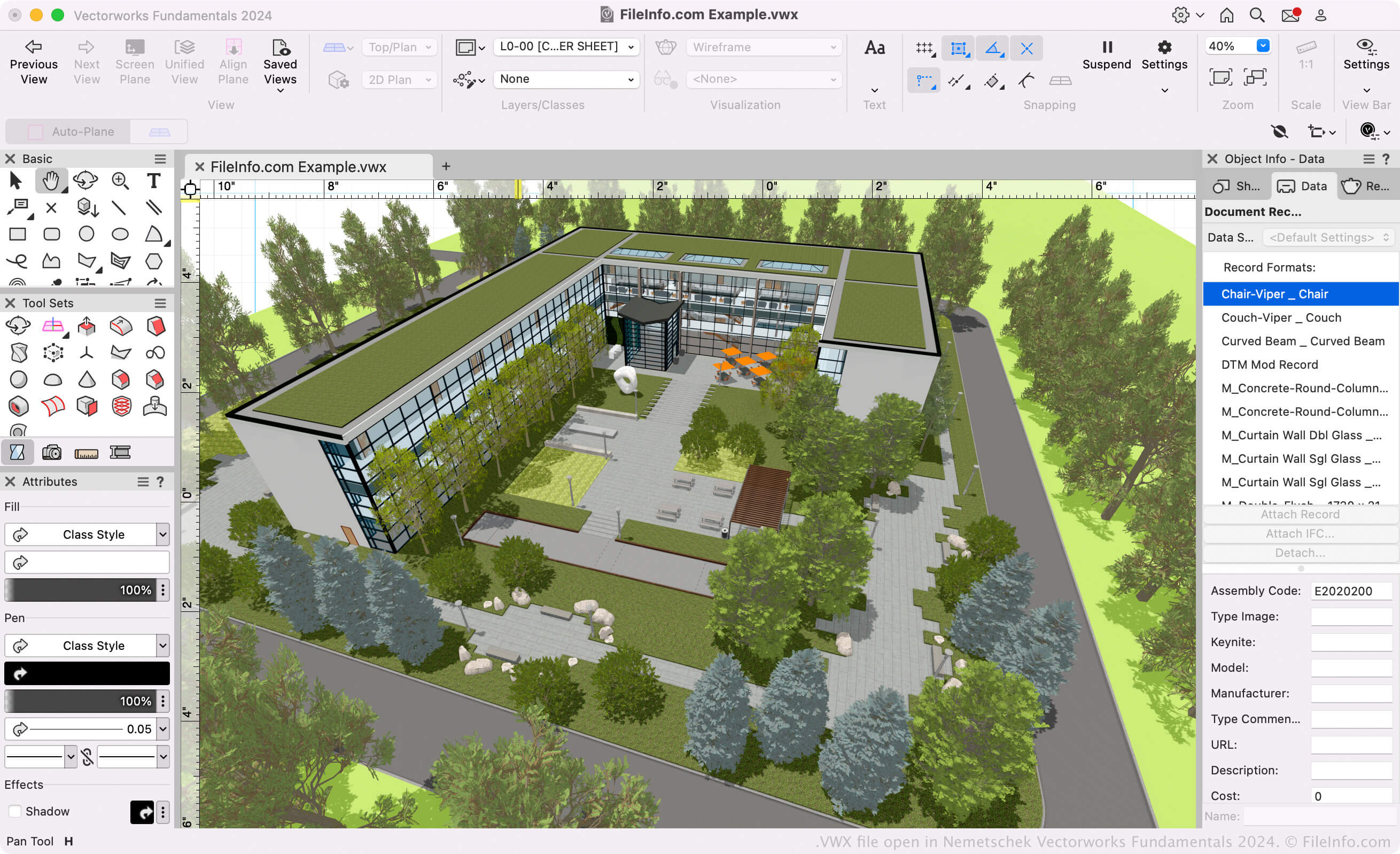
Arquitetos, projetistas de paisagismo e projetistas de eventos ao vivo usam o software Vectorworks para criar modelos 3D e desenhos 2D de construções, paisagens e estruturas de eventos ao vivo. Principalmente, a suíte Vectorworks consiste nos seguintes programas (conhecidos coletivamente como Vectorworks Design Suite):
- Architect: Usado para modelar e desenhar projetos de construção.
- Landmark: Usado para modelar e desenhar projetos de paisagismo.
- Spotlight: Usado para modelar e desenhar estruturas de eventos ao vivo (palco, iluminação, design de interiores etc.).
- Fundamentals: Usado para criar desenhos e modelos em CAD para projeto e fabricação.
Todos esses programas salvam os modelos e desenhos dos usuários como arquivos VWX. Eles estão disponíveis no Vectorworks Design Suite e como aplicativos independentes.
Formato Vectorworks
A Nemetschek introduziu o formato Vectorworks (VWX) quando lançou o Vectorworks 2008, substituindo o formato .MCD usado pelo Vectorworks 12.5 e versões anteriores. O formato binário é proprietário do Vectorworks e salva todas as informações do projeto, que podem incluir rascunhos 2D, dados do modelo 3D (por exemplo, propriedades e geometria dos objetos), informações de camadas e metadados do projeto.
Como abrir um arquivo VWX
Se você só quiser visualizar o projeto contido no seu arquivo VWX, poderá abri-lo com o Nemetschek Vectorworks Viewer. Esse visualizador gratuito de VWX está disponível para Windows e macOS.
Se precisar editar ou converter o arquivo VWX, você poderá abri-lo com o programa Nemetschek Vectorworks apropriado (versão 2008 ou posterior). Por exemplo, se você tiver um arquivo VWX criado pelo Vectorworks Landmark, poderá abri-lo com o Vectorworks Landmark (selecione ).
NOTA: O Vectorworks 12.5 e versões anteriores não podem abrir arquivos VWX.
Como converter um arquivo VWX
Os programas de projeto do Vectorworks podem converter arquivos VWX para vários formatos de desenho, modelo 3D, documento e imagem. Normalmente, para converter um arquivo VWX para outro formato, você precisa:
- Abrir o arquivo VWX no programa Vectorworks apropriado.
- Selecionar
- Selecionar o formato de exportação desejado.
- Nomear e salvar o arquivo convertido.
Alguns formatos comuns para os quais o Vectorworks pode converter arquivos VWX incluem: