

.KML Extensão de arquivo
Arquivo Keyhole Markup Language
| Desenvolvedor | |
| Popularidade |
3,7 | 263 Votos |
O que é um arquivo KML?
Um arquivo KML armazena informações de modelagem geográfica na Keyhole Markup Language (KML), que é um formato de dados de sistemas de informações geográficas (SIG) baseado em XML. Ele inclui marcadores, pontos, linhas, polígonos e imagens. Os arquivos KML são usados para identificar e rotular locais, criar diferentes ângulos de câmera, sobrepor texturas e adicionar conteúdo HTML (links, estilos de fonte etc.).
Mais informações
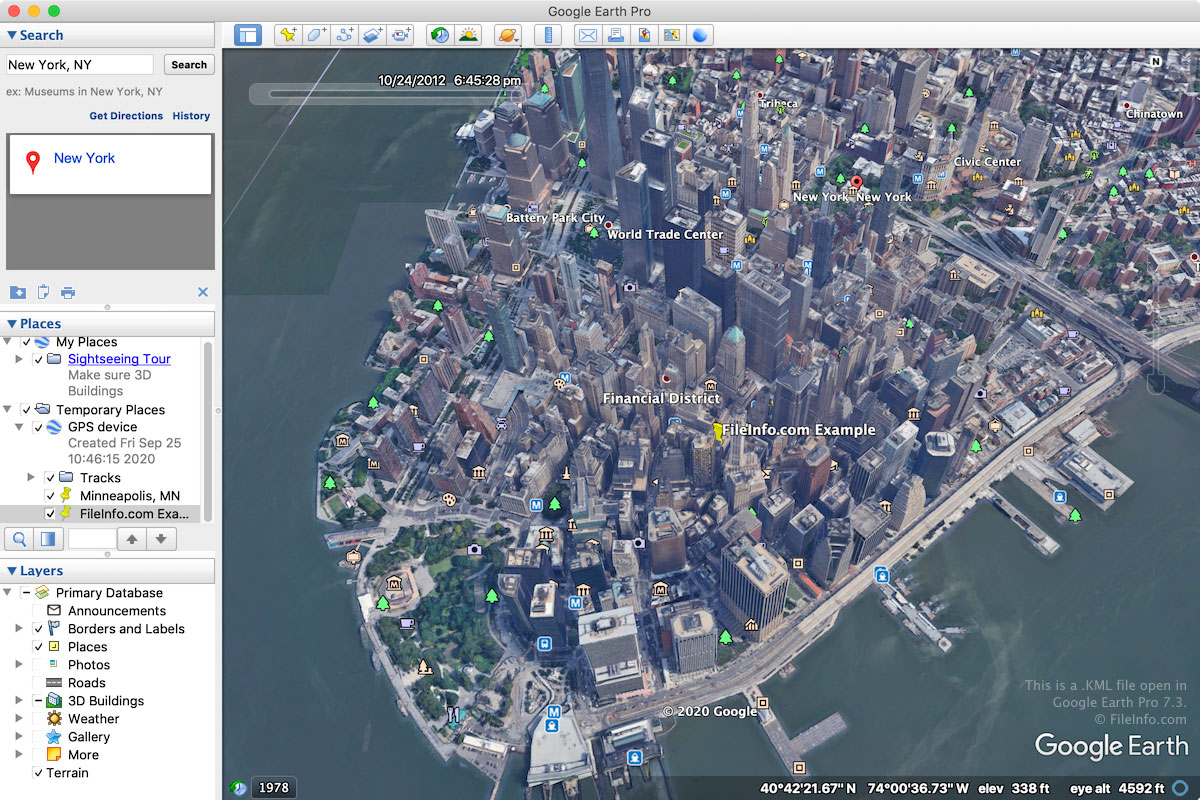
O formato KML foi originalmente desenvolvido pela Keyhole, Inc. para o Keyhole Earth Viewer, um programa de mapas adquirido pelo Google em 2004. O formato acabou se tornando um padrão mundial para anotação e visualização geográfica em programas de mapeamento geográfico 2D e 3D.
Os arquivos KML estão principalmente associados ao aplicativo web Google Earth e ao programa para desktop Google Earth Pro. Eles também são compatíveis com outros aplicativos de mapas, como o Blue Marble Geographics Global Mapper e o ESRI ArcGIS Pro.
A maioria dos arquivos KML é criada com o Google Earth ou o Google Earth Pro. Para criar um arquivo KML no Google Earth, clique no ícone "Projects" no painel esquerdo, selecione "Create" e escolha "Create KML file." Para criar um arquivo KML no Google Earth Pro, selecione e escolha "Kml" no menu suspenso.
Como os arquivos KML são salvos em texto simples, os usuários podem criar arquivos KML do zero ou copiando recursos do Google Earth Pro. Para fazer isso, clique com o botão direito do mouse em um recurso no Visualizador 3D do Google Earth Pro e selecione ; depois, cole-o em um arquivo TXT aberto em um editor de texto. Os usuários podem então salvar .TXT arquivos e alterar a extensão do arquivo .txt para .kml.
NOTA: Os usuários podem salvar arquivos KML como arquivos .KMZ, que são compactados com Zip para economizar espaço ao compartilhar os arquivos com outros usuários.
Como abrir um arquivo KML
Você pode abrir arquivos KML com vários aplicativos de mapas para Windows, macOS, Linux, Android e iOS. O aplicativo web Google Earth e o aplicativo para desktop Google Earth Pro são opções comuns.
Para abrir um arquivo KML com o Google Earth, clique no ícone "Projects" no painel esquerdo, selecione "Open" e escolha "Import KML file from Google Drive" ou "Import KML file from computer." Para abrir um arquivo KML com o Google Earth Pro, selecione .
Como os arquivos KML são salvos em um formato de texto simples semelhante ao XML, você pode abri-los com um editor de texto, como o Microsoft Notepad (Windows) ou o Apple TextEdit (macOS).
NOTA: Você também pode abrir um arquivo KML no Google Maps hospedando-o em um local online e digitando a URL na caixa de pesquisa do Google Maps. Por exemplo, se você hospedar seu arquivo KML em http://mywebsite.com/myfile.kml, digite esta URL na caixa de pesquisa do Google Maps para exibi-lo.
Como alternativa, você pode construir a URL por conta própria no Google Maps, prefixando a URL do seu arquivo KML com http://maps.google.com/maps?q=. Por exemplo, para abrir o mesmo arquivo KML mencionado acima, você pode usar a seguinte URL:
http://maps.google.com/maps?q=http://mywebsite.com/myfile.kml
Este procedimento também funciona no Google Earth View, o plug-in de navegação pela Terra em 3D que você pode adicionar ao seu navegador da web.