.OBJ 파일 확장자

Wavefront 3D Object File

개발사 Wavefront Technologies
인기도
3.9  |  271 투표
 

OBJ 파일이란 무엇인가요?

An OBJ file is a standard 3D image format that can be exported and opened by various 3D image editing programs. It contains a three-dimensional object, including 3D coordinates, texture maps, polygonal faces, and other object information. OBJ files may also store references to one or more .MTL files that contain surface shading material for the object.

추가 정보

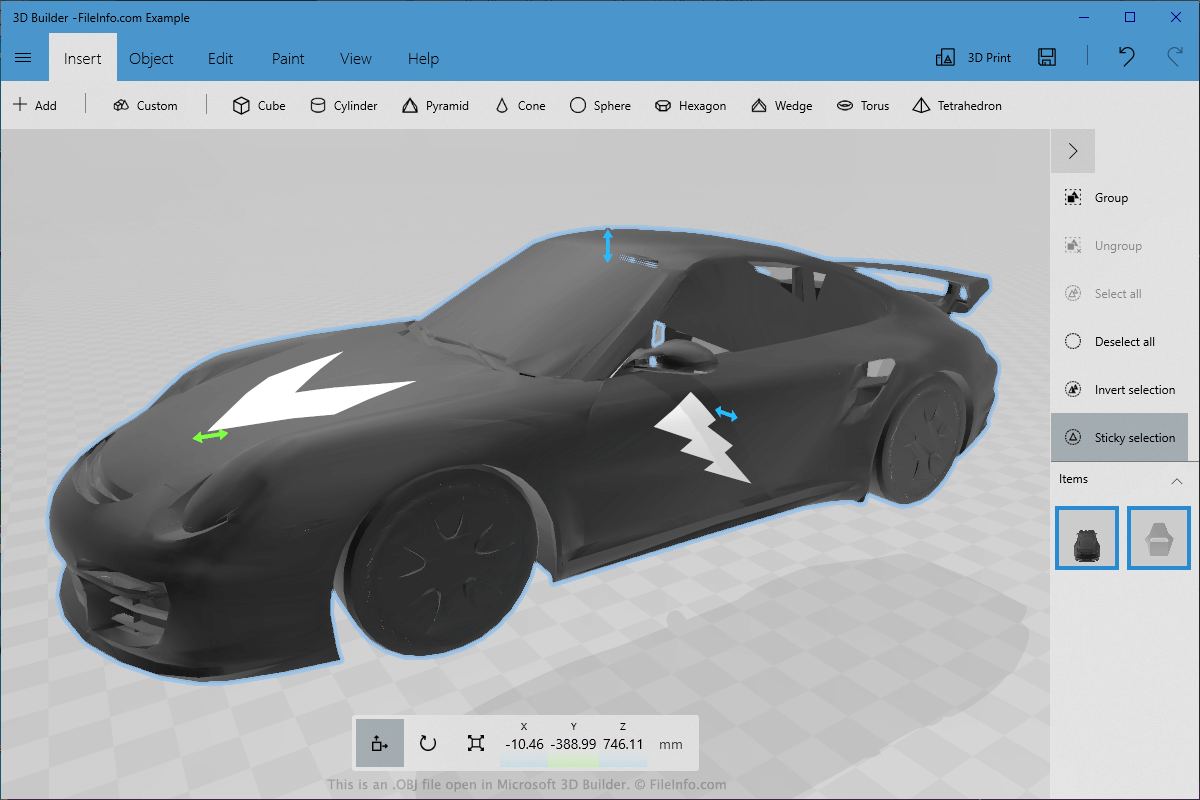
Microsoft 3D Builder에서 열린 .obj 파일의 스크린샷
Microsoft 3D Builder에서 열린 OBJ 파일

CAD users classify the OBJ format as a universal 3D model format since 3D image editing applications widely support it. The format is text-based and straightforward, which is one reason why many programs use it. However, the simple format structure may also lead to huge OBJ file sizes if they store large and complex 3D objects.

You may encounter an OBJ file in various ways, such as when modifying 3D objects in a video game, creating visual effects for a film, or designing a 3D mockup of a real-life object or building. Since the OBJ 3D format is so widely supported, many users export their models as OBJ files when transferring them from one 3D program to another or sharing a 3D model with a co-worker.

참고: While the OBJ format is one of the most common formats for storing 3D models, it is only one of many options for saving models. Some other options include .DAE, .STL, .IGS, .FBX, .MAX, .DWG, and .3DS.

OBJ 파일을 여는 방법

You can open an OBJ file with a large number of free and commercial applications. Some examples include Microsoft 3D Builder, Apple Preview, and Autodesk Maya.

However, you should select the program based on the context in which you will be using the OBJ file. For example, if you are looking to open and modify a 3D object utilized in film special effects and are on a tight budget, you could use the free Blender software.

Opening an OBJ file with a text editor

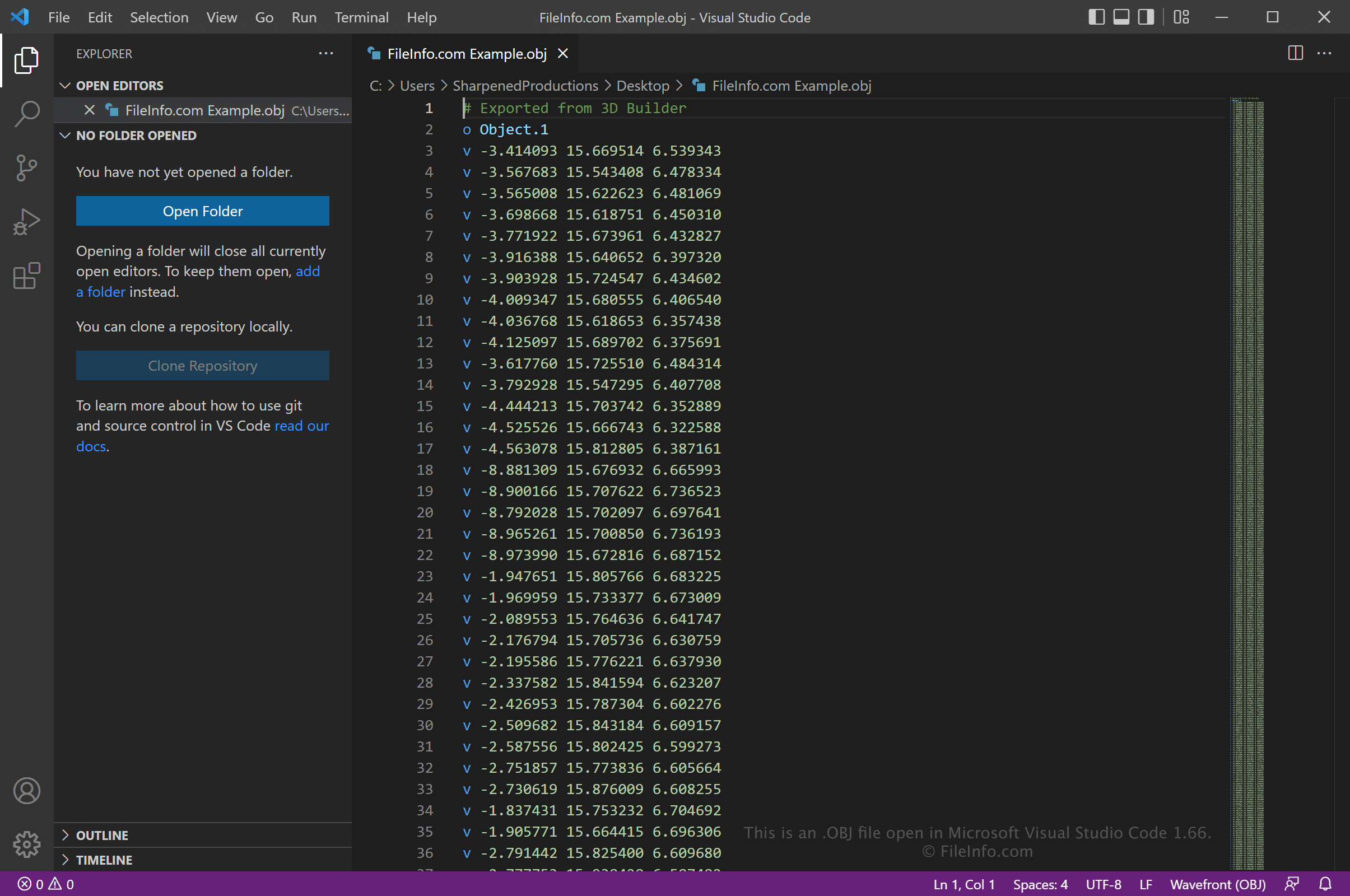
OBJ file open in Microsoft Visual Studio Code

Since OBJ files are saved in plain text, you can also open them with a text editor, such as Microsoft Notepad (Windows) or Apple TextEdit (Mac), or a source code editor. You may need to rename the .obj file extension to .txt for the text editor to recognize it.

When opened in a text editor or source code editor, you can modify the properties of the OBJ file. Remember that if you incorrectly edit the file, you may inadvertently corrupt the model.

OBJ 파일을 변환하는 방법

Many CAD applications and image editors, including Microsoft 3D Builder, Autodesk Maya, Blender, Apple Preview, and Adobe Photoshop, can convert OBJ files to other formats.

For example, Microsoft 3D Builder can convert OBJ files to the following formats:

  • .3MF - 3D Manufacturing File
  • .STL - Stereolithography File
  • .PLY - Polygon Model File
  • .GLTF - GL Transmission Format
  • .GLB - Binary GL Transmission Format
File Viewer Plus(으)로 400개 이상의 파일 형식을 여세요.무료 다운로드

OBJ 파일을 여는 프로그램

All Platforms
Windows
무료 체험판
무료 체험판
무료 체험판
무료
무료
무료 체험판
Siemens Solid Edge with OBJ Import plugin
무료 체험판
무료 체험판
무료 체험판
Mac
OS에 포함됨
무료 체험판
무료 체험판
무료 체험판
무료 체험판
무료
무료
무료 체험판
무료 체험판
Linux
무료 체험판
무료
무료
무료 체험판

Relocatable Object Code

개발사 해당 없음
인기도
3.4  |  51 투표
 

An OBJ file contains machine code generated by a compiler or assembler and is designed to be linked with other code or files, such as .H files, to create an executable program. It may contain code, constants, variables, and references to external resources required by a program. The OBJ format is commonly used across various programming languages and systems, especially in C and C++ development, and is supported by many IDEs and compilers, such as Microsoft Visual Studio and GNU Compiler Collection (GCC).

추가 정보

OBJ files are "relocatable," meaning they contain code unbound to specific locations in the computer's memory. Software developers use linker tools, such as "ld" (or "GNU Linker") and Visual Studio's LINK.exe, in the final stages of the build process to combine multiple OBJ files with other resources, resolve dependencies (such as function calls across different OBJ files), and then assign actual memory addresses to the code to ensure the final program runs as a coherent whole.

Because of their flexibility, OBJ files enable modular development where each module or library can be compiled separately and linked as needed. This method allows developers to modify or replace aspects of a program without needing to recompile the entire codebase. It also streamlines software development, especially in larger projects where different teams may work on separate components.

OBJ 파일을 열거나 참조하는 프로그램

카테고리: 개발자
업데이트: 2024-10-17

검증자 FileInfo.com

FileInfo.com 팀 이 페이지에 나열된 모든 파일 형식과 소프트웨어 프로그램을 독자적으로 조사했습니다. 저희의 목표는 100% 정확성이며, 검증한 파일 유형에 대한 정보만 게시합니다.

이 페이지에 추가하거나 업데이트할 내용을 제안하고 싶으시면 알려 주세요.