.IGS 파일 확장자

2개의 파일 유형.igs 확장자를 사용합니다.

IGES Drawing

개발사 ICAM
인기도
3.7  |  58 투표
 

IGS 파일이란 무엇인가요?

An IGS file is a graphics file saved in a 2D/3D vector format based on the Initial Graphics Exchange Specification (IGES), a standard ASCII text-based format. It stores wireframe models, surface or solid object representations, circuit diagrams, and other objects. Many CAD applications save and export vector data as IGS files.

추가 정보

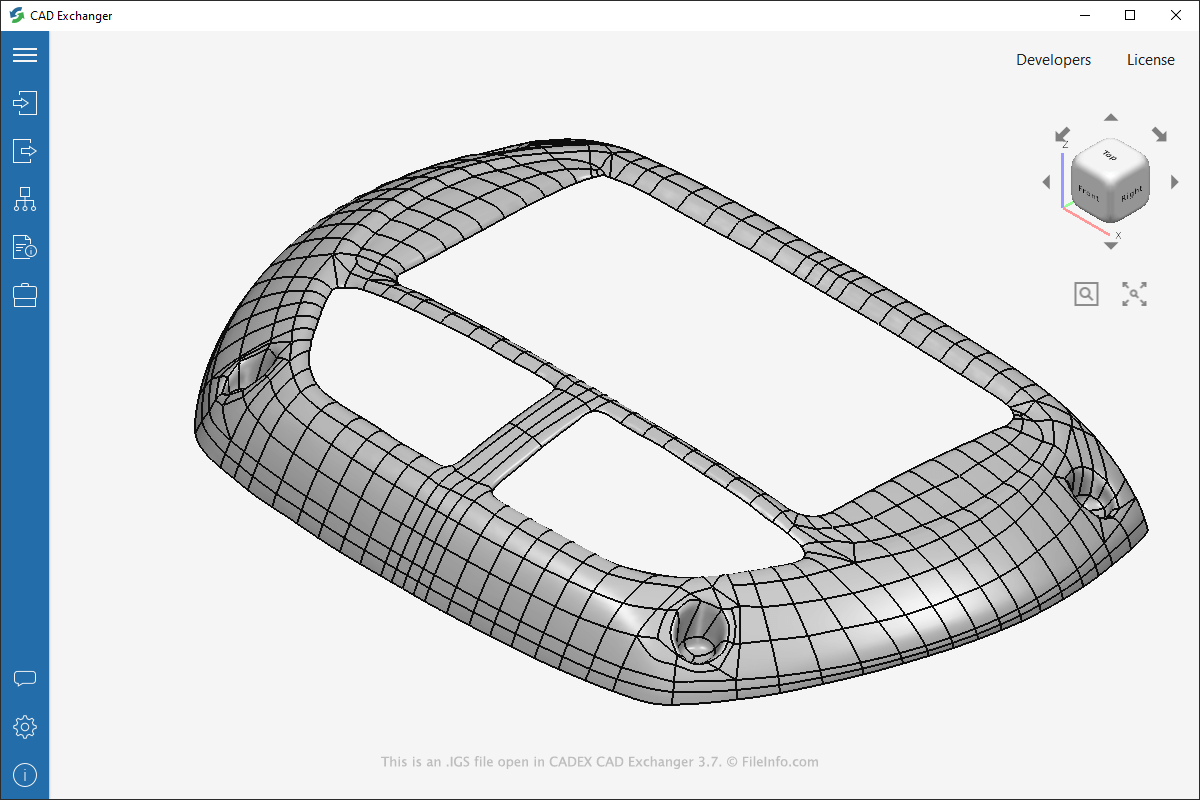
CADEX CAD Exchanger 3.7에서 열린 .igs 파일의 스크린샷
CADEX CAD Exchanger 3.7에서 열린 IGS 파일

IGES is a standard for transferring three-dimensional models between CAD programs. You will most likely encounter an IGS file only if you work with CAD software in a field that involves manufacturing, such as the automotive or aerospace industries.

The Integrated Computer-Aided Manufacturing (ICAM) United States Air Force department developed the IGES format in 1980. Many CAD programs subsequently adopted it, and it became a standard. However, in the mid-1990s, the STEP (.STP) format replaced the IGES format, and the usage of IGS files eventually declined.

참고: IGS files may also be saved with the .iges file extension (.IGES files).

IGS 파일을 여는 방법

You can open IGS files with various desktop CAD programs, such as Autodesk Fusion 360 (Windows), Dassault Systemes CATIA (multiplatform), Nemetschek VectorWorks (multiplatform), and CADEX CAD Exchanger (macOS). You can also open and view IGS files with online viewers by uploading them to CADEX CAD Exchanger Cloud or ShareCAD.org.

Since IGS files store plain text information, you can open them with a text editor (you may need to change the .igs file extension to .txt). However, when viewing the files with a text editor, the contents will appear as text instead of a visual representation of a model, like when you view them with CAD software. You can use text editors, such as Microsoft Wordpad (bundled with Windows) or Apple TextEdit (bundled with macOS), to view the plain text in IGS files.

IGS 파일을 변환하는 방법

Various CAD applications, including CADEX CAD Exchanger, Autodesk Fusion 360, and Dassault Systemes CATIA, can convert IGS files to other formats.

For example, CAD Exchanger can convert IGS files to the following formats:

  • .STP, .STEP - STEP 3D Model
  • .SAT - ACIS SAT 3D Model
  • .STL - Stereolithography File
  • .BREP - BRep 3D Model
  • .JT - JT Open CAD File
File Viewer Plus(으)로 400개 이상의 파일 형식을 여세요.무료 다운로드

IGS 파일을 여는 프로그램

Mac
무료 체험판
무료 체험판
무료
Linux
무료
Web
무료 체험판
Android
카테고리: CAD
업데이트: 2022-05-11

Indigo Renderer Scene File

개발사 Glare Technologies
인기도
3.2  |  20 투표
 

An IGS file is a 3D scene used by Glare Technologies Indigo Renderer and Indigo RT, applications for generating photorealistic images. It contains information about a scene in the XML standard, including the models, materials, meshes, and camera and rendering settings.

추가 정보

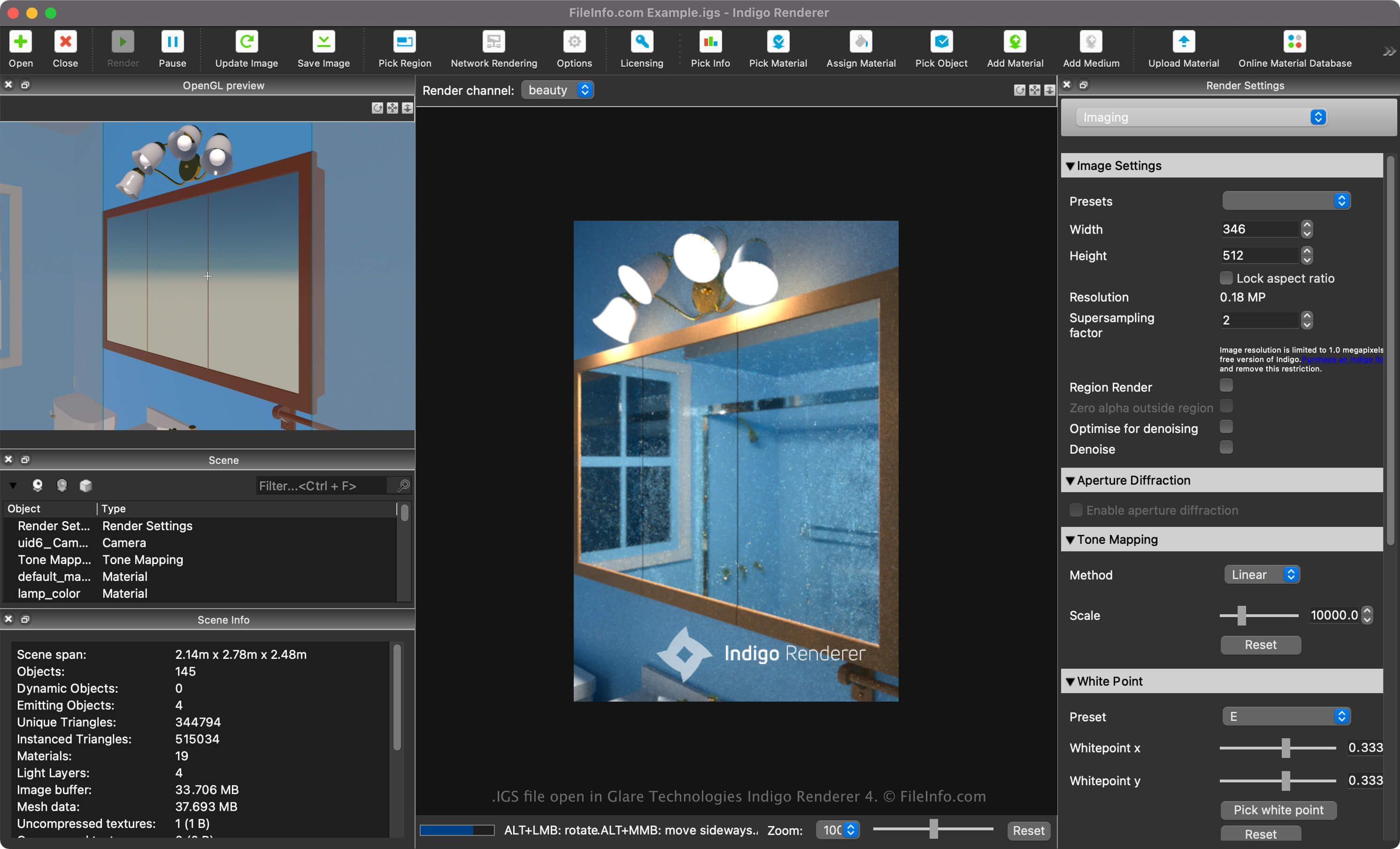
Glare Technologies Indigo Renderer 4에서 열린 .igs 파일의 스크린샷
Glare Technologies Indigo Renderer 4에서 열린 IGS 파일

Glare Technologies Indigo Renderer and Renderer RT are cross-platform 3D rendering applications primarily used by professional artists to create photorealistic images. Indigo RT offers similar features as Indigo Render, but for a discounted price. Indigo Renderer is also available as a standalone application or as a plugin for other 3D CAD programs.

How to create an IGS file with Indigo Renderer

You can create an IGS file with Indigo Renderer when saving a scene. You may also export a scene as an IGS file from another 3D modeling package with the Indigo Renderer plugin, including Blender, 3ds Max, Cinema 4D, Maya, SketchUp, or Revit.

To create an IGS file with Indigo Renderer, select File → Save Scene or Save Scene As.

IGS 파일을 여는 방법

You can open an IGS file with Glare Technologies Indigo Renderer (multiplatform) and Indigo RT (multiplatform). For example, to open the file with Indigo Renderer, select File → Open.

Once you import an IGS 3D scene into Indigo Renderer, you can render it into a final image. The software supports GPU acceleration so that images can be generated more quickly.

Opening an IGS file with a text editor

IGS file open in Microsoft Visual Studio Code

Since IGS files are saved in plain text, you can also open them with a text editor, such as Microsoft Notepad (Windows) or Apple TextEdit (Mac), or a source code editor. You may need to rename the .igs file extension to .txt for the text editor to recognize it.

When opened in a text editor or source code editor, you can modify the properties of the IGS file. However, if you incorrectly edit the file, you may inadvertently corrupt the scene.

IGS 파일을 변환하는 방법

Indigo Renderer can convert IGS files to various file types, including the following formats:

  • .PIGS - Packaged Indigo Renderer Scene File
  • .PNG - Adobe Illustrator Artwork
  • .JPG - AutoCAD Drawing
  • .TIFF - Drawing Exchange Format
  • .EXR - IGES Drawing

IGS 파일을 여는 프로그램

검증자 FileInfo.com

FileInfo.com 팀 이 페이지에 나열된 모든 파일 형식과 소프트웨어 프로그램을 독자적으로 조사했습니다. 저희의 목표는 100% 정확성이며, 검증한 파일 유형에 대한 정보만 게시합니다.

이 페이지에 추가하거나 업데이트할 내용을 제안하고 싶으시면 알려 주세요.