.STP 파일 확장자

STEP 3D CAD File

개발사 International Organization for Standardization
인기도
3.6  |  196 투표
 

STP 파일이란 무엇인가요?

An STP file is a 3D assembly file supported by various mechanical design programs, such as IMSI TurboCAD and Autodesk Fusion 360. It contains three-dimensional object data saved in the Standard for the Exchange of Product Data (STEP) format. STP files are saved in a text-based ASCII format that conforms to the STEP Application Protocols ISO 10303-2xx.

추가 정보

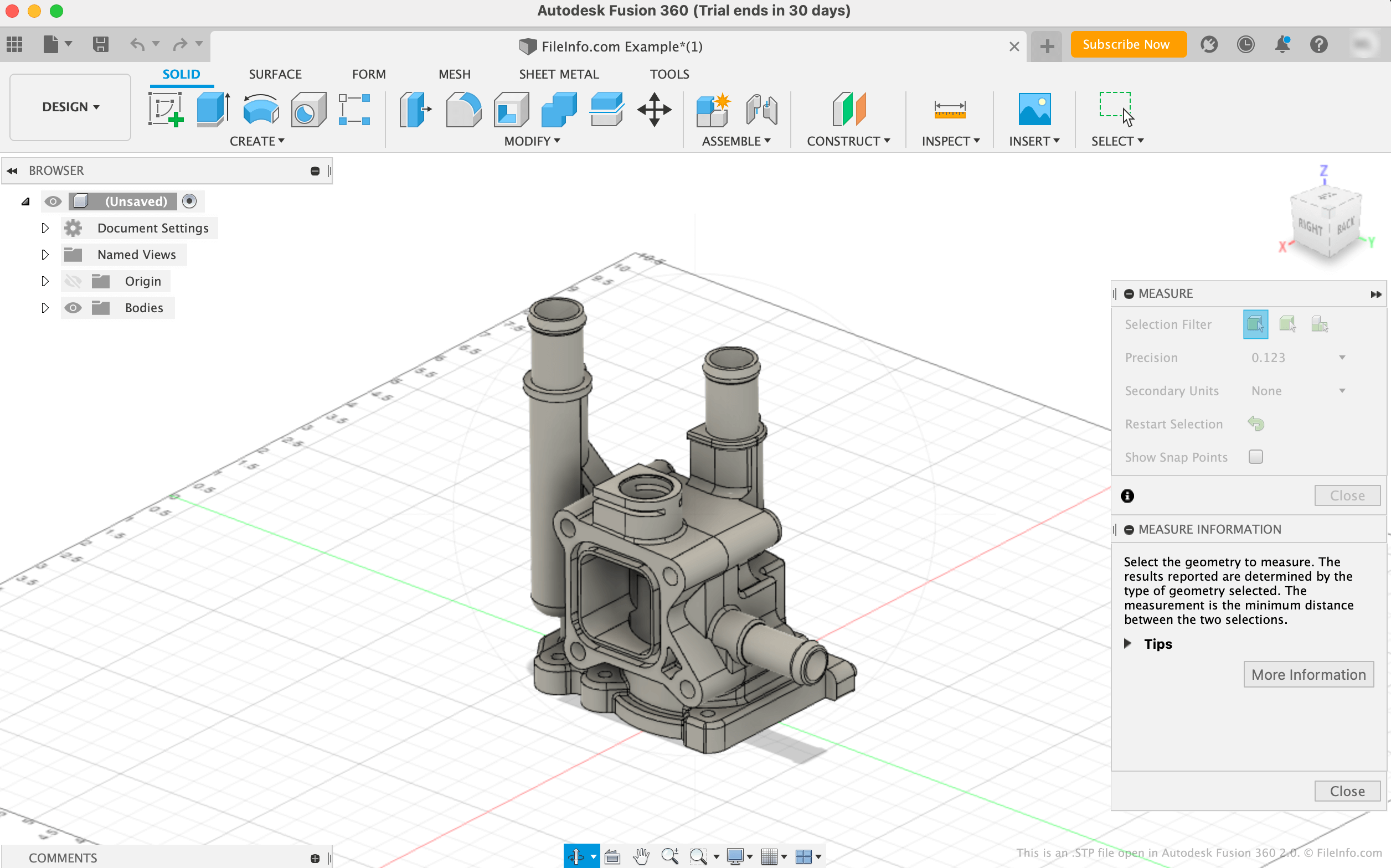
Autodesk Fusion 360 2.0에서 열린 .stp 파일의 스크린샷
Autodesk Fusion 360 2.0에서 열린 STP 파일

The STEP file format is a standardized 3D model format that engineers can use to save and transfer 3D models between different computer-aided design (CAD) and computer-aided manufacturing (CAM) programs. Before the STEP format's existence, users of one program often could not open models created in another program, making it difficult to share 3D models among users.

Most STEP files are saved with the .stp file extension. However, you may also encounter STEP models saved with the .step extension (.STEP files). The files contain plain text data that a CAD or CAM program references to load a 3D model. For example, many STP files contain data used to show a model of a manufactured mold or part.

STP 파일을 여는 방법

You can open an STP file with various CAD applications, including Autodesk Fusion 360 (cross-platform, FreeCAD (cross-platform), IMSI TurboCAD (Windows, Mac), and Dassault Systemes CATIA (Windows, Linux).

For example, to open an STP file in Autodesk Fusion 360:

  1. Select File → Open... from the program's menu bar
  2. When the Open window appears, select Open from my computer...
  3. Navigate to and open your STP file

Opening a STP file with a text editor

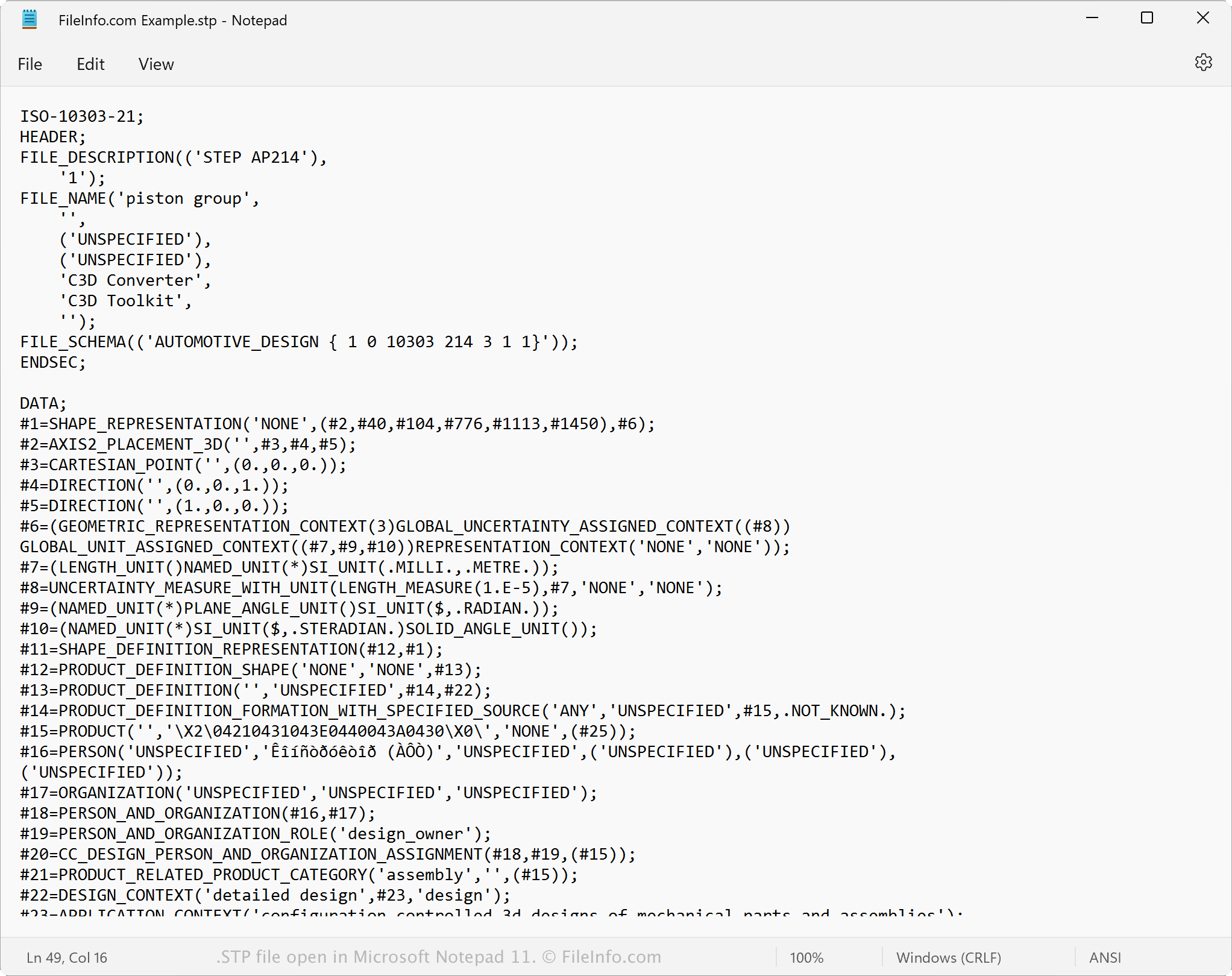
STP file open in Microsoft Notepad

Since STP files are saved in plain text, you can open an STP file with a text editor, such as Microsoft Notepad or Apple TextEdit, or a source code editor. When opened in a text or source code editor, you can view the STEP model data and metadata.

You can also modify the properties of an STP file with a text or source code editor. However, if you incorrectly change the file properties, you may inadvertently corrupt the file.

STP 파일을 변환하는 방법

Several CAD applications, including Autodesk Fusion 360, IMSI TurboCAD, and Siemens Solid Edge, can convert STP files to other formats.

For example, Autodesk Fusion 360 can convert STP files to various file types, including the following formats:

  • .OBJ - Wavefront 3D Object
  • .3MF - 3D Manufacturing File
  • .DWG - AutoCAD Drawing
  • .DXF - Drawing Exchange Format
  • .ASM - Pro/ENGINEER Assembly File
  • .IGES - IGES Drawing File
  • .STL - Stereolithography File
  • .FBX - Autodesk FBX Interchange File
  • .F3D - Fusion 360 Archive
  • .USD - Universal Scene Description Format
File Viewer Plus(으)로 400개 이상의 파일 형식을 여세요.무료 다운로드

STP 파일을 여는 프로그램

Windows
무료 체험판
무료 체험판
무료 체험판
무료
무료 체험판
무료 체험판
Mac
무료 체험판
무료 체험판
무료
Linux
LKSoft IDA-STEP
무료
Android
카테고리: CAD
업데이트: 2022-04-29

RoboHelp Stop List File

개발사 Adobe Systems
인기도
2.6  |  22 투표
 

Plain text file created by RoboHelp, a Windows help authoring program; saves a stop list which contains keywords that the Smart Index wizard ignores when creating the help documentation search index; can only be 512 characters long; created as part of a RoboHelp project (.XPJ).

추가 정보

Stop lists usually contain words such as "the," "or," and "a." These are words that typically aren't useful to index as keywords for help documentation searches.

STP 파일을 열거나 참조하는 프로그램

Windows
무료 체험판
카테고리: 데이터
업데이트: 2012-08-08

SharePoint Template

개발사 Microsoft
인기도
2.3  |  16 투표
 

Website template created for Microsoft SharePoint, a Web-based collaboration program; contains a predesigned website that can be loaded from the SharePoint template gallery; used as a starting point for creating new websites.

추가 정보

To create an STP file, click "Site Settings." Then, under "Administration," choose "Go to Site Administration." Under Management and Statistics, select "Save site as template."

NOTE: SharePoint STP files only contain information about what is customized in the site. They do not include the complete definition of the website.

STP 파일을 여는 프로그램

Windows
Microsoft Office SharePoint Server
카테고리:
업데이트: 2009-11-04

Analysis Studio Project Information File

개발사 Appricon
인기도
1.6  |  12 투표
 

An STP file contains project information created by Analysis Studio, a program used for data mining and statistical analysis. It stores the actions, data transformations, and variables that allow a data set to be reconstructed from an original data set. STP files are saved in an XML format.

추가 정보

When Analysis Studio is in online mode, data may be downloaded and reconstructed from a remote Analysis Server. When in offline mode, .DATA files stored on the local machine are used.

참고: Appricon no longer develops Analysis Studio.

STP 파일을 여는 프로그램

Windows
Appricon Analysis Studio
카테고리: 데이터
업데이트: 2020-12-09

검증자 FileInfo.com

FileInfo.com 팀 이 페이지에 나열된 모든 파일 형식과 소프트웨어 프로그램을 독자적으로 조사했습니다. 저희의 목표는 100% 정확성이며, 검증한 파일 유형에 대한 정보만 게시합니다.

이 페이지에 추가하거나 업데이트할 내용을 제안하고 싶으시면 알려 주세요.