

.STP Estensione file
File CAD 3D STEP
| Sviluppatore | International Organization for Standardization |
| Popolarità |
3,6 | 197 Voti |
Che cos'è un file STP?
Un file STP è un file di assiemi 3D supportato da vari programmi di progettazione meccanica, come IMSI TurboCAD e Autodesk Fusion 360. Contiene dati relativi a oggetti tridimensionali salvati nel formato Standard for the Exchange of Product Data (STEP). I file STP sono salvati in formato ASCII basato sul testo, conforme agli STEP Application Protocols ISO 10303-2xx.
Maggiori informazioni
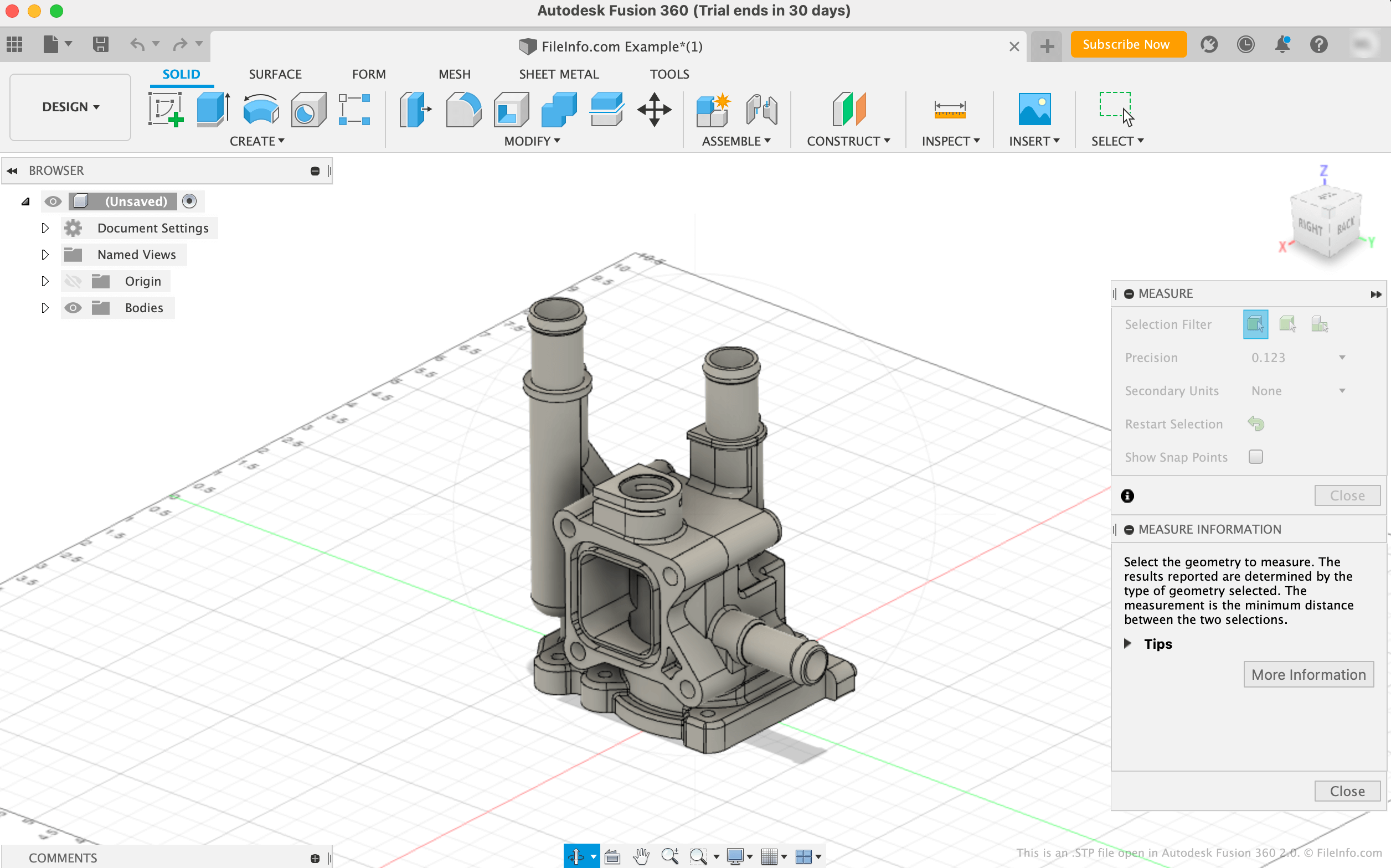
Il formato di file STEP è un formato standardizzato per modelli 3D che gli ingegneri possono usare per salvare e trasferire modelli 3D tra diversi programmi di progettazione assistita dal computer (CAD) e di produzione assistita dal computer (CAM). Prima dell'esistenza del formato STEP, gli utenti di un programma spesso non potevano aprire i modelli creati in un altro programma, rendendo difficile condividere modelli 3D tra gli utenti.
La maggior parte dei file STEP viene salvata con l'estensione .stp. Tuttavia, potresti anche incontrare modelli STEP salvati con l'estensione .step (file .STEP). I file contengono dati in testo semplice a cui un programma CAD o CAM fa riferimento per caricare un modello 3D. Ad esempio, molti file STP contengono dati usati per mostrare un modello di uno stampo o di un componente prodotto.
Come aprire un file STP
Puoi aprire un file STP con varie applicazioni CAD, tra cui Autodesk Fusion 360 (multipiattaforma), FreeCAD (multipiattaforma), IMSI TurboCAD (Windows, Mac) e Dassault Systemes CATIA (Windows, Linux).
Ad esempio, per aprire un file STP in Autodesk Fusion 360:
- Seleziona dalla barra dei menu del programma
- Quando viene visualizzata la finestra Open, seleziona
- Vai al file STP e aprilo
Aprire un file STP con un editor di testo
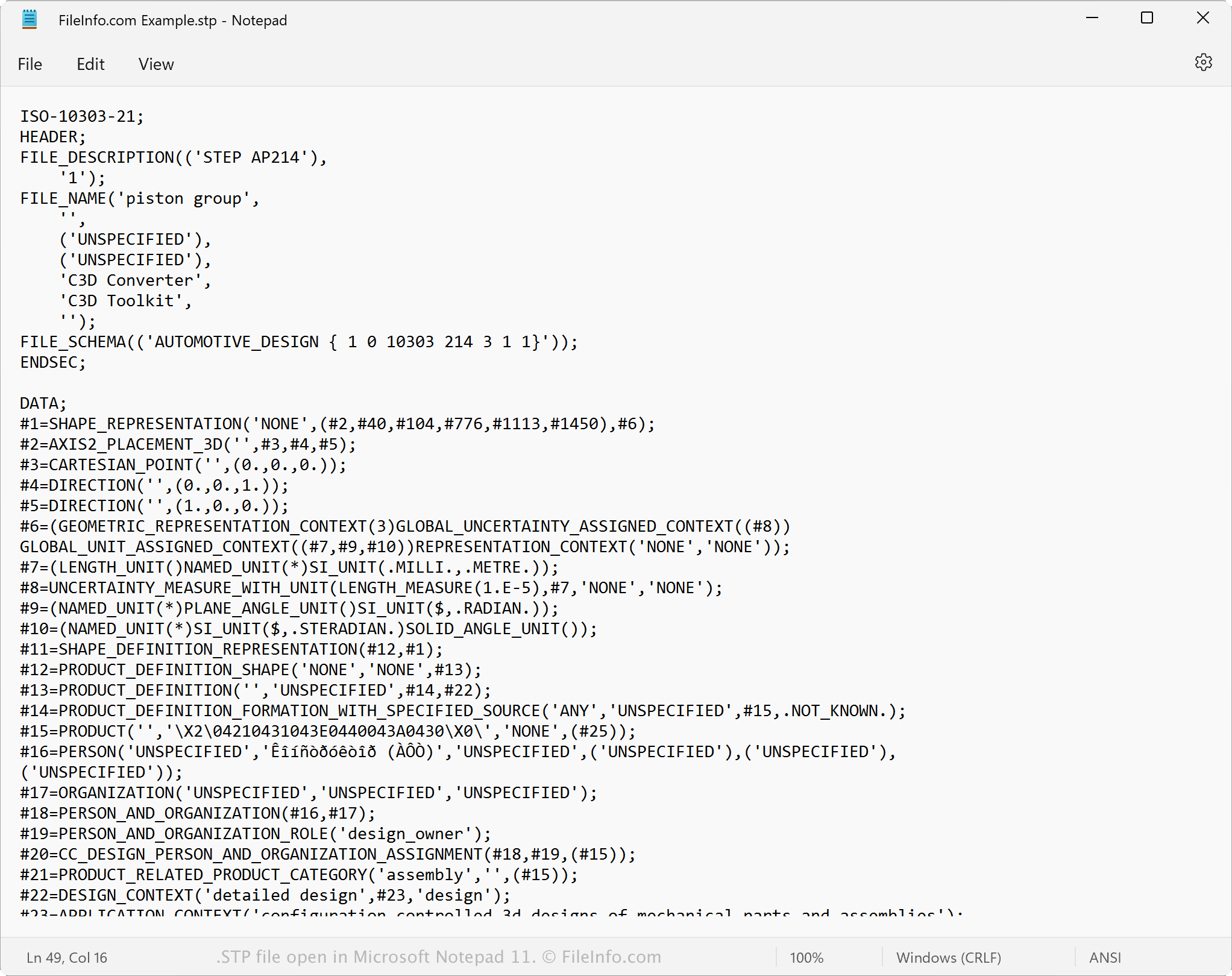
Poiché i file STP sono salvati in testo semplice, puoi aprire un file STP con un editor di testo, come Microsoft Notepad o Apple TextEdit, oppure con un editor di codice sorgente. Quando viene aperto in un editor di testo o di codice sorgente, puoi visualizzare i dati del modello STEP e i metadati.
Puoi anche modificare le proprietà di un file STP con un editor di testo o di codice sorgente. Tuttavia, se modifichi le proprietà del file in modo errato, potresti danneggiare involontariamente il file.
Come convertire un file STP
Diverse applicazioni CAD, tra cui Autodesk Fusion 360, IMSI TurboCAD e Siemens Solid Edge, possono convertire i file STP in altri formati.
Ad esempio, Autodesk Fusion 360 può convertire i file STP in vari tipi di file, inclusi i seguenti formati:
- .OBJ - Oggetto 3D Wavefront
- .3MF - File di produzione 3D
- .DWG - Disegno AutoCAD
- .DXF - Drawing Exchange Format
- .ASM - File di assiemi Pro/ENGINEER
- .IGES - File di disegno IGES
- .STL - File di stereolitografia
- .FBX - File di interscambio Autodesk FBX
- .F3D - Archivio Fusion 360
- .USD - Universal Scene Description Format