

.STP Bestandsextensie
STEP 3D CAD-bestand
| Ontwikkelaar | International Organization for Standardization |
| Populariteit |
3,6 | 197 stemmen |
Wat is een STP-bestand?
Een STP-bestand is een 3D-assemblagebestand dat wordt ondersteund door verschillende programma's voor mechanisch ontwerp, zoals IMSI TurboCAD en Autodesk Fusion 360. Het bevat gegevens over driedimensionale objecten die zijn opgeslagen in de Standard for the Exchange of Product Data-indeling (STEP). STP-bestanden worden opgeslagen in een tekstgebaseerde ASCII-indeling die voldoet aan de STEP Application Protocols ISO 10303-2xx.
Meer informatie
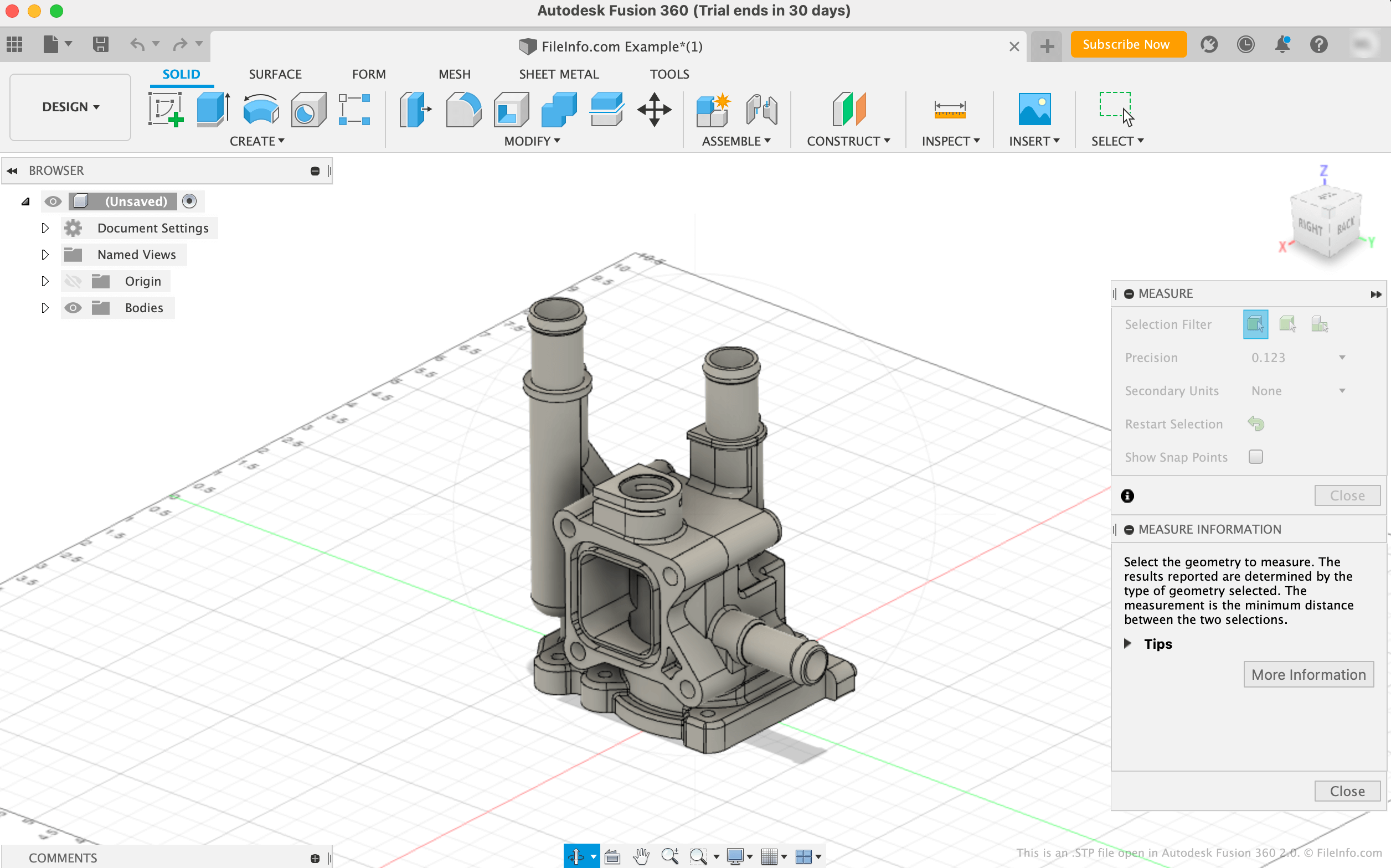
De STEP-bestandsindeling is een gestandaardiseerde 3D-modelindeling die ingenieurs kunnen gebruiken om 3D-modellen op te slaan en over te dragen tussen verschillende programma's voor computerondersteund ontwerp (CAD) en computerondersteunde productie (CAM). Voordat de STEP-indeling bestond, konden gebruikers van het ene programma modellen die in een ander programma waren gemaakt vaak niet openen, waardoor het moeilijk was om 3D-modellen tussen gebruikers te delen.
De meeste STEP-bestanden worden opgeslagen met de bestandsextensie .stp. Je kunt echter ook STEP-modellen tegenkomen die zijn opgeslagen met de extensie .step (.STEP-bestanden). De bestanden bevatten gegevens in platte tekst waarnaar een CAD- of CAM-programma verwijst om een 3D-model te laden. Veel STP-bestanden bevatten bijvoorbeeld gegevens die worden gebruikt om een model van een vervaardigde mal of een vervaardigd onderdeel weer te geven.
Een STP-bestand openen
Je kunt een STP-bestand openen met verschillende CAD-toepassingen, waaronder Autodesk Fusion 360 (platformonafhankelijk), FreeCAD (platformonafhankelijk), IMSI TurboCAD (Windows, Mac) en Dassault Systemes CATIA (Windows, Linux).
Je opent een STP-bestand bijvoorbeeld in Autodesk Fusion 360 als volgt:
- Selecteer in de menubalk van het programma
- Wanneer het venster Openen verschijnt, selecteer je
- Navigeer naar je STP-bestand en open het
Een STP-bestand openen met een teksteditor
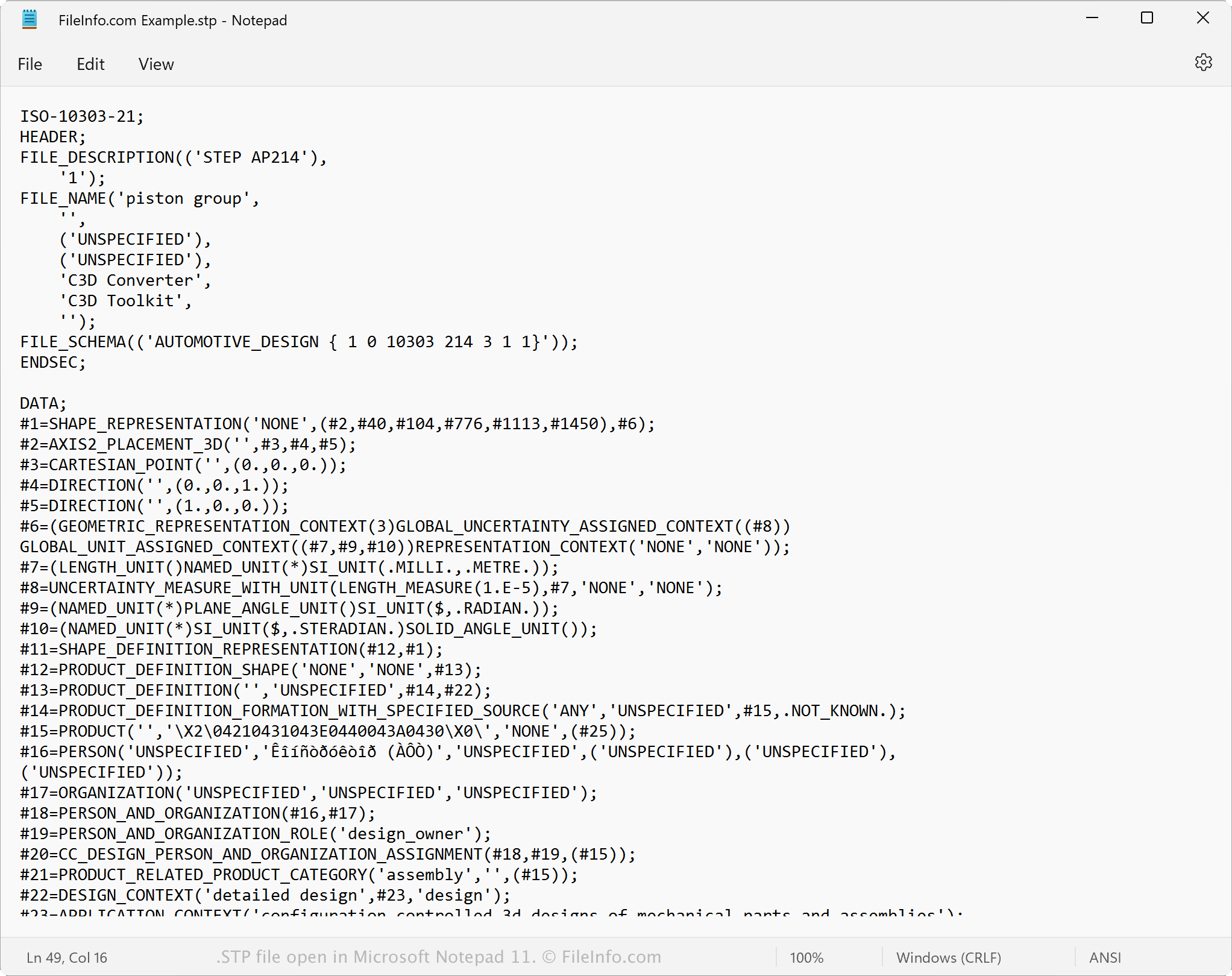
Omdat STP-bestanden in platte tekst worden opgeslagen, kun je een STP-bestand openen met een teksteditor, zoals Microsoft Notepad of Apple TextEdit, of met een broncode-editor. Wanneer je het bestand opent in een tekst- of broncode-editor, kun je de STEP-modelgegevens en metagegevens bekijken.
Je kunt de eigenschappen van een STP-bestand ook wijzigen met een tekst- of broncode-editor. Als je de bestandseigenschappen echter verkeerd wijzigt, kun je het bestand onbedoeld beschadigen.
Een STP-bestand converteren
Verschillende CAD-toepassingen, waaronder Autodesk Fusion 360, IMSI TurboCAD en Siemens Solid Edge, kunnen STP-bestanden naar andere indelingen converteren.
Autodesk Fusion 360 kan STP-bestanden bijvoorbeeld converteren naar verschillende bestandstypen, waaronder de volgende indelingen:
- .OBJ - Wavefront 3D-object
- .3MF - 3D Manufacturing File
- .DWG - AutoCAD-tekening
- .DXF - Drawing Exchange Format
- .ASM - Pro/ENGINEER-assemblagebestand
- .IGES - IGES-tekenbestand
- .STL - Stereolithography-bestand
- .FBX - Autodesk FBX-uitwisselingsbestand
- .F3D - Fusion 360-archief
- .USD - Universal Scene Description Format