

.STEP Bestandsextensie
STEP 3D-model
| Ontwikkelaar | International Organization for Standardization |
| Populariteit |
3,5 | 127 stemmen |
Wat is een STEP-bestand?
Een STEP-bestand is een 3D-modelbestand dat is opgemaakt in STEP (Standard for the Exchange of Product Data), een ISO-standaard voor uitwisselingsformaten. Het bevat driedimensionale modelgegevens die zijn opgeslagen in een tekstindeling die door meerdere computerondersteunde ontwerp- (CAD)-programma's wordt herkend.
Meer informatie
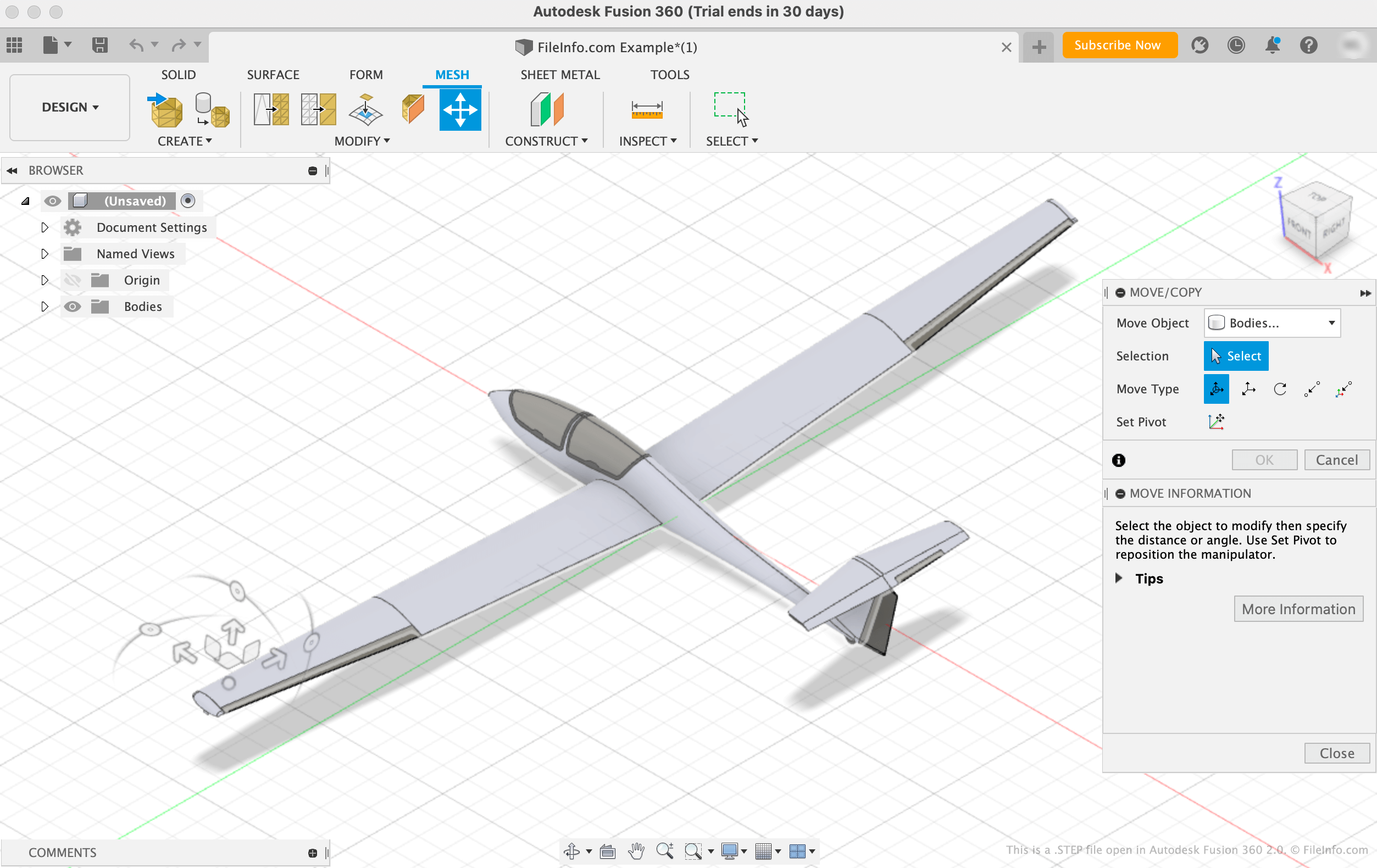
De International Organization for Standardization (ISO) ontwikkelde de STEP-indeling om het eenvoudiger te maken modellen te delen tussen gebruikers met verschillende CAD-systemen in de CAD-industrie. Sinds de introductie in 1994 is STEP een gestandaardiseerde, breed ondersteunde indeling geworden die CAD-gebruikers kunnen gebruiken om modellen op te slaan en over te dragen tussen gebruikers en programma's.
Hoewel STEP-bestanden in CAD-programma's worden weergegeven als 3D-modellen, bestaan ze uit platte tekst die de structuur van een model beschrijft. De tekst in STEP-bestanden is geschreven in een ASCII-indeling die voldoet aan de STEP Application Protocols ISO 10303-2xx.
OPMERKING: STEP-modelbestanden gebruiken vaak de bestandsextensie .STP.
Een STEP-bestand openen
Je kunt een STEP-bestand openen in verschillende CAD-programma's, waaronder Autodesk Fusion 360 (platformonafhankelijk), IMSI TurboCAD (Windows, Mac), FreeCAD (platformonafhankelijk) en Dassault Systemes CATIA (Windows, Linux).
Je opent bijvoorbeeld als volgt een STEP-bestand in Autodesk Fusion 360:
- Selecteer in de menubalk van het programma
- Selecteer wanneer het venster Openen verschijnt
- Ga naar je STEP-bestand en open het
Een STEP-bestand openen met een teksteditor
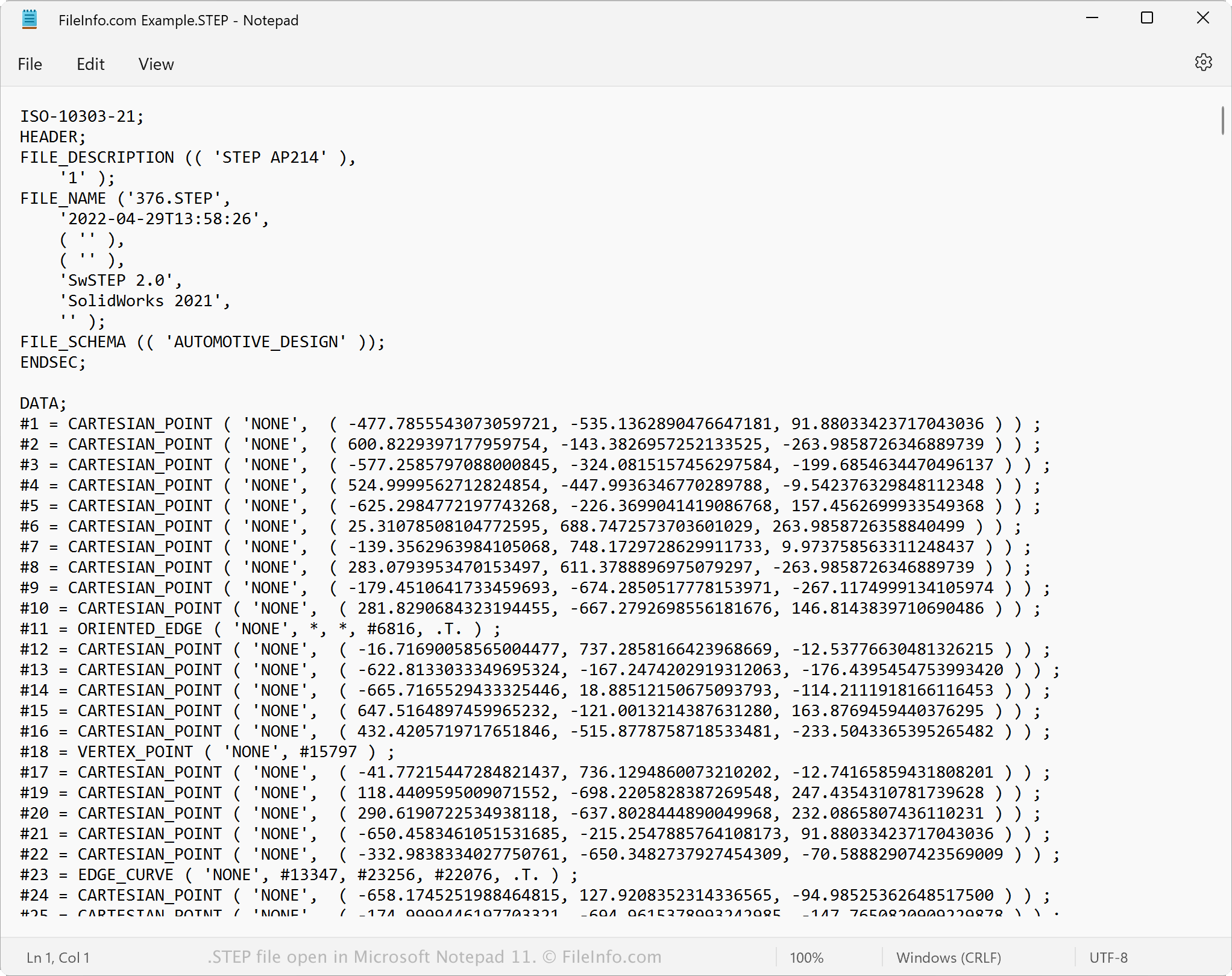
Omdat STEP-bestanden als platte tekst worden opgeslagen, kun je een STEP-bestand openen met een teksteditor, zoals Microsoft Notepad of Apple TextEdit. Je kunt de modelgegevens en metadata bekijken, waaronder de oorspronkelijke bestandsnaam, aanmaakdatum en de toepassing waarmee het bestand is gemaakt.
Wanneer je een STEP-bestand opent in een teksteditor of broncode-editor, kun je de eigenschappen ervan wijzigen. Als je het bestand echter verkeerd bewerkt, kun je het bestand onbedoeld beschadigen.
Een STEP-bestand converteren
Verschillende CAD-toepassingen, waaronder Autodesk Fusion 360, Dassault Systemes SolidWorks en IMSI TurboCAD, kunnen STEP-bestanden naar andere indelingen converteren.
Autodesk Fusion 360 kan STEP-bestanden bijvoorbeeld converteren naar verschillende bestandstypen, waaronder de volgende indelingen:
- .OBJ - Wavefront 3D Object
- .3MF - 3D Manufacturing File
- .ASM - Pro/ENGINEER Assembly File
- .DWG - AutoCAD Drawing
- .DXF - Drawing Exchange Format
- .IGES - IGES Drawing File
- .STL - Stereolithography File
- .FBX - Autodesk FBX Interchange File
- .F3D - Fusion 360 Archive
- .USD - Universal Scene Description Format