.STEP 파일 확장자

STEP 3D Model

개발사 International Organization for Standardization
인기도
3.5  |  127 투표
 

STEP 파일이란 무엇인가요?

A STEP file is a 3D model file formatted in STEP (Standard for the Exchange of Product Data), an ISO standard exchange format. It contains three-dimensional model data saved in a text format recognized by multiple computer-assisted design (CAD) programs.

추가 정보

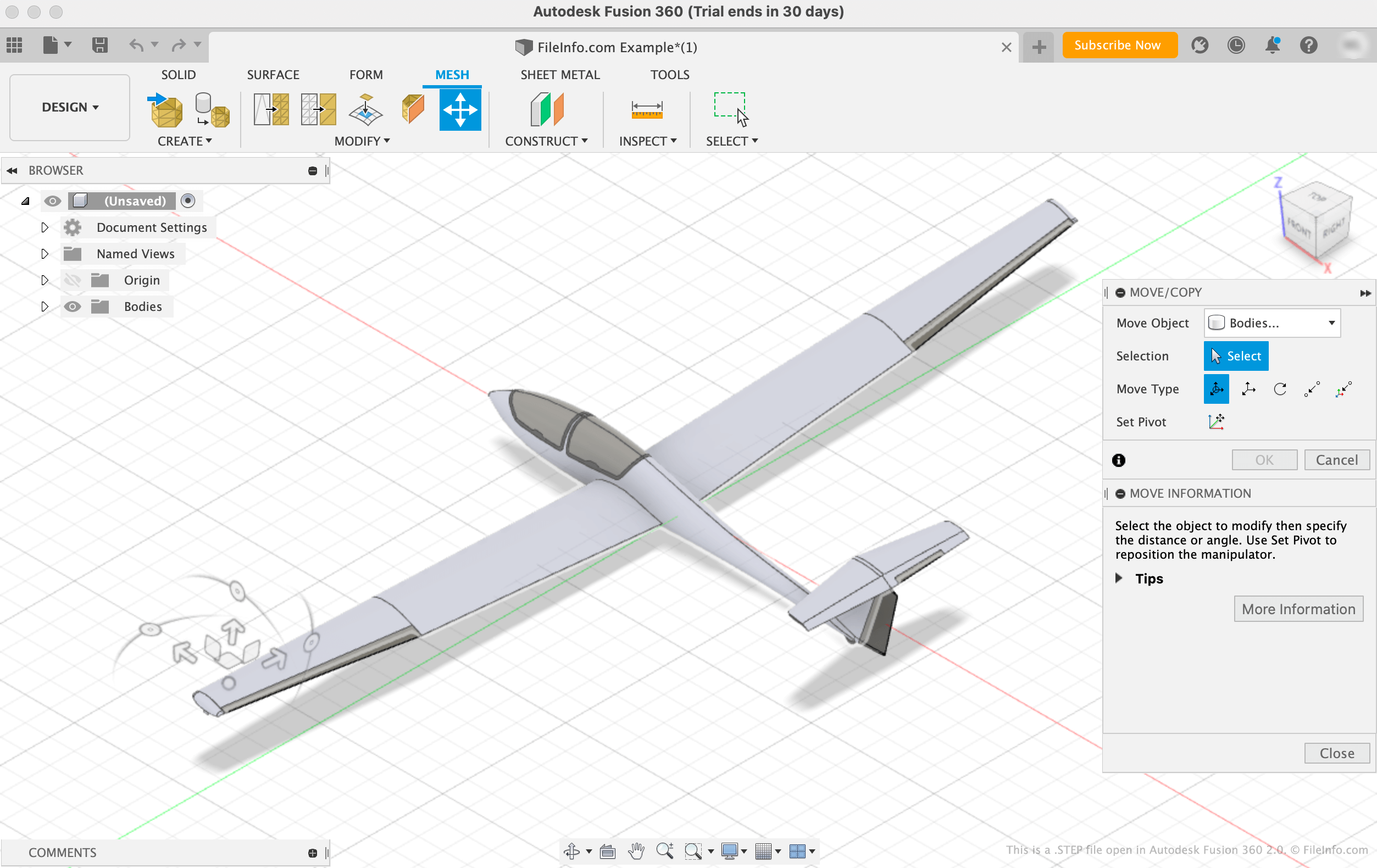
Autodesk Fusion 360 2.0에서 열린 .step 파일의 스크린샷
Autodesk Fusion 360 2.0에서 열린 STEP 파일

The International Organization for Standardization (ISO) developed the STEP format to make it easier to share models between users with different CAD systems in the CAD industry. Since its release in 1994, STEP has become a standardized, widely-supported format that CAD users can use to save and transfer models between users and programs.

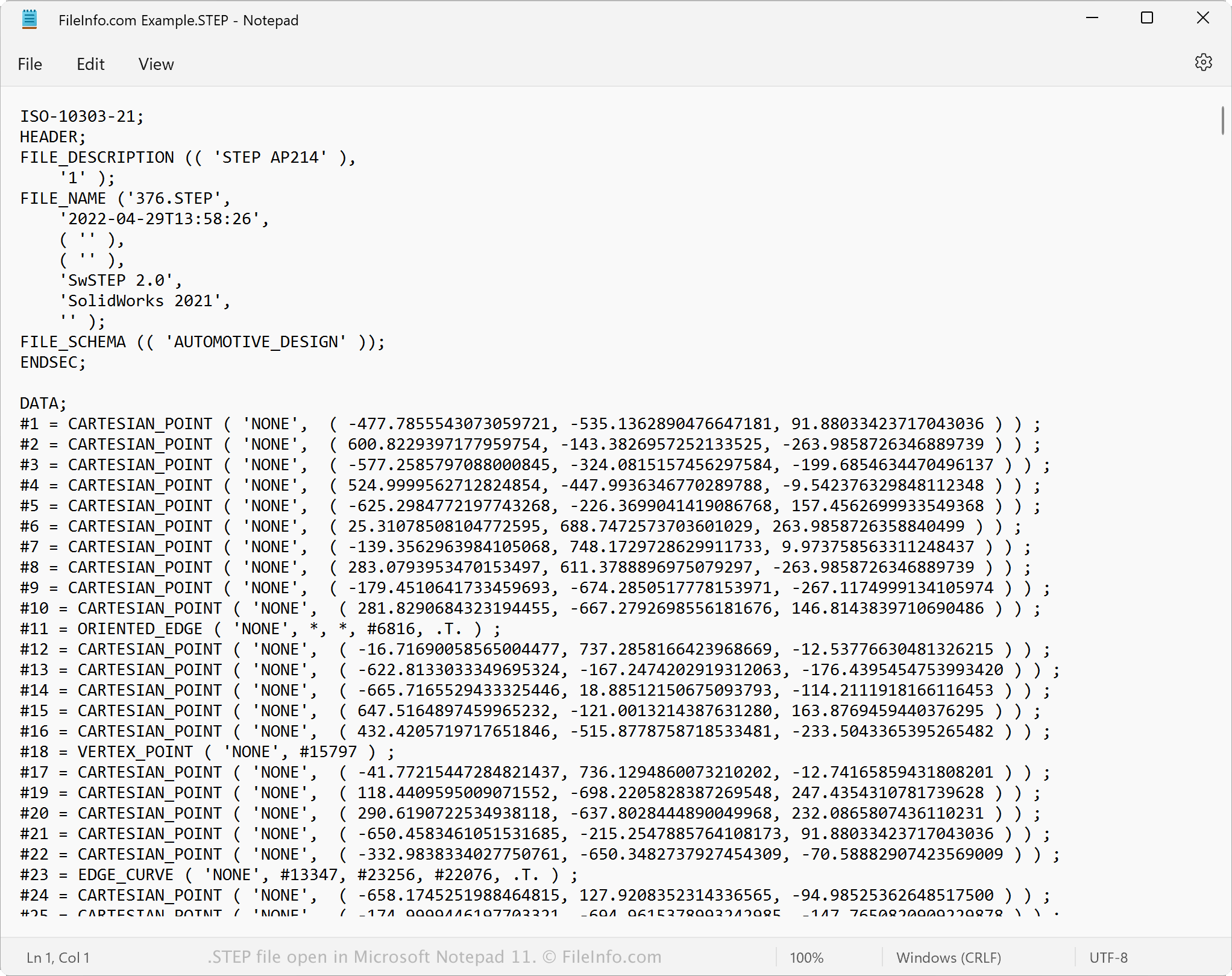
While STEP files appear as 3D models in CAD programs, they consist of plain text that describes a model's structure. The text that STEP files contain is written in an ASCII format that conforms to the STEP Application Protocols ISO 10303-2xx.

참고: STEP model files often use the .STP file extension.

STEP 파일을 여는 방법

You can open a STEP file in a variety of CAD programs, including Autodesk Fusion 360 (cross-platform), IMSI TurboCAD (Windows, Mac), FreeCAD (cross-platform), and Dassault Systemes CATIA (Windows, Linux).

For example, to open a STEP file in Autodesk Fusion 360:

  1. Select File → Open... from the program's menu bar
  2. When the Open window appears, select Open from my computer...
  3. Navigate to and open your STEP file

Opening an STEP file with a text editor

STEP file open in Microsoft Notepad

Since STEP files are saved in plain text, you can open a STEP file with a text editor, such as Microsoft Notepad or Apple TextEdit. You can view the model's data and metadata, including its original file name, creation date, and the application that created the file.

When opened in a text editor or source code editor, you can modify the properties of the STEP file. However, if you incorrectly edit the file, you may inadvertently corrupt the file.

STEP 파일을 변환하는 방법

Various CAD applications, including Autodesk Fusion 360, Dassault Systemes SolidWorks, and IMSI TurboCAD, can convert STEP files to other formats.

For example, Autodesk Fusion 360 can convert STEP files to various file types, including the following formats:

  • .OBJ - Wavefront 3D Object
  • .3MF - 3D Manufacturing File
  • .ASM - Pro/ENGINEER Assembly File
  • .DWG - AutoCAD Drawing
  • .DXF - Drawing Exchange Format
  • .IGES - IGES Drawing File
  • .STL - Stereolithography File
  • .FBX - Autodesk FBX Interchange File
  • .F3D - Fusion 360 Archive
  • .USD - Universal Scene Description Format
File Viewer Plus(으)로 400개 이상의 파일 형식을 여세요.무료 다운로드

STEP 파일을 여는 프로그램

All Platforms
Windows
무료 체험판
무료 체험판
무료 체험판
무료
무료 체험판
무료 체험판
무료 체험판
Mac
무료 체험판
무료 체험판
무료
무료 체험판
Linux
LKSoft IDA-STEP
무료
Android
카테고리: CAD
업데이트: 2022-11-07

검증자 FileInfo.com

FileInfo.com 팀 이 페이지에 나열된 STEP 3D Model 파일 형식과 Mac, Windows, Linux, Android, and iOS 앱을 독자적으로 조사했습니다. 저희의 목표는 100% 정확성이며, 검증한 파일 유형에 대한 정보만 게시합니다.

이 페이지에 추가하거나 업데이트할 내용을 제안하고 싶으시면 알려 주세요.