.STEP 文件扩展名

STEP 3D Model

开发者 International Organization for Standardization
受欢迎程度
3.5  |  127 
 

什么是 STEP 文件?

A STEP file is a 3D model file formatted in STEP (Standard for the Exchange of Product Data), an ISO standard exchange format. It contains three-dimensional model data saved in a text format recognized by multiple computer-assisted design (CAD) programs.

更多信息

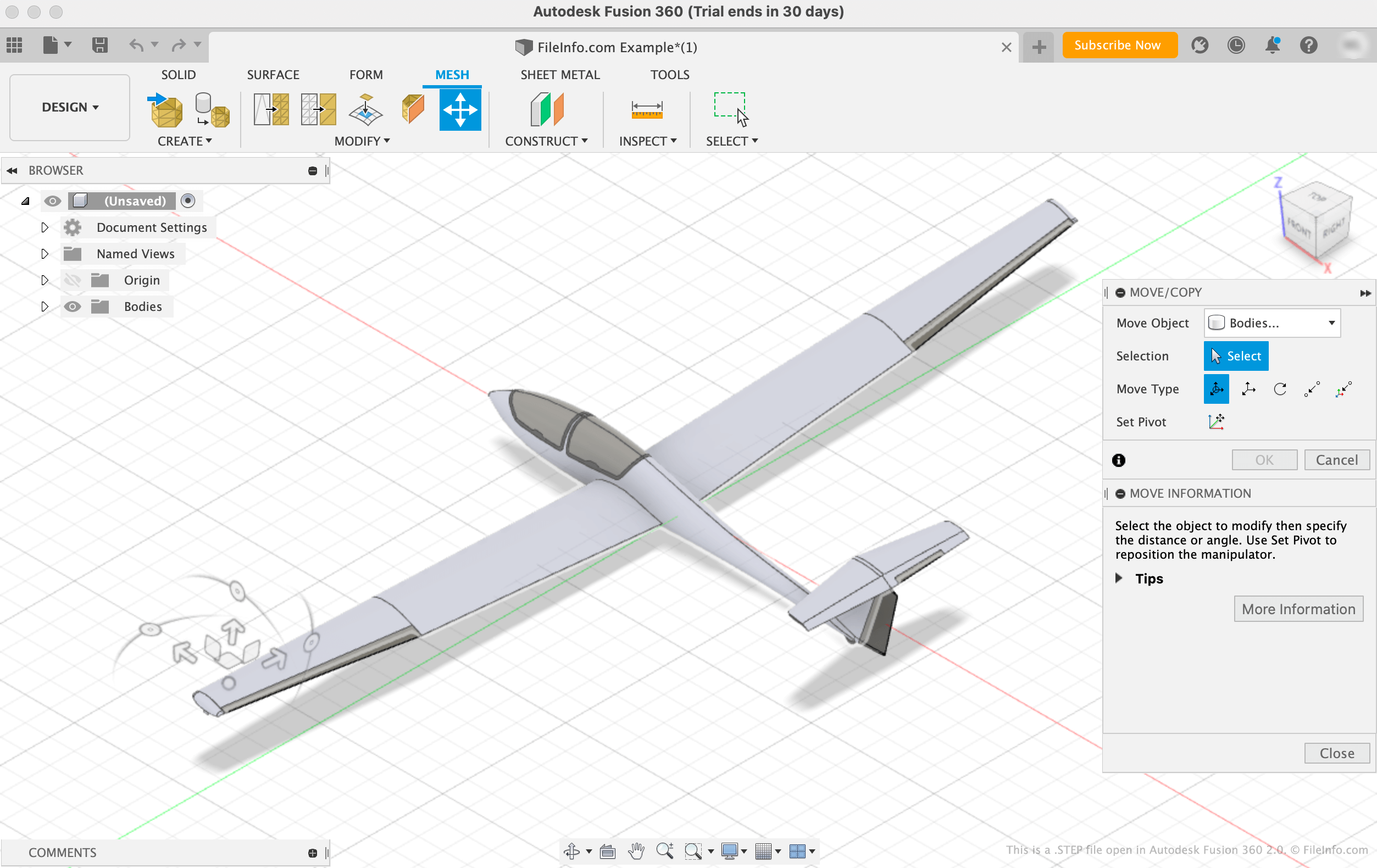
在 Autodesk Fusion 360 2.0 中打开的 .step 文件截图
在 Autodesk Fusion 360 2.0 中打开的 STEP 文件

The International Organization for Standardization (ISO) developed the STEP format to make it easier to share models between users with different CAD systems in the CAD industry. Since its release in 1994, STEP has become a standardized, widely-supported format that CAD users can use to save and transfer models between users and programs.

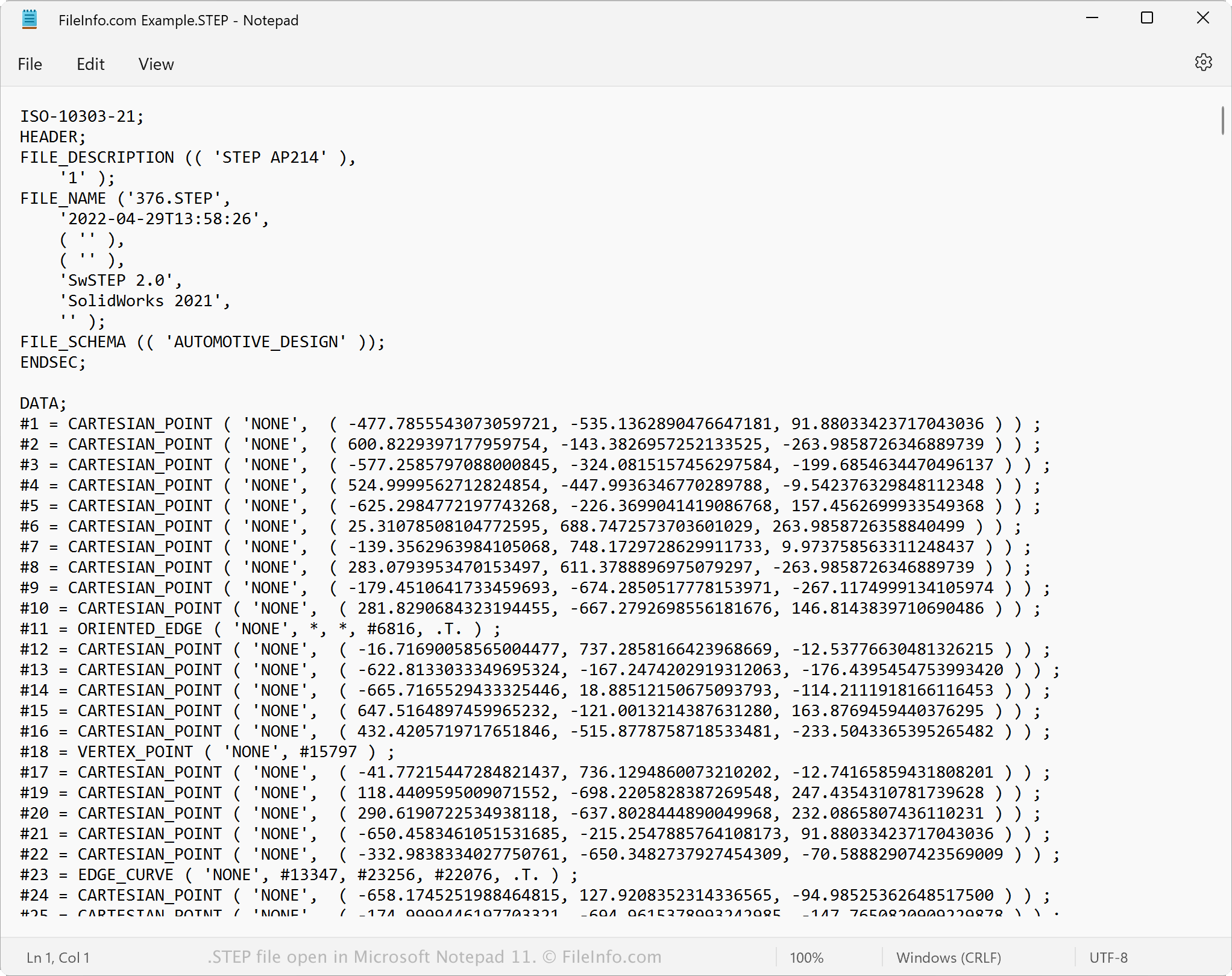
While STEP files appear as 3D models in CAD programs, they consist of plain text that describes a model's structure. The text that STEP files contain is written in an ASCII format that conforms to the STEP Application Protocols ISO 10303-2xx.

注: STEP model files often use the .STP file extension.

如何打开 STEP 文件

You can open a STEP file in a variety of CAD programs, including Autodesk Fusion 360 (cross-platform), IMSI TurboCAD (Windows, Mac), FreeCAD (cross-platform), and Dassault Systemes CATIA (Windows, Linux).

For example, to open a STEP file in Autodesk Fusion 360:

  1. Select File → Open... from the program's menu bar
  2. When the Open window appears, select Open from my computer...
  3. Navigate to and open your STEP file

Opening an STEP file with a text editor

STEP file open in Microsoft Notepad

Since STEP files are saved in plain text, you can open a STEP file with a text editor, such as Microsoft Notepad or Apple TextEdit. You can view the model's data and metadata, including its original file name, creation date, and the application that created the file.

When opened in a text editor or source code editor, you can modify the properties of the STEP file. However, if you incorrectly edit the file, you may inadvertently corrupt the file.

如何转换 STEP 文件

Various CAD applications, including Autodesk Fusion 360, Dassault Systemes SolidWorks, and IMSI TurboCAD, can convert STEP files to other formats.

For example, Autodesk Fusion 360 can convert STEP files to various file types, including the following formats:

  • .OBJ - Wavefront 3D Object
  • .3MF - 3D Manufacturing File
  • .ASM - Pro/ENGINEER Assembly File
  • .DWG - AutoCAD Drawing
  • .DXF - Drawing Exchange Format
  • .IGES - IGES Drawing File
  • .STL - Stereolithography File
  • .FBX - Autodesk FBX Interchange File
  • .F3D - Fusion 360 Archive
  • .USD - Universal Scene Description Format
使用File Viewer Plus打开 400 多种文件格式。免费下载

可打开 STEP 文件的程序

分类: CAD
更新时间: 2022-11-07

验证者 FileInfo.com

FileInfo.com 团队 独立研究了本页面列出的 STEP 3D Model 文件格式和 Mac, Windows, Linux, Android, and iOS 应用。 我们的目标是达到 100% 的准确率,并且仅发布我们已验证过的文件类型信息。

如果您想为此页面提出新增或更新建议,请告诉我们