

.STEP Extension de fichier
Modèle 3D STEP
| Développeur | International Organization for Standardization |
| Popularité |
3,5 | 127 Votes |
Qu'est-ce qu'un fichier STEP ?
Un fichier STEP est un fichier de modèle 3D au format STEP (Standard for the Exchange of Product Data), un format d'échange conforme à une norme ISO. Il contient des données de modèle tridimensionnel enregistrées dans un format texte reconnu par plusieurs programmes de conception assistée par ordinateur (CAO).
Plus d'informations
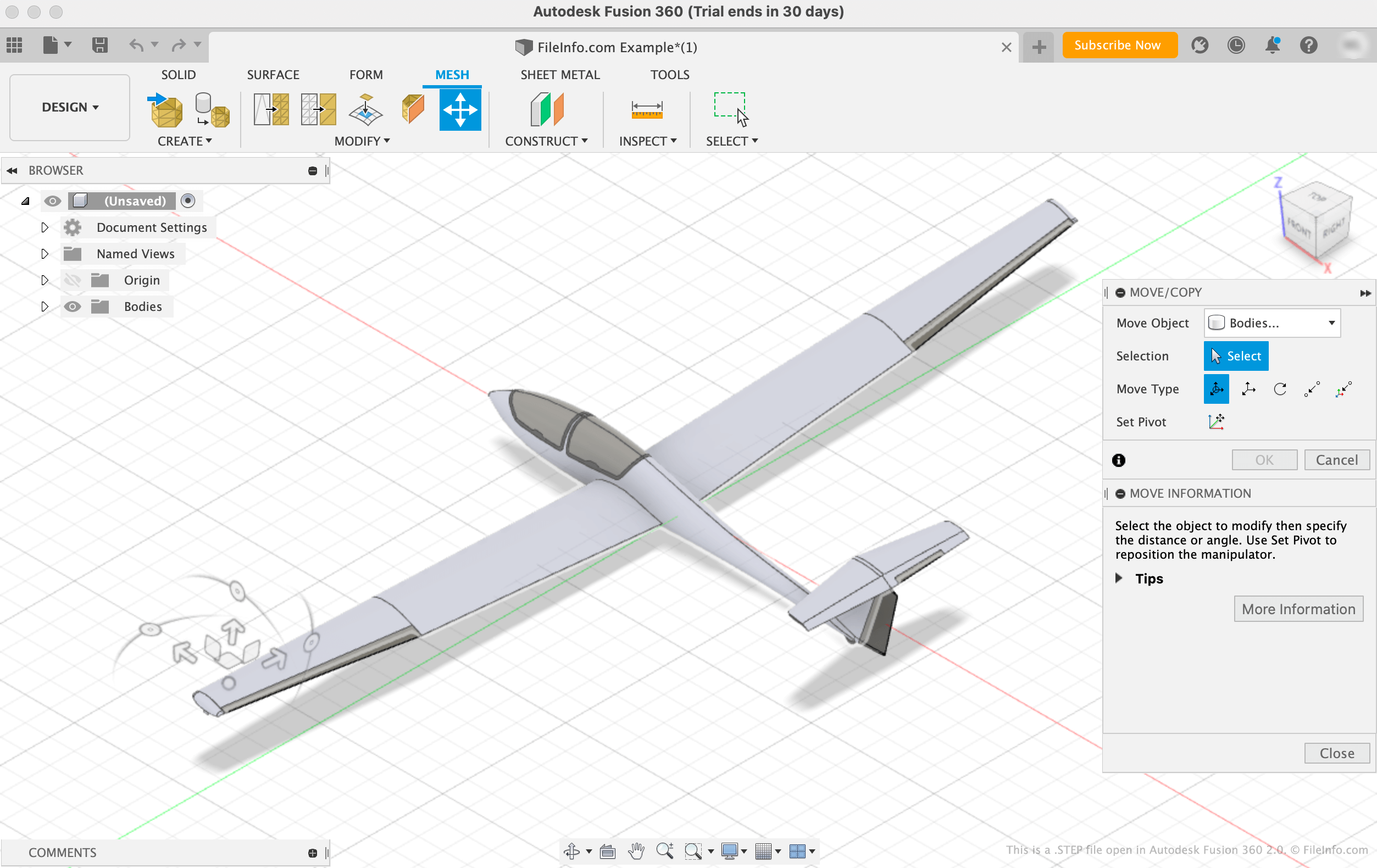
L'Organisation internationale de normalisation (ISO) a développé le format STEP afin de faciliter le partage de modèles entre les utilisateurs de différents systèmes de CAO dans le secteur de la CAO. Depuis sa publication en 1994, STEP est devenu un format normalisé et largement pris en charge que les utilisateurs de CAO peuvent utiliser pour enregistrer et transférer des modèles entre utilisateurs et programmes.
Bien que les fichiers STEP apparaissent sous forme de modèles 3D dans les programmes de CAO, ils sont constitués de texte brut qui décrit la structure d'un modèle. Le texte contenu dans les fichiers STEP est écrit au format ASCII, conformément aux protocoles d'application STEP ISO 10303-2xx.
REMARQUE : Les fichiers de modèle STEP utilisent souvent l'extension de fichier .STP.
Comment ouvrir un fichier STEP
Vous pouvez ouvrir un fichier STEP dans différents programmes de CAO, notamment Autodesk Fusion 360 (multiplateforme), IMSI TurboCAD (Windows, Mac), FreeCAD (multiplateforme) et Dassault Systemes CATIA (Windows, Linux).
Par exemple, pour ouvrir un fichier STEP dans Autodesk Fusion 360 :
- Sélectionnez dans la barre de menus du programme
- Lorsque la fenêtre Open apparaît, sélectionnez
- Accédez à votre fichier STEP et ouvrez-le
Ouvrir un fichier STEP avec un éditeur de texte
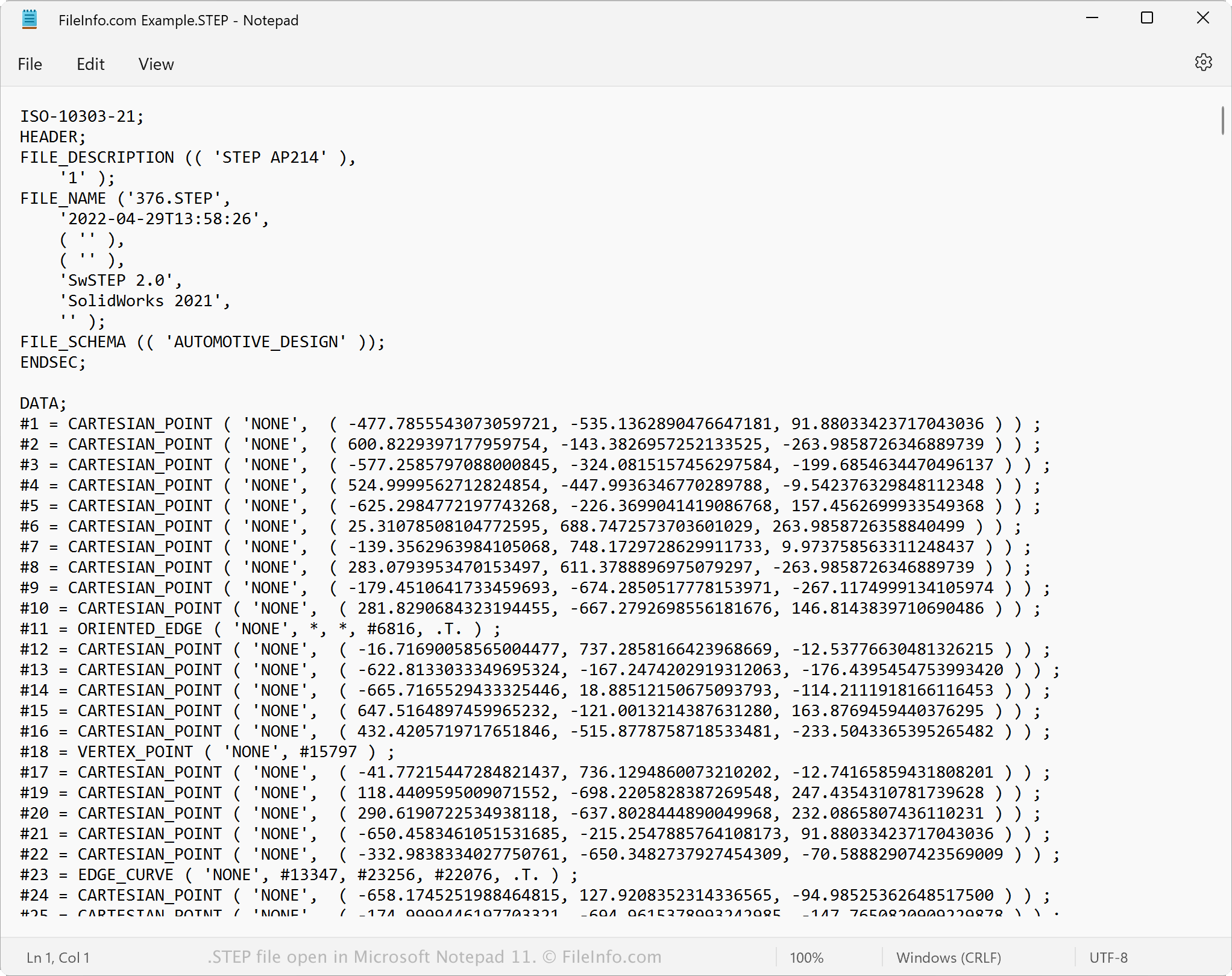
Comme les fichiers STEP sont enregistrés en texte brut, vous pouvez ouvrir un fichier STEP avec un éditeur de texte, tel que Microsoft Notepad ou Apple TextEdit. Vous pouvez afficher les données du modèle et les métadonnées, notamment son nom de fichier d'origine, sa date de création et l'application qui a créé le fichier.
Lorsqu'il est ouvert dans un éditeur de texte ou un éditeur de code source, vous pouvez modifier les propriétés du fichier STEP. Cependant, si vous modifiez le fichier de manière incorrecte, vous risquez de l'endommager involontairement.
Comment convertir un fichier STEP
Diverses applications de CAO, notamment Autodesk Fusion 360, Dassault Systemes SolidWorks et IMSI TurboCAD, peuvent convertir les fichiers STEP dans d'autres formats.
Par exemple, Autodesk Fusion 360 peut convertir les fichiers STEP en différents types de fichiers, notamment dans les formats suivants :
- .OBJ - Objet 3D Wavefront
- .3MF - Fichier de fabrication 3D
- .ASM - Fichier d'assemblage Pro/ENGINEER
- .DWG - Dessin AutoCAD
- .DXF - Drawing Exchange Format
- .IGES - Fichier de dessin IGES
- .STL - Fichier de stéréolithographie
- .FBX - Fichier d'échange Autodesk FBX
- .F3D - Archive Fusion 360
- .USD - Universal Scene Description Format