

.STEP Rozszerzenie pliku
Model 3D STEP
| Deweloper | International Organization for Standardization |
| Popularność |
3,5 | 127 Głosów |
Czym jest plik STEP?
Plik STEP to plik modelu 3D sformatowany w formacie STEP (Standard for the Exchange of Product Data), będącym standardowym formatem wymiany danych zgodnym z normą ISO. Zawiera trójwymiarowe dane modelu zapisane w formacie tekstowym rozpoznawanym przez wiele programów do projektowania wspomaganego komputerowo (CAD).
Więcej informacji
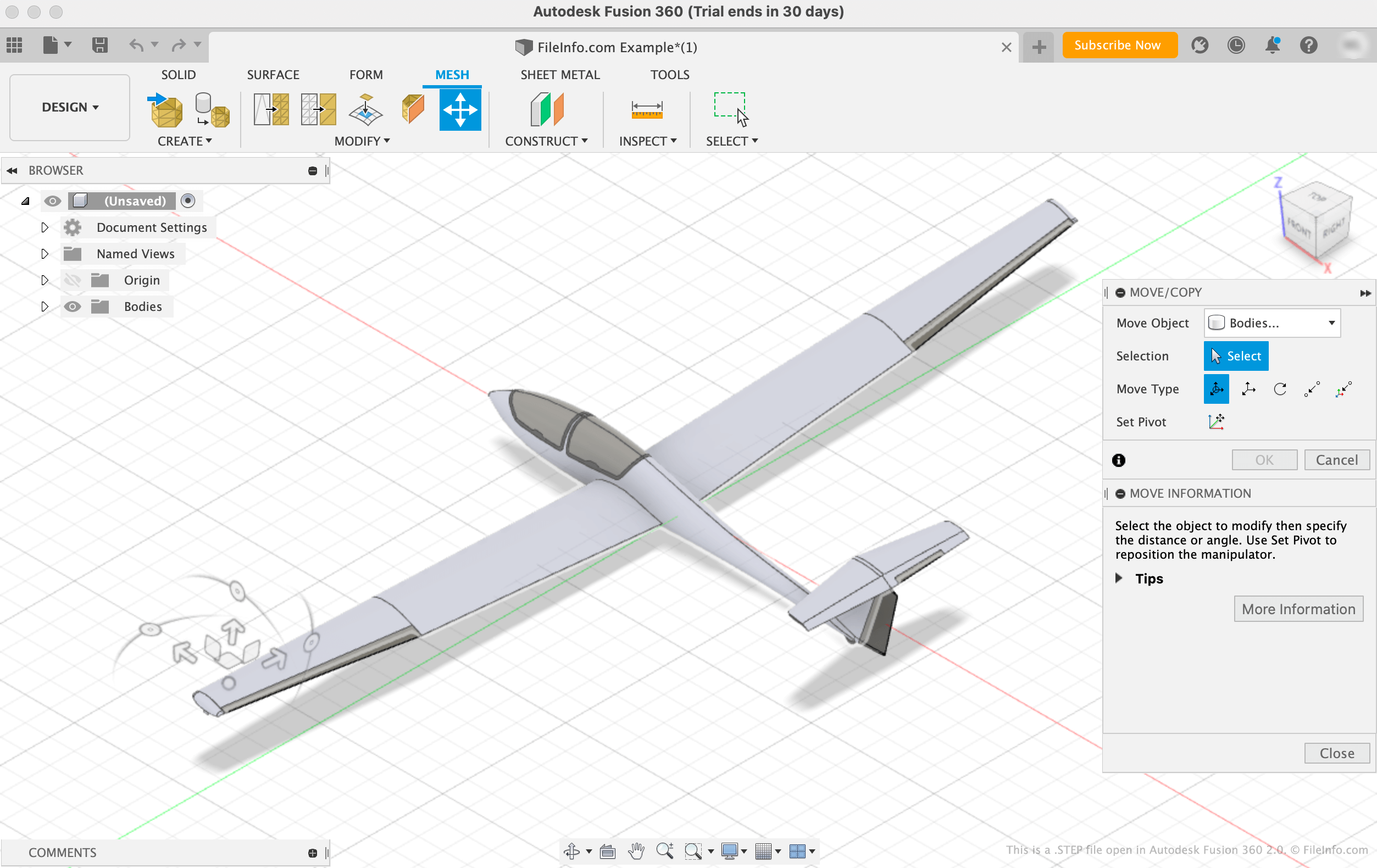
Międzynarodowa Organizacja Normalizacyjna (ISO) opracowała format STEP, aby ułatwić udostępnianie modeli między użytkownikami korzystającymi z różnych systemów CAD w branży CAD. Od wydania w 1994 roku STEP stał się ustandaryzowanym, szeroko obsługiwanym formatem, którego użytkownicy CAD mogą używać do zapisywania i przesyłania modeli między użytkownikami i programami.
Chociaż pliki STEP są wyświetlane jako modele 3D w programach CAD, składają się ze zwykłego tekstu opisującego strukturę modelu. Tekst zawarty w plikach STEP jest zapisany w formacie ASCII zgodnym z protokołami aplikacji STEP ISO 10303-2xx.
UWAGA: Pliki modeli STEP często używają rozszerzenia pliku .STP.
Jak otworzyć plik STEP
Plik STEP można otworzyć w różnych programach CAD, w tym Autodesk Fusion 360 (wieloplatformowy), IMSI TurboCAD (Windows, Mac), FreeCAD (wieloplatformowy) i Dassault Systemes CATIA (Windows, Linux).
Aby na przykład otworzyć plik STEP w programie Autodesk Fusion 360:
- Wybierz z paska menu programu
- Gdy pojawi się okno Open, wybierz
- Przejdź do pliku STEP i otwórz go
Otwieranie pliku STEP za pomocą edytora tekstu
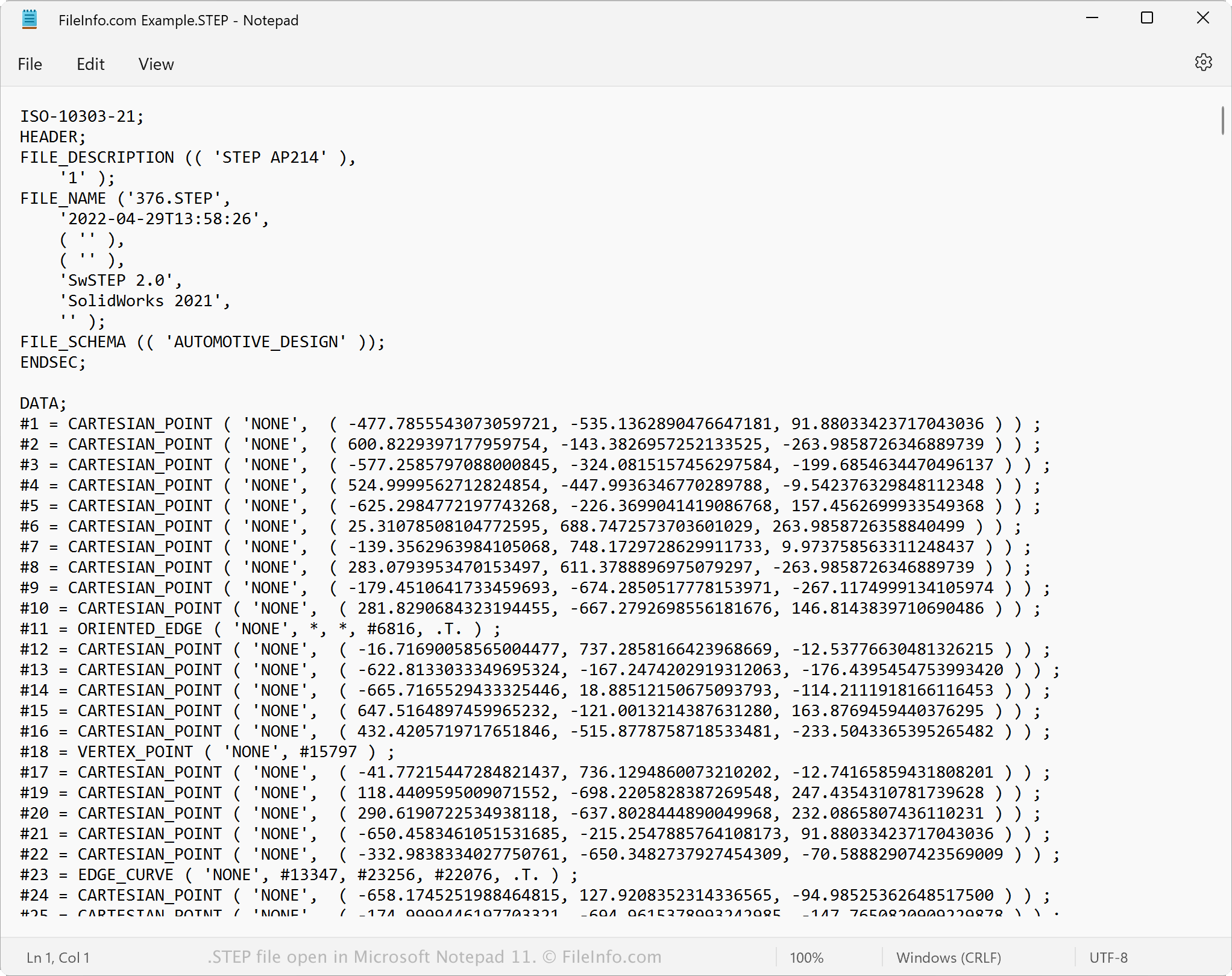
Ponieważ pliki STEP są zapisywane jako zwykły tekst, można je otworzyć za pomocą edytora tekstu, takiego jak Microsoft Notepad lub Apple TextEdit. Można wyświetlić dane modelu i metadane, w tym jego pierwotną nazwę pliku, datę utworzenia oraz aplikację, która utworzyła plik.
Po otwarciu w edytorze tekstu lub edytorze kodu źródłowego można modyfikować właściwości pliku STEP. Jeśli jednak edytujesz plik nieprawidłowo, możesz nieumyślnie go uszkodzić.
Jak przekonwertować plik STEP
Różne aplikacje CAD, w tym Autodesk Fusion 360, Dassault Systemes SolidWorks i IMSI TurboCAD, mogą konwertować pliki STEP na inne formaty.
Na przykład Autodesk Fusion 360 może konwertować pliki STEP na różne typy plików, w tym następujące formaty: