

.STEP Extensão de arquivo
Modelo 3D STEP
| Desenvolvedor | International Organization for Standardization |
| Popularidade |
3,5 | 127 Votos |
O que é um arquivo STEP?
Um arquivo STEP é um arquivo de modelo 3D formatado em STEP (Standard for the Exchange of Product Data), um formato de intercâmbio padrão ISO. Ele contém dados de modelo tridimensional salvos em um formato de texto reconhecido por vários programas de projeto assistido por computador (CAD).
Mais informações
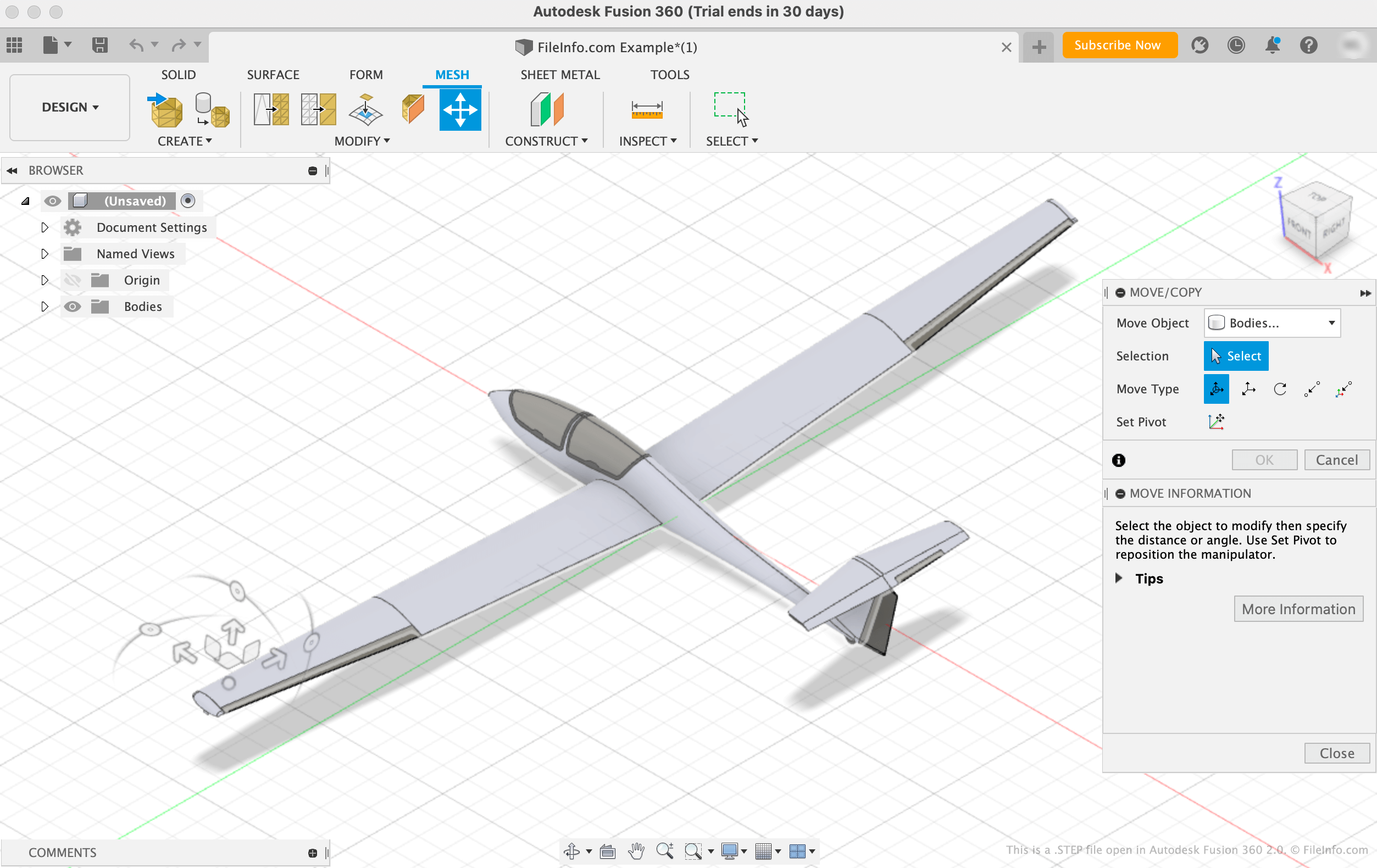
A International Organization for Standardization (ISO) desenvolveu o formato STEP para facilitar o compartilhamento de modelos entre usuários com diferentes sistemas CAD no setor de CAD. Desde seu lançamento em 1994, o STEP se tornou um formato padronizado e amplamente compatível que os usuários de CAD podem usar para salvar e transferir modelos entre usuários e programas.
Embora os arquivos STEP apareçam como modelos 3D nos programas CAD, eles consistem em texto simples que descreve a estrutura de um modelo. O texto contido nos arquivos STEP é escrito em um formato ASCII que está em conformidade com os protocolos de aplicação STEP ISO 10303-2xx.
NOTA: Os arquivos de modelo STEP geralmente usam a extensão de arquivo .STP.
Como abrir um arquivo STEP
Você pode abrir um arquivo STEP em vários programas CAD, incluindo Autodesk Fusion 360 (multiplataforma), IMSI TurboCAD (Windows, Mac), FreeCAD (multiplataforma) e Dassault Systemes CATIA (Windows, Linux).
Por exemplo, para abrir um arquivo STEP no Autodesk Fusion 360:
- Selecione na barra de menus do programa
- Quando a janela Open aparecer, selecione
- Navegue até o seu arquivo STEP e abra-o
Abrindo um arquivo STEP com um editor de texto
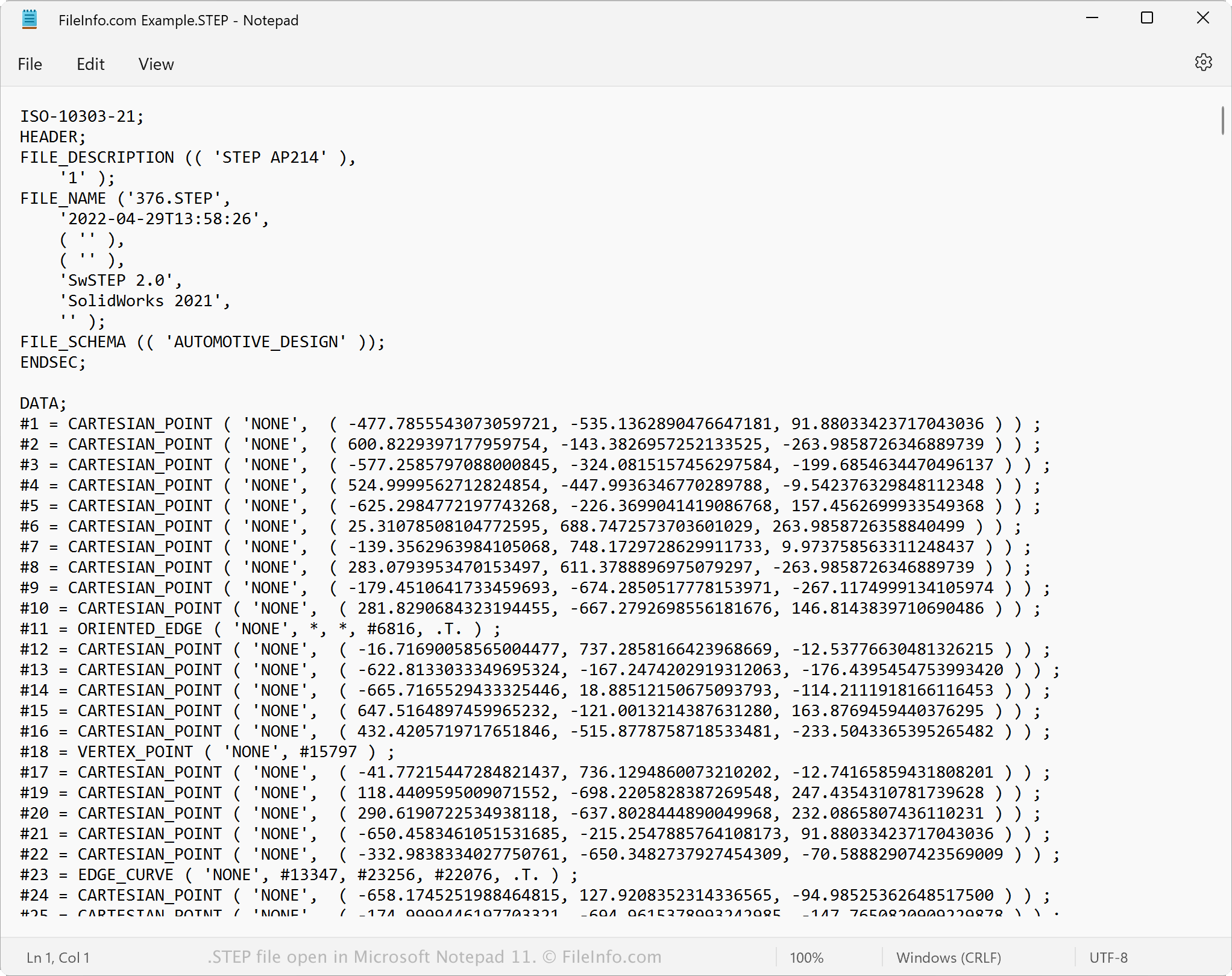
Como os arquivos STEP são salvos em texto simples, você pode abrir um arquivo STEP com um editor de texto, como o Microsoft Notepad ou o Apple TextEdit. Você pode visualizar os dados e os metadados do modelo, incluindo o nome original do arquivo, a data de criação e o aplicativo que criou o arquivo.
Quando aberto em um editor de texto ou editor de código-fonte, você pode modificar as propriedades do arquivo STEP. No entanto, se editar o arquivo incorretamente, poderá corrompê-lo acidentalmente.
Como converter um arquivo STEP
Vários aplicativos CAD, incluindo Autodesk Fusion 360, Dassault Systemes SolidWorks e IMSI TurboCAD, podem converter arquivos STEP para outros formatos.
Por exemplo, o Autodesk Fusion 360 pode converter arquivos STEP para vários tipos de arquivo, incluindo os seguintes formatos:
- .OBJ - Objeto 3D Wavefront
- .3MF - 3D Manufacturing File
- .ASM - Arquivo de montagem do Pro/ENGINEER
- .DWG - Desenho do AutoCAD
- .DXF - Drawing Exchange Format
- .IGES - Arquivo de desenho IGES
- .STL - Arquivo de estereolitografia
- .FBX - Arquivo de intercâmbio Autodesk FBX
- .F3D - Arquivo de projeto do Fusion 360
- .USD - Universal Scene Description Format