

.LNK Bestandsextensie
Windows-snelkoppeling
| Ontwikkelaar | Microsoft |
| Populariteit |
4,1 | 2251 stemmen |
Wat is een LNK-bestand?
Een LNK-bestand is een Windows-snelkoppeling die naar een ander bestand, een andere map of een andere toepassing verwijst en wordt gebruikt om die te openen. Het bevat informatie over het object waarnaar het verwijst, waaronder het type, de locatie en de bestandsnaam van het object. Je kunt een snelkoppeling naar een bestand, map of toepassing maken door met de rechtermuisknop op dat object te klikken en te selecteren. (In Windows 11 moet je eerst selecteren.)
Meer informatie
LNK-bestanden gebruiken meestal hetzelfde pictogram als het doelbestand, met een kleine gebogen pijl om aan te geven dat de snelkoppeling naar een andere locatie verwijst. Wanneer je dubbelklikt op een LNK-bestand, opent Windows het bestand waarnaar de snelkoppeling verwijst, net zoals wanneer je op het eigenlijke bestand zou dubbelklikken.
De eigenschappen van een LNK-bestand bewerken
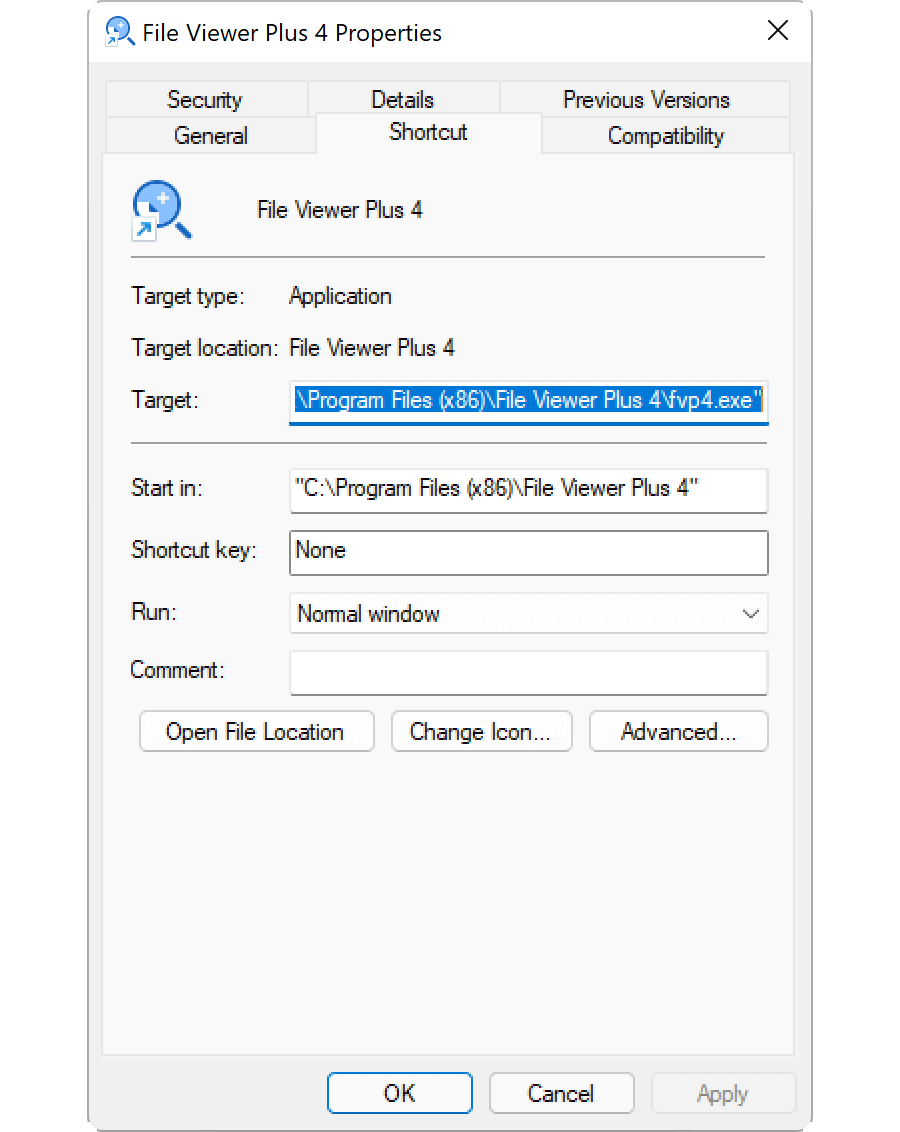
Je kunt de eigenschappen van een Windows-snelkoppeling bewerken om een sneltoets toe te voegen of aan te passen hoe Windows het bestand opent waarnaar de snelkoppeling verwijst. Als je de eigenschappen van een snelkoppeling wilt bewerken, klik je met de rechtermuisknop op de snelkoppeling en selecteer je .
De LNK-bestandsextensie weergeven
Zelfs als je Windows zo hebt ingesteld dat bestandsextensies voor bekende bestandstypen worden weergegeven, toont het de bestandsextensie .lnk niet. Hoewel dit niet wordt aanbevolen, kun je Windows de bestandsextensie .lnk laten weergeven door de eigenschap NeverShowExt te verwijderen uit de Windows-registervermelding HKEY_CLASSES_ROOT\lnkfile:
- Open de Register-editor door regedit in het zoekvak op de taakbalk te typen en het programma te selecteren.
- Navigeer in de Register-editor naar Computer\HKEY_CLASSES_ROOT\lnkfile.
- Maak een back-up van lnkfile door er met de rechtermuisknop op te klikken en te selecteren (je kunt deze gebruiken om je registersleutel te herstellen als er een fout optreedt).
- Selecteer de eigenschap NeverShowExt en verwijder deze.
- Start Windows opnieuw op.
Lees meer over Windows-snelkoppelingen in het Helpcentrum van FileInfo.com.
OPMERKING: Wijzigingen in de bestandskoppeling van LNK-bestanden kunnen ertoe leiden dat de pictogrammen op je Windows-bureaublad onverwacht veranderen of verdwijnen. Je kunt het Helpcentrum bezoeken voor instructies over hoe je je Windows-pictogrammen kunt herstellen.
Een LNK-bestand openen
Als je een LNK-bestand opent door erop te dubbelklikken of door er met de rechtermuisknop op te klikken en te selecteren, wordt het bestand, de map of het programma geopend waarnaar het LNK-bestand verwijst. Ervaren gebruikers kunnen de eigenschappen van een LNK-bestand bewerken door met de rechtermuisknop op het bestand te klikken en te selecteren.