

.LNK Přípona souboru
Zástupce systému Windows
| Vývojář | Microsoft |
| Popularita |
4,1 | 2251 hlasů |
Co je soubor LNK?
Soubor LNK je zástupce systému Windows, který odkazuje na jiný soubor, složku nebo aplikaci a používá se k jejich otevření. Obsahuje informace o objektu, na který odkazuje, včetně typu, umístění a názvu souboru tohoto objektu. Zástupce souboru, složky nebo aplikace můžete vytvořit kliknutím pravým tlačítkem na daný objekt a výběrem možnosti . (Ve Windows 11 musíte nejprve vybrat možnost .)
Další informace
Soubory LNK obvykle používají stejnou ikonu jako cílový soubor, s malou zahnutou šipkou, která označuje, že zástupce odkazuje na jiné umístění. Když na soubor LNK dvakrát kliknete, Windows otevře soubor, na který zástupce odkazuje, stejně jako při dvojitém kliknutí na skutečný soubor.
Jak upravit vlastnosti souboru LNK
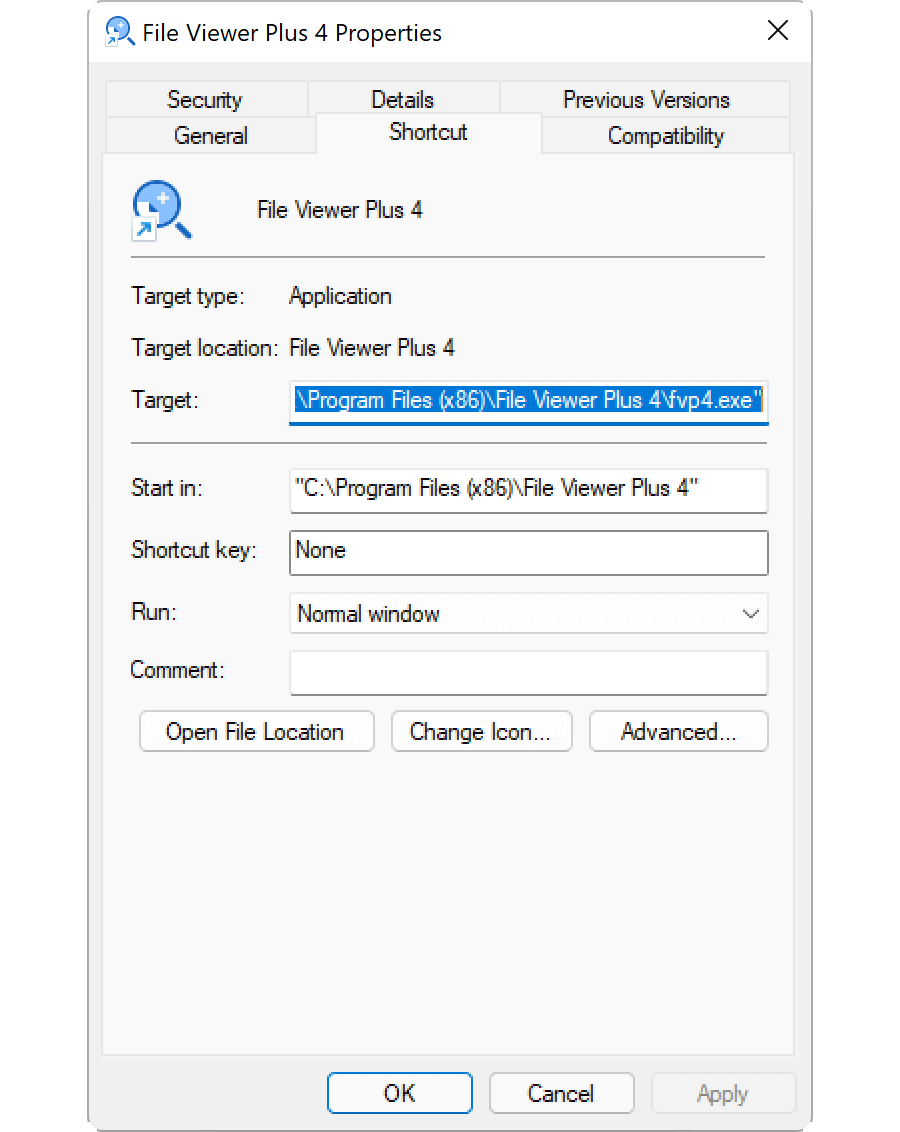
Vlastnosti zástupce systému Windows můžete upravit a přidat klávesovou zkratku nebo změnit způsob, jakým Windows otevře soubor, na který zástupce odkazuje. Vlastnosti zástupce upravíte kliknutím pravým tlačítkem na zástupce a výběrem možnosti .
Jak zobrazit příponu souboru LNK
I když jste Windows nastavili tak, aby zobrazoval přípony známých typů souborů, příponu souboru .lnk nezobrazuje. Přestože to nedoporučujeme, můžete Windows nastavit tak, aby příponu souboru .lnk zobrazoval, a to odstraněním vlastnosti NeverShowExt v položce registru systému Windows HKEY_CLASSES_ROOT\lnkfile:
- Otevřete Editor registru zadáním výrazu regedit do vyhledávacího pole na hlavním panelu a výběrem příslušného programu.
- V Editoru registru přejděte na položku Computer\HKEY_CLASSES_ROOT\lnkfile.
- Vytvořte zálohu položky lnkfile kliknutím pravým tlačítkem a výběrem možnosti (zálohu můžete použít k obnovení klíče registru v případě chyby).
- Vyberte vlastnost NeverShowExt a odstraňte ji.
- Restartujte Windows.
Další informace o zástupcích systému Windows najdete v Centru nápovědy webu FileInfo.com.
POZNÁMKA: Změny přidružení souborů LNK mohou způsobit neočekávanou změnu nebo zmizení ikon na ploše systému Windows. Pokyny k opravě ikon systému Windows najdete v Centru nápovědy.
Jak otevřít soubor LNK
Otevřením souboru LNK dvojitým kliknutím nebo kliknutím pravým tlačítkem a výběrem možnosti otevřete soubor, složku nebo program, na který soubor LNK odkazuje. Pokročilí uživatelé mohou upravit vlastnosti souboru LNK kliknutím pravým tlačítkem na soubor a výběrem možnosti .