

.LNK Dateiendung
Windows-Verknüpfung
| Entwickler | Microsoft |
| Beliebtheit |
4,1 | 2251 Stimmen |
Was ist eine LNK-Datei?
Eine LNK-Datei ist eine Windows-Verknüpfung, die auf eine andere Datei, einen Ordner oder eine Anwendung verweist und zum Öffnen dieser Datei, dieses Ordners oder dieser Anwendung verwendet wird. Sie enthält Informationen über das Objekt, auf das sie verweist, einschließlich des Objekttyps, des Speicherorts und des Dateinamens. Sie können eine Verknüpfung zu einer Datei, einem Ordner oder einer Anwendung erstellen, indem Sie mit der rechten Maustaste auf das Objekt klicken und auswählen. (In Windows 11 müssen Sie zuerst auswählen.)
Weitere Informationen
LNK-Dateien verwenden normalerweise dasselbe Symbol wie ihre Zieldatei, ergänzt durch einen kleinen gebogenen Pfeil, der anzeigt, dass die Verknüpfung auf einen anderen Speicherort verweist. Wenn Sie auf eine LNK-Datei doppelklicken, öffnet Windows die Datei, auf die die Verknüpfung verweist, genau wie beim Doppelklicken auf die eigentliche Datei.
So bearbeiten Sie die Eigenschaften einer LNK-Datei
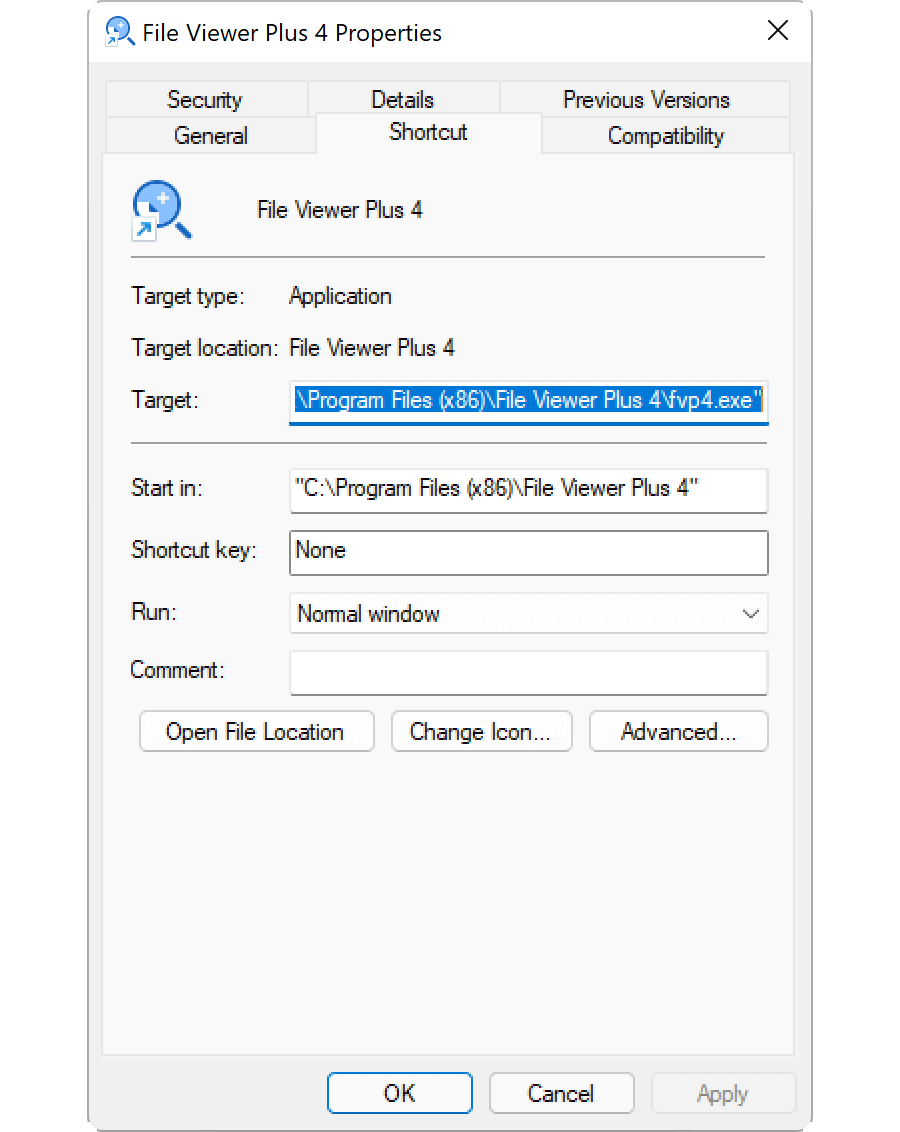
Sie können die Eigenschaften einer Windows-Verknüpfung bearbeiten, um ein Tastenkürzel hinzuzufügen oder zu ändern, wie Windows die Datei öffnet, auf die die Verknüpfung verweist. Um die Eigenschaften einer Verknüpfung zu bearbeiten, klicken Sie mit der rechten Maustaste auf die Verknüpfung und wählen Sie aus.
So zeigen Sie die Dateierweiterung einer LNK-Datei an
Auch wenn Sie Windows so konfiguriert haben, dass Dateierweiterungen für bekannte Dateitypen angezeigt werden, zeigt Windows die Dateierweiterung .lnk nicht an. Obwohl dies nicht empfohlen wird, können Sie Windows dazu bringen, die Dateierweiterung .lnk anzuzeigen, indem Sie die Eigenschaft NeverShowExt aus dem Windows-Registrierungseintrag HKEY_CLASSES_ROOT\lnkfile löschen:
- Öffnen Sie den Registrierungs-Editor, indem Sie regedit in das Suchfeld der Taskleiste eingeben und das Programm auswählen.
- Navigieren Sie im Registrierungs-Editor zu Computer\HKEY_CLASSES_ROOT\lnkfile.
- Erstellen Sie eine Sicherungskopie von lnkfile, indem Sie mit der rechten Maustaste darauf klicken und auswählen (damit können Sie Ihren Registrierungsschlüssel im Falle eines Fehlers wiederherstellen).
- Wählen Sie die Eigenschaft NeverShowExt aus und löschen Sie sie.
- Starten Sie Windows neu.
Lesen Sie mehr über Windows-Verknüpfungen im Hilfe-Center von FileInfo.com.
HINWEIS: Änderungen an der Dateizuordnung von LNK-Dateien können dazu führen, dass sich Ihre Windows-Desktopsymbole unerwartet ändern oder verschwinden. Im Hilfe-Center finden Sie eine Anleitung, wie Sie Ihre Windows-Symbole reparieren können.
So öffnen Sie eine LNK-Datei
Wenn Sie eine LNK-Datei durch Doppelklicken öffnen oder mit der rechten Maustaste darauf klicken und auswählen, wird die Datei, der Ordner oder das Programm geöffnet, auf die beziehungsweise den die LNK-Datei verweist. Fortgeschrittene Benutzer können die Eigenschaften einer LNK-Datei bearbeiten, indem sie mit der rechten Maustaste auf die Datei klicken und auswählen.