.LNK ファイル拡張子

Windows Shortcut

開発元 Microsoft
人気度
4.1  |  2248 
 

LNKファイルとは?

An LNK file is a Windows shortcut, which points to and is used to open another file, folder, or application. It contains information about the object to which it points, including the object's type, location, and filename. You can create a shortcut to a file, folder, or application by right-clicking that object and selecting Create shortcut. (In Windows 11, you must first select Show more options.)

詳細情報

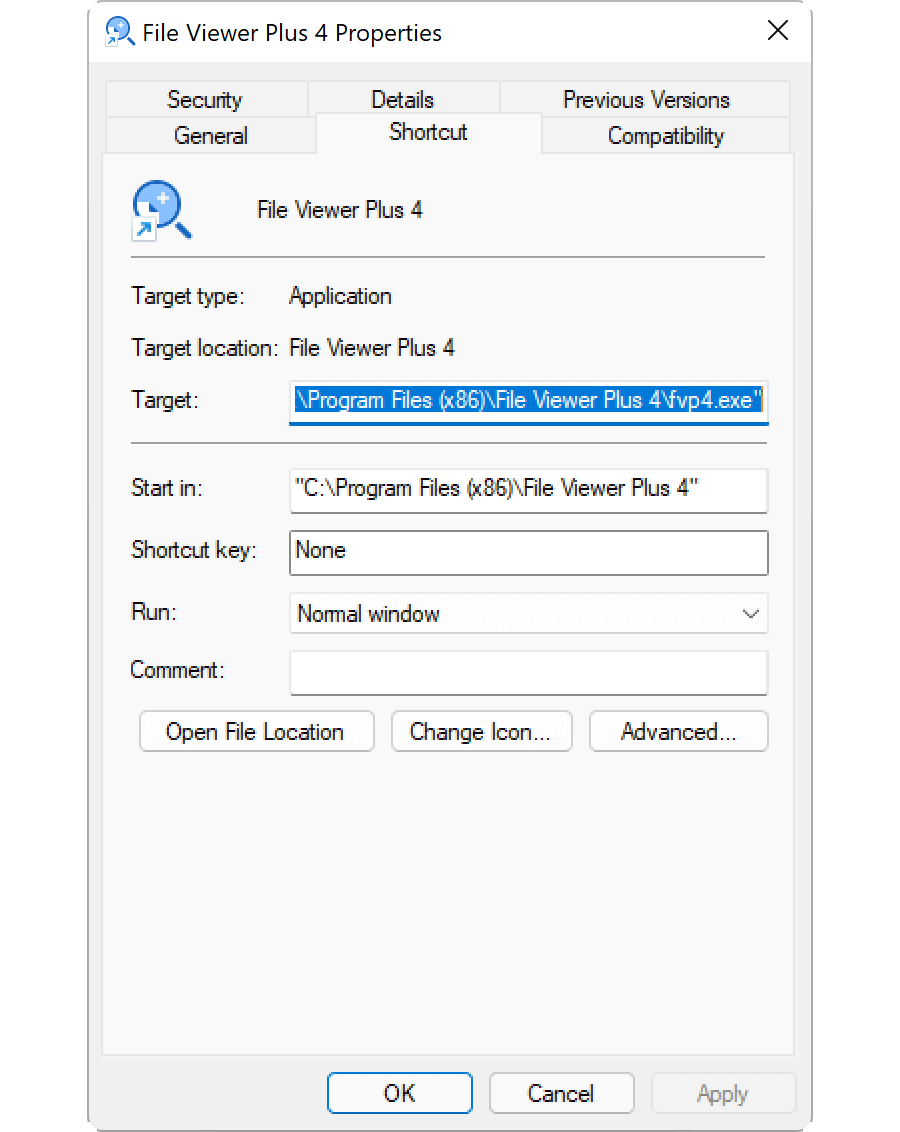
Editing an LNK file's properties in Microsoft Windows 11

LNK files typically use the same icon as their target file, with a small curled arrow added to indicate the shortcut points to another location. When you double-click an LNK file, Windows opens the file to which that shortcut points, just as it would if you double-clicked the actual file.

How to edit an LNK file's properties

You can edit a Windows shortcut's properties, to add a shortcut key or modify how Windows opens the file to which the shortcut points. To edit a shortcut's properties, right-click the shortcut and select Properties.

How to show the LNK file extension

Even if you've configured Windows to show file extensions for known file types, it does not show the .lnk file extension. While not recommended, you can make Windows show the .lnk file extension by deleting the NeverShowExt property within the HKEY_CLASSES_ROOT\​lnkfile Windows registry entry:

  1. Open Registry Editor by typing regedit in the taskbar search box and selecting the program.
  2. In Registry Editor, navigate to Computer\​HKEY_CLASSES_ROOT\​lnkfile.
  3. Create a backup of lnkfile by right-clicking it and selecting Export (you can use this to restore your registry key in case of an error).
  4. Select the NeverShowExt property and delete it.
  5. Restart Windows.

Read more about Windows shortcuts in the FileInfo.com Help Center.

注: Changes to the LNK file association can cause your Windows desktop icons to unexpectedly change or disappear. You can visit the Help Center for instructions on how to fix your Windows icons.

LNKファイルの開き方

Opening an LNK file, by double-clicking it or right-clicking it and selecting Open, opens the file, folder, or program to which the LNK file points. Advanced users can edit an LNK file's properties by right-clicking the file and selecting Properties.

File Viewer Plusで400種類以上のファイル形式を開けます。無料ダウンロード

LNKファイルを開くプログラム

Windows
無料体験版
無料
Mac
Linux
無料体験版
無料体験版

検証者 FileInfo.com

FileInfo.comチーム は、このページに掲載されているWindows Shortcutファイル形式とMac, Windows, and Linuxアプリについて独自に調査しました。 私たちの目標は100%の正確性であり、検証済みのファイルタイプに関する情報のみを公開しています。

このページへの追加や更新をご提案いただける場合は、お知らせください。