

.LNK Estensione file
Collegamento di Windows
| Sviluppatore | Microsoft |
| Popolarità |
4,1 | 2251 Voti |
Che cos'è un file LNK?
Un file LNK è un collegamento di Windows, che punta a un altro file, una cartella o un'applicazione e viene usato per aprirlo. Contiene informazioni sull'oggetto a cui punta, tra cui il tipo, il percorso e il nome del file dell'oggetto. Puoi creare un collegamento a un file, una cartella o un'applicazione facendo clic con il pulsante destro del mouse sull'oggetto e selezionando . (In Windows 11, devi prima selezionare .)
Maggiori informazioni
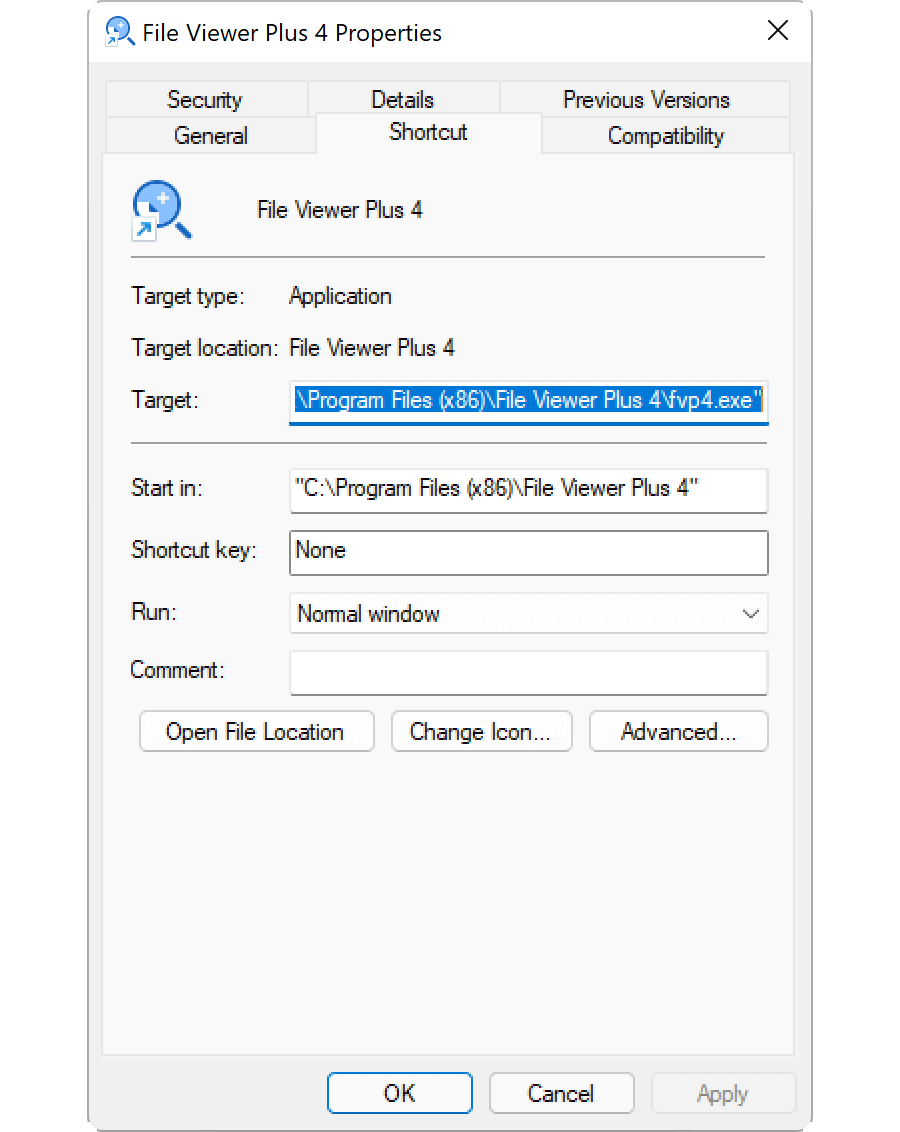
I file LNK in genere usano la stessa icona del file di destinazione, con una piccola freccia ricurva aggiunta per indicare che il collegamento punta a un altro percorso. Quando fai doppio clic su un file LNK, Windows apre il file a cui punta il collegamento, proprio come farebbe se facessi doppio clic sul file effettivo.
Come modificare le proprietà di un file LNK
Puoi modificare le proprietà di un collegamento di Windows per aggiungere una scorciatoia da tastiera o cambiare il modo in cui Windows apre il file a cui punta il collegamento. Per modificare le proprietà di un collegamento, fai clic con il pulsante destro del mouse sul collegamento e seleziona .
Come visualizzare l'estensione del file LNK
Anche se hai configurato Windows per visualizzare le estensioni dei file per i tipi di file conosciuti, non mostra l'estensione del file .lnk. Sebbene non sia consigliato, puoi fare in modo che Windows visualizzi l'estensione del file .lnk eliminando la proprietà NeverShowExt dalla voce del registro di Windows HKEY_CLASSES_ROOT\lnkfile:
- Apri l'Editor del Registro di sistema digitando regedit nella casella di ricerca della barra delle applicazioni e selezionando il programma.
- Nell'Editor del Registro di sistema, vai a Computer\HKEY_CLASSES_ROOT\lnkfile.
- Crea un backup di lnkfile facendo clic con il pulsante destro del mouse su di esso e selezionando (puoi usarlo per ripristinare la chiave del Registro di sistema in caso di errore).
- Seleziona la proprietà NeverShowExt ed eliminala.
- Riavvia Windows.
Scopri di più sui collegamenti di Windows nel Centro assistenza di FileInfo.com.
NOTA: Le modifiche all'associazione dei file LNK possono causare la modifica o la scomparsa imprevista delle icone del desktop di Windows. Puoi visitare il Centro assistenza per consultare le istruzioni su come correggere le icone di Windows.
Come aprire un file LNK
L'apertura di un file LNK, facendo doppio clic su di esso o facendo clic con il pulsante destro del mouse e selezionando , apre il file, la cartella o il programma a cui punta il file LNK. Gli utenti esperti possono modificare le proprietà di un file LNK facendo clic con il pulsante destro del mouse sul file e selezionando .