.LNK 文件扩展名

Windows Shortcut

开发者 Microsoft
受欢迎程度
4.1  |  2248 
 

什么是 LNK 文件?

An LNK file is a Windows shortcut, which points to and is used to open another file, folder, or application. It contains information about the object to which it points, including the object's type, location, and filename. You can create a shortcut to a file, folder, or application by right-clicking that object and selecting Create shortcut. (In Windows 11, you must first select Show more options.)

更多信息

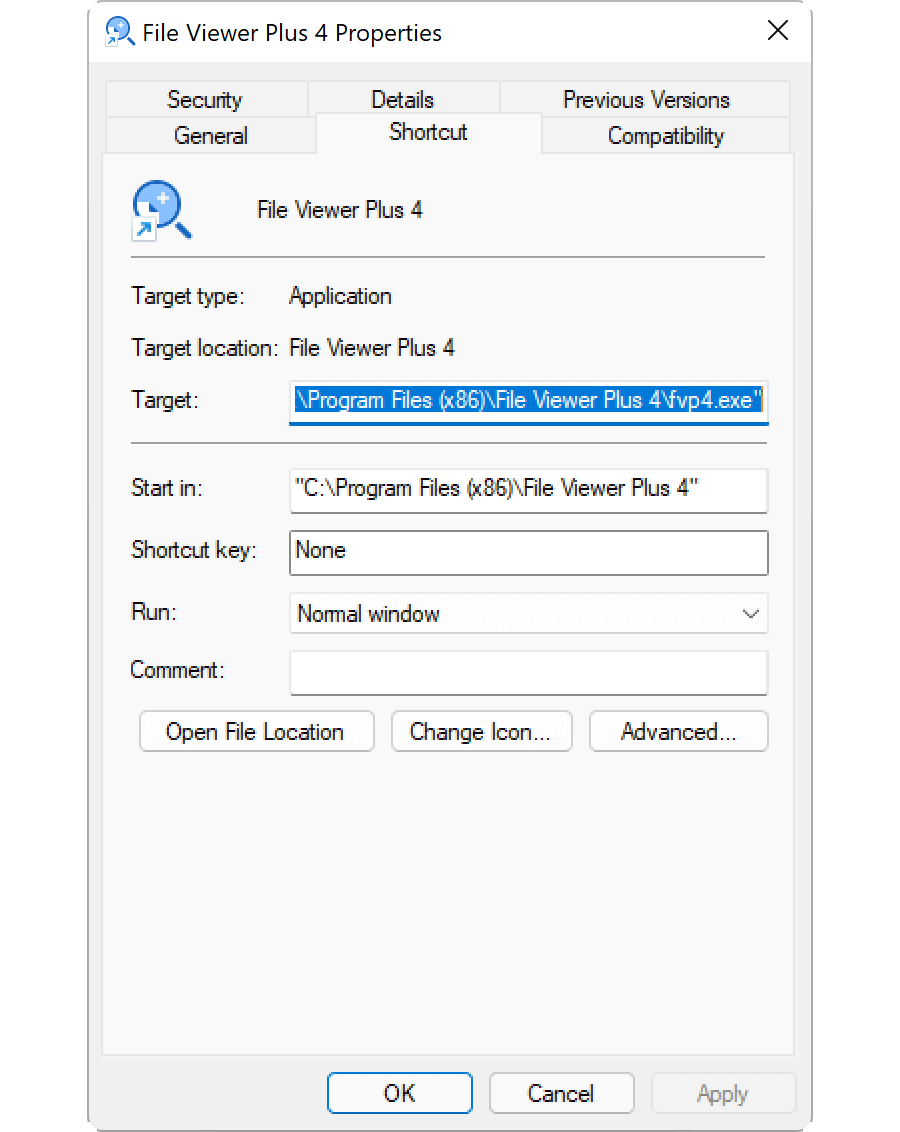
Editing an LNK file's properties in Microsoft Windows 11

LNK files typically use the same icon as their target file, with a small curled arrow added to indicate the shortcut points to another location. When you double-click an LNK file, Windows opens the file to which that shortcut points, just as it would if you double-clicked the actual file.

How to edit an LNK file's properties

You can edit a Windows shortcut's properties, to add a shortcut key or modify how Windows opens the file to which the shortcut points. To edit a shortcut's properties, right-click the shortcut and select Properties.

How to show the LNK file extension

Even if you've configured Windows to show file extensions for known file types, it does not show the .lnk file extension. While not recommended, you can make Windows show the .lnk file extension by deleting the NeverShowExt property within the HKEY_CLASSES_ROOT\​lnkfile Windows registry entry:

  1. Open Registry Editor by typing regedit in the taskbar search box and selecting the program.
  2. In Registry Editor, navigate to Computer\​HKEY_CLASSES_ROOT\​lnkfile.
  3. Create a backup of lnkfile by right-clicking it and selecting Export (you can use this to restore your registry key in case of an error).
  4. Select the NeverShowExt property and delete it.
  5. Restart Windows.

Read more about Windows shortcuts in the FileInfo.com Help Center.

注: Changes to the LNK file association can cause your Windows desktop icons to unexpectedly change or disappear. You can visit the Help Center for instructions on how to fix your Windows icons.

如何打开 LNK 文件

Opening an LNK file, by double-clicking it or right-clicking it and selecting Open, opens the file, folder, or program to which the LNK file points. Advanced users can edit an LNK file's properties by right-clicking the file and selecting Properties.

使用File Viewer Plus打开 400 多种文件格式。免费下载

可打开 LNK 文件的程序

Windows
免费试用
免费
Linux
免费试用
分类: 系统
更新时间: 2022-06-20

验证者 FileInfo.com

FileInfo.com 团队 独立研究了本页面列出的 Windows Shortcut 文件格式和 Mac, Windows, and Linux 应用。 我们的目标是达到 100% 的准确率,并且仅发布我们已验证过的文件类型信息。

如果您想为此页面提出新增或更新建议,请告诉我们