

.LNK Extension de fichier
Raccourci Windows
| Développeur | Microsoft |
| Popularité |
4,1 | 2251 Votes |
Qu'est-ce qu'un fichier LNK ?
Un fichier LNK est un raccourci Windows qui pointe vers un autre fichier, dossier ou application et permet de l’ouvrir. Il contient des informations sur l’objet vers lequel il pointe, notamment le type, l’emplacement et le nom de fichier de cet objet. Vous pouvez créer un raccourci vers un fichier, un dossier ou une application en cliquant avec le bouton droit sur cet objet et en sélectionnant . (Dans Windows 11, vous devez d’abord sélectionner .)
Plus d'informations
Les fichiers LNK utilisent généralement la même icône que leur fichier cible, avec une petite flèche recourbée ajoutée pour indiquer que le raccourci pointe vers un autre emplacement. Lorsque vous double-cliquez sur un fichier LNK, Windows ouvre le fichier vers lequel pointe le raccourci, comme si vous double-cliquiez sur le fichier réel.
Comment modifier les propriétés d’un fichier LNK
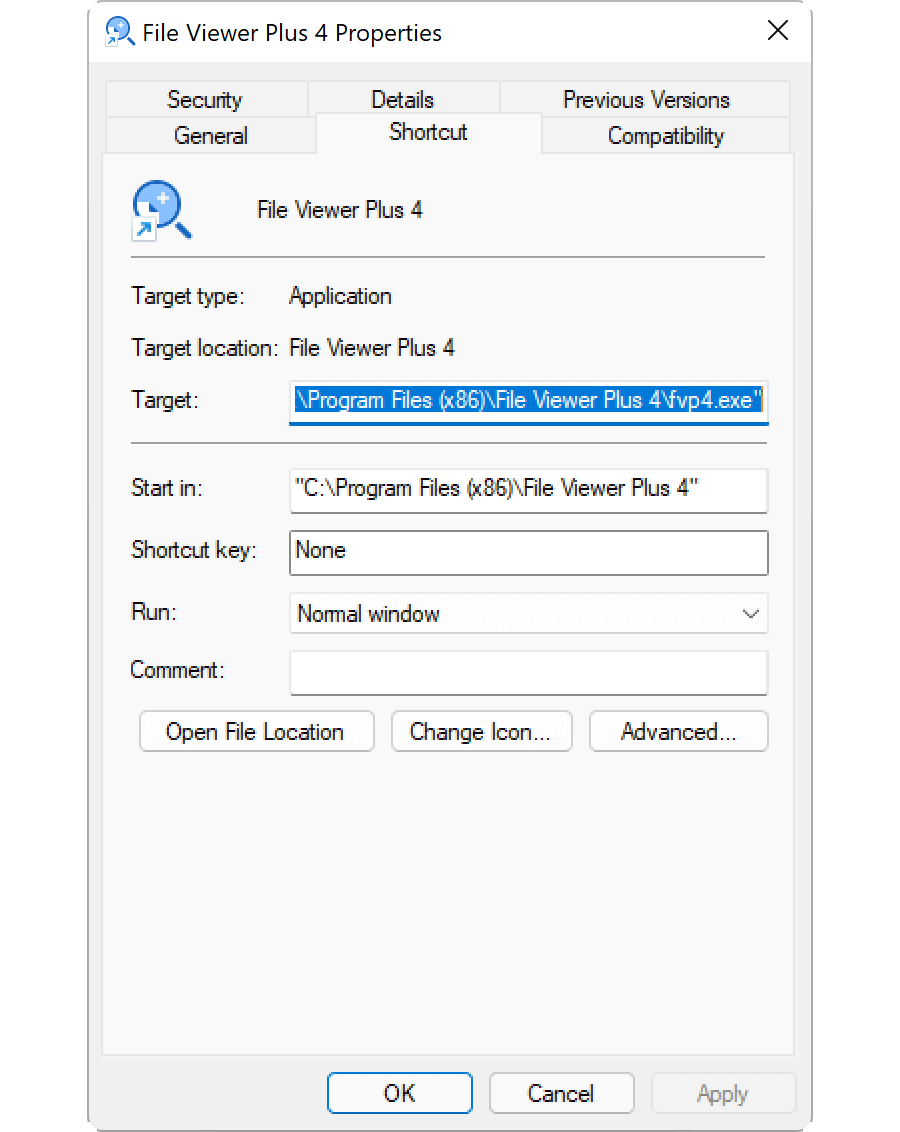
Vous pouvez modifier les propriétés d’un raccourci Windows pour ajouter une touche de raccourci ou changer la manière dont Windows ouvre le fichier vers lequel pointe le raccourci. Pour modifier les propriétés d’un raccourci, cliquez dessus avec le bouton droit et sélectionnez .
Comment afficher l’extension d’un fichier LNK
Même si vous avez configuré Windows pour afficher les extensions des types de fichiers connus, il n’affiche pas l’extension .lnk. Bien que cela ne soit pas recommandé, vous pouvez faire en sorte que Windows affiche l’extension .lnk en supprimant la propriété NeverShowExt de l’entrée de registre Windows HKEY_CLASSES_ROOT\lnkfile :
- Ouvrez l’Éditeur du Registre en saisissant regedit dans la zone de recherche de la barre des tâches, puis en sélectionnant le programme.
- Dans l’Éditeur du Registre, accédez à Computer\HKEY_CLASSES_ROOT\lnkfile.
- Créez une sauvegarde de lnkfile en cliquant dessus avec le bouton droit et en sélectionnant (vous pouvez l’utiliser pour restaurer votre clé de registre en cas d’erreur).
- Sélectionnez la propriété NeverShowExt et supprimez-la.
- Redémarrez Windows.
Pour en savoir plus sur les raccourcis Windows, consultez le Centre d’aide de FileInfo.com.
REMARQUE : Les modifications apportées à l’association des fichiers LNK peuvent entraîner la modification ou la disparition inattendue des icônes du bureau Windows. Vous pouvez consulter le Centre d’aide pour obtenir des instructions sur la façon de réparer vos icônes Windows.
Comment ouvrir un fichier LNK
L’ouverture d’un fichier LNK, en double-cliquant dessus ou en cliquant dessus avec le bouton droit et en sélectionnant , ouvre le fichier, le dossier ou le programme vers lequel pointe le fichier LNK. Les utilisateurs avancés peuvent modifier les propriétés d’un fichier LNK en cliquant dessus avec le bouton droit et en sélectionnant .