

.LNK Rozszerzenie pliku
Skrót systemu Windows
| Deweloper | Microsoft |
| Popularność |
4,1 | 2251 Głosów |
Czym jest plik LNK?
Plik LNK to skrót systemu Windows, który wskazuje na inny plik, folder lub aplikację i służy do jego otwierania. Zawiera informacje o obiekcie, na który wskazuje, w tym typie obiektu, jego lokalizacji i nazwie pliku. Skrót do pliku, folderu lub aplikacji można utworzyć, klikając ten obiekt prawym przyciskiem myszy i wybierając . (W systemie Windows 11 trzeba najpierw wybrać .)
Więcej informacji
Pliki LNK zwykle używają tej samej ikony co wskazywany plik, z małą zawiniętą strzałką oznaczającą, że skrót wskazuje na inną lokalizację. Po dwukrotnym kliknięciu pliku LNK system Windows otwiera plik, na który wskazuje skrót, tak jak po dwukrotnym kliknięciu rzeczywistego pliku.
Jak edytować właściwości pliku LNK
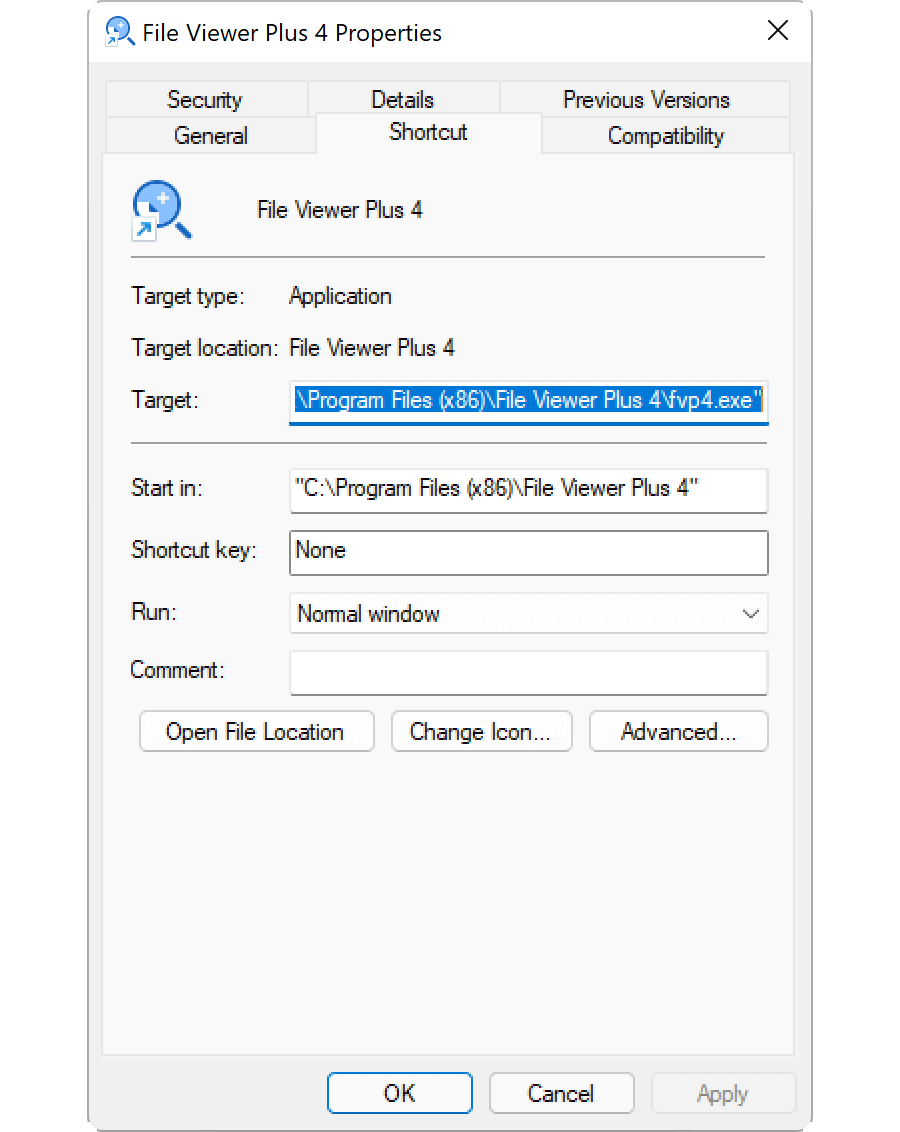
Możesz edytować właściwości skrótu systemu Windows, aby dodać skrót klawiaturowy lub zmienić sposób, w jaki system Windows otwiera plik, na który wskazuje skrót. Aby edytować właściwości skrótu, kliknij go prawym przyciskiem myszy i wybierz .
Jak wyświetlić rozszerzenie pliku LNK
Nawet jeśli skonfigurowano system Windows tak, aby wyświetlał rozszerzenia znanych typów plików, nie wyświetla on rozszerzenia pliku .lnk. Chociaż nie jest to zalecane, możesz sprawić, aby system Windows wyświetlał rozszerzenie pliku .lnk, usuwając właściwość NeverShowExt z wpisu rejestru systemu Windows HKEY_CLASSES_ROOT\lnkfile:
- Otwórz Edytor rejestru, wpisując regedit w polu wyszukiwania na pasku zadań i wybierając program.
- W Edytorze rejestru przejdź do Computer\HKEY_CLASSES_ROOT\lnkfile.
- Utwórz kopię zapasową elementu lnkfile, klikając go prawym przyciskiem myszy i wybierając (możesz jej użyć do przywrócenia klucza rejestru w razie wystąpienia błędu).
- Wybierz właściwość NeverShowExt i usuń ją.
- Uruchom ponownie system Windows.
Dowiedz się więcej o skrótach systemu Windows w Centrum pomocy FileInfo.com.
UWAGA: Zmiany skojarzenia plików LNK mogą spowodować nieoczekiwaną zmianę lub zniknięcie ikon pulpitu systemu Windows. W Centrum pomocy znajdziesz instrukcje, jak naprawić ikony systemu Windows.
Jak otworzyć plik LNK
Otwarcie pliku LNK przez dwukrotne kliknięcie go lub kliknięcie prawym przyciskiem myszy i wybranie powoduje otwarcie pliku, folderu lub programu, na który wskazuje plik LNK. Zaawansowani użytkownicy mogą edytować właściwości pliku LNK, klikając go prawym przyciskiem myszy i wybierając .