

.LNK 파일 확장자
Windows 바로 가기
| 개발사 | Microsoft |
| 인기도 |
4.1 | 2251 표 |
LNK 파일이란 무엇인가요?
LNK 파일은 Windows 바로 가기로, 다른 파일, 폴더 또는 애플리케이션을 가리키며 이를 여는 데 사용됩니다. 이 파일에는 가리키는 개체의 유형, 위치, 파일 이름을 비롯해 해당 개체에 대한 정보가 포함되어 있습니다. 개체를 마우스 오른쪽 버튼으로 클릭하고 을 선택하면 파일, 폴더 또는 애플리케이션에 대한 바로 가기를 만들 수 있습니다. (Windows 11에서는 먼저 을 선택해야 합니다.)
추가 정보
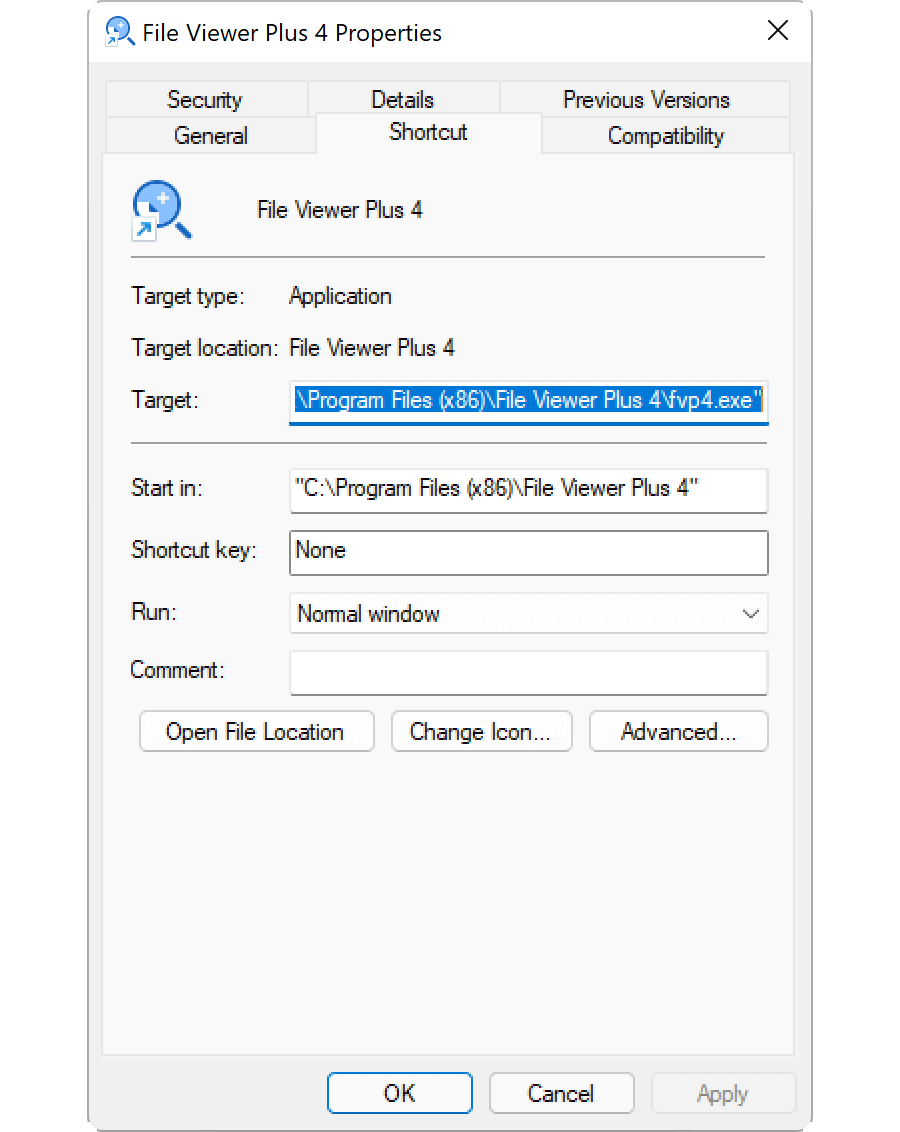
LNK 파일은 일반적으로 대상 파일과 같은 아이콘을 사용하며, 바로 가기가 다른 위치를 가리킨다는 것을 나타내기 위해 작은 곡선 화살표가 추가됩니다. LNK 파일을 두 번 클릭하면 실제 파일을 두 번 클릭했을 때와 마찬가지로 Windows가 바로 가기가 가리키는 파일을 엽니다.
LNK 파일의 속성을 편집하는 방법
Windows 바로 가기의 속성을 편집하여 바로 가기 키를 추가하거나 Windows가 바로 가기가 가리키는 파일을 여는 방식을 변경할 수 있습니다. 바로 가기의 속성을 편집하려면 바로 가기를 마우스 오른쪽 버튼으로 클릭하고 를 선택합니다.
LNK 파일 확장자를 표시하는 방법
알려진 파일 형식의 파일 확장자를 표시하도록 Windows를 설정했더라도 .lnk 파일 확장자는 표시되지 않습니다. 권장하지는 않지만 Windows 레지스트리 항목인 HKEY_CLASSES_ROOT\lnkfile에서 NeverShowExt 속성을 삭제하면 Windows에서 .lnk 파일 확장자를 표시하도록 할 수 있습니다:
- 작업 표시줄의 검색 상자에 regedit를 입력하고 프로그램을 선택하여 레지스트리 편집기를 엽니다.
- 레지스트리 편집기에서 Computer\HKEY_CLASSES_ROOT\lnkfile로 이동합니다.
- lnkfile을 마우스 오른쪽 버튼으로 클릭하고 를 선택하여 백업을 만듭니다(오류가 발생한 경우 이 백업을 사용하여 레지스트리 키를 복원할 수 있습니다).
- NeverShowExt 속성을 선택하고 삭제합니다.
- Windows를 다시 시작합니다.
FileInfo.com 도움말 센터에서 Windows 바로 가기에 대해 자세히 알아보세요.
참고: LNK 파일 연결을 변경하면 Windows 바탕 화면 아이콘이 예기치 않게 변경되거나 사라질 수 있습니다. Windows 아이콘을 수정하는 방법에 대한 안내는 도움말 센터에서 확인할 수 있습니다.
LNK 파일을 여는 방법
LNK 파일을 두 번 클릭하거나 마우스 오른쪽 버튼으로 클릭하고 을 선택하면 LNK 파일이 가리키는 파일, 폴더 또는 프로그램이 열립니다. 고급 사용자는 파일을 마우스 오른쪽 버튼으로 클릭하고 를 선택하여 LNK 파일의 속성을 편집할 수 있습니다.