.WAL 파일 확장자

2개의 파일 유형.wal 확장자를 사용합니다.

Winamp Modern Skin

개발사 Nullsoft
인기도
3.9  |  20 투표
 

WAL 파일이란 무엇인가요?

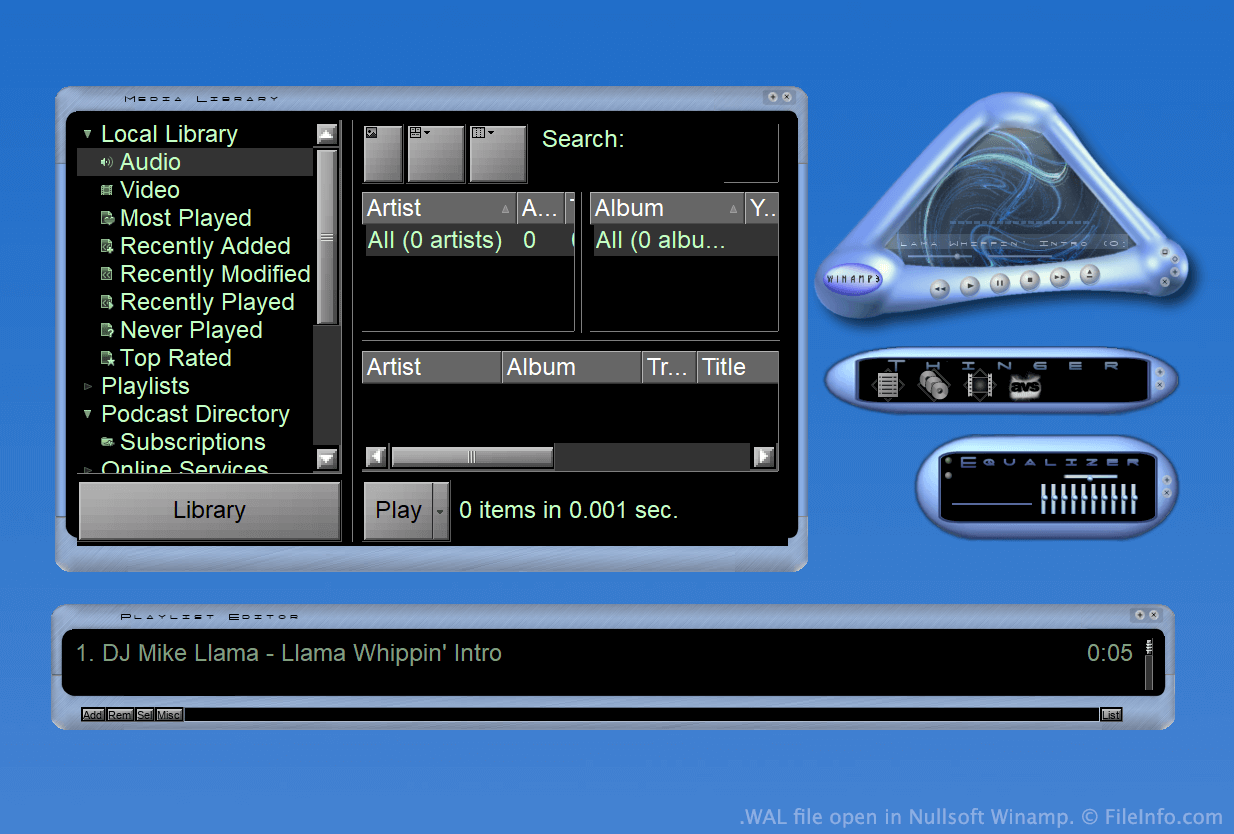
A WAL file is a custom skin for Nullsoft Winamp, a media player for Windows. It is used to customize Winamp's appearance and user interface (UI). The WAL format was introduced with Winamp 3 (succeeding the .WSZ format).

추가 정보

Nullsoft Winamp에서 열린 .wal 파일의 스크린샷
Nullsoft Winamp에서 열린 WAL 파일

Winamp is a free media player that allows users to play many types of audio and video files. It also includes several other features, such as the ability to customize the program's appearance using skins.

For much of Winamp's existence, skins were saved as WSZ files. However, with the release of Winamp 3, Nullsoft introduced the WAL, or modern Winamp skin, format.

WAL files are very similar to WSZ files, in that both are simply renamed .ZIP files that include all of a skin's images and other assets. However, while WSZ files use .TXT files to specify how a skin's assets should be applied, WAL files use .XML files.

WAL 파일을 여는 방법

With Nullsoft Winamp (Windows) installed, you can double-click a WAL file to apply it as a Winamp skin. Alternatively, you can manually place the file in Winamp's Skins directory and then select it from Winamp's Skin Browser (Options → Skins → Skin Browser...).

If you want to view the constituent files a WAL file contains, rename the file to use the .zip extension and then decompress it with any Zip-decompression utility, such as 7-Zip (Windows).

File Viewer Plus(으)로 400개 이상의 파일 형식을 여세요.무료 다운로드

WAL 파일을 여는 프로그램

Windows
카테고리: 설정
업데이트: 2023-05-01

Quake 2 Texture

개발사 id Software
인기도
2.0  |  4 투표
 

A WAL file is a bitmap texture used by id Software Quake 2. It is used to skin an in-game wall, floor, or other object. Each WAL file contains multiple copies of the same texture, saved at different resolutions.

추가 정보

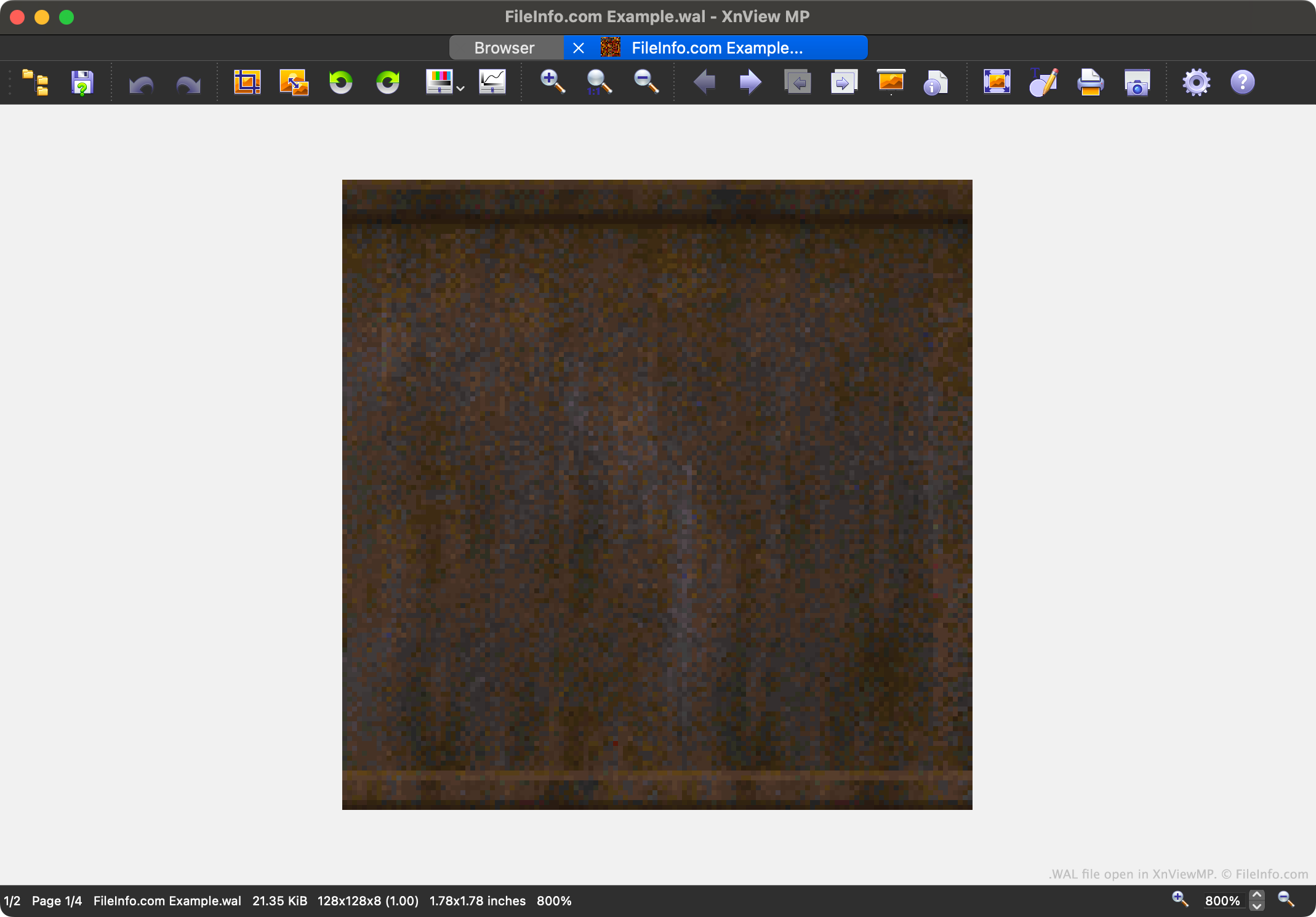
XnViewMP에서 열린 .wal 파일의 스크린샷
XnViewMP에서 열린 WAL 파일

Quake 2 is the second entry in the popular Quake video game series. It contains game assets saved in a variety of proprietary file formats, including the WAL format.

Each WAL file contains a four-level mipmap of an in-game texture. Each level of the mipmap is saved at a slightly lower resolution. Being able to load textures at varying resolutions speeds up Quake 2's in-game rendering and reduces aliasing.

Players can find Quake 2's WAL files in its .PAK asset archives. While most players will never encounter or need to open WAL files, modders may want to open, examine, edit, and replace the files, to customize Quake 2's appearance.

WAL 파일을 여는 방법

You can open a WAL file with XnViewMP (multiplatform), Wally (Windows), or wal (multiplatform). Note that XnViewMP will show you only one version of the image your WAL file contains.

WAL 파일을 변환하는 방법

You can use XnViewMP, Wally, and wal to convert WAL files to other raster image formats. For example, wal can convert WAL files to the .JPG (JPEG Image) and .PNG (Portable Network Graphic) formats.

WAL 파일을 열거나 참조하는 프로그램

Windows
무료
무료
무료
Mac
무료
무료
Linux
무료
무료
카테고리: 게임
업데이트: 2023-05-01

검증자 FileInfo.com

FileInfo.com 팀 이 페이지에 나열된 모든 파일 형식과 소프트웨어 프로그램을 독자적으로 조사했습니다. 저희의 목표는 100% 정확성이며, 검증한 파일 유형에 대한 정보만 게시합니다.

이 페이지에 추가하거나 업데이트할 내용을 제안하고 싶으시면 알려 주세요.