

.WAL Dateiendung
Winamp Modern Skin
| Entwickler | Nullsoft |
| Beliebtheit |
3,9 | 20 Stimmen |
Was ist eine WAL-Datei?
Eine WAL-Datei ist eine benutzerdefinierte Skin für Nullsoft Winamp, einen Mediaplayer für Windows. Sie wird verwendet, um das Erscheinungsbild und die Benutzeroberfläche (UI) von Winamp anzupassen. Das WAL-Format wurde mit Winamp 3 eingeführt und löste das .WSZ-Format ab.
Weitere Informationen
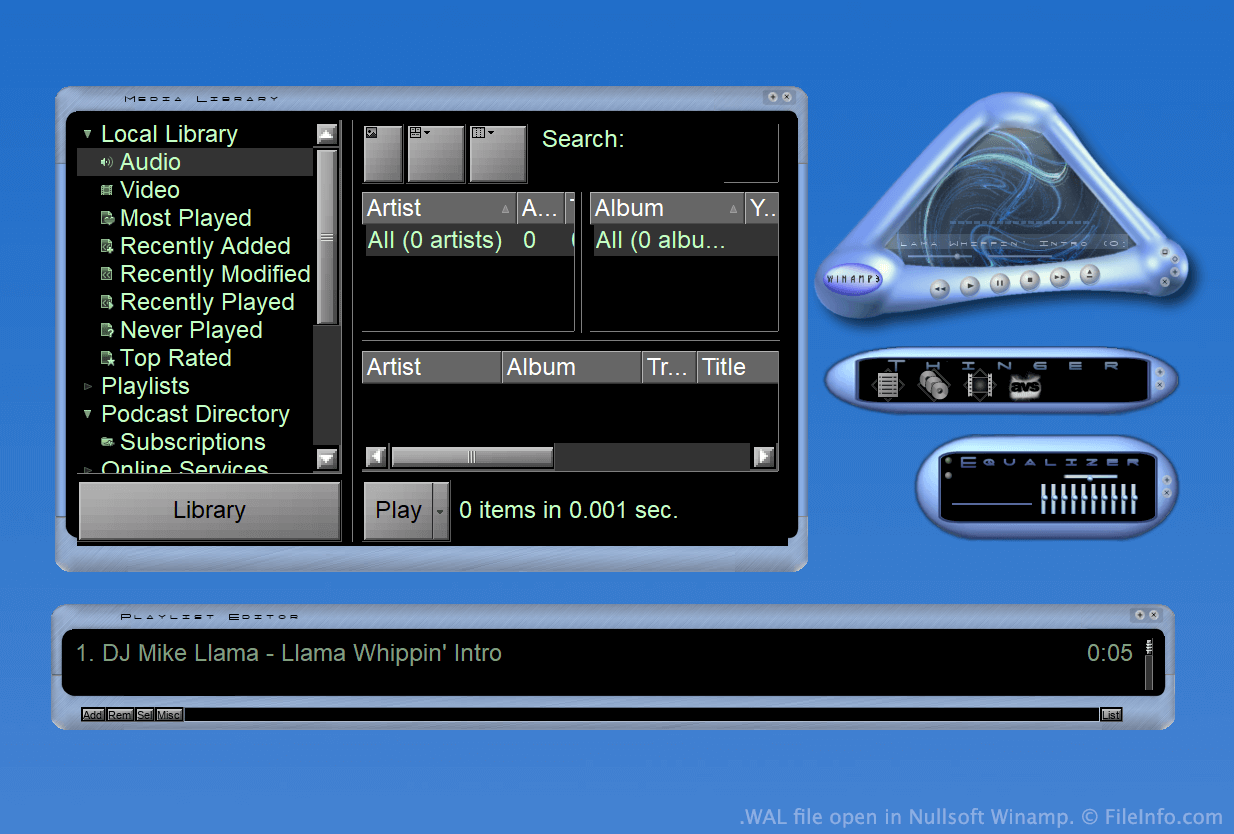
Winamp ist ein kostenloser Mediaplayer, mit dem Benutzer viele Arten von Audio- und Videodateien abspielen können. Außerdem umfasst es mehrere weitere Funktionen, beispielsweise die Möglichkeit, das Erscheinungsbild des Programms mithilfe von Skins anzupassen.
Während eines Großteils der Existenz von Winamp wurden Skins als WSZ-Dateien gespeichert. Mit der Veröffentlichung von Winamp 3 führte Nullsoft jedoch das WAL-Format, auch als modernes Winamp-Skin-Format bezeichnet, ein.
WAL-Dateien sind WSZ-Dateien sehr ähnlich, da beide lediglich umbenannte .ZIP-Dateien sind, die alle Bilder und anderen Bestandteile eines Skins enthalten. Während WSZ-Dateien jedoch .TXT-Dateien verwenden, um festzulegen, wie die Bestandteile eines Skins angewendet werden sollen, verwenden WAL-Dateien .XML-Dateien.
So öffnen Sie eine WAL-Datei
Wenn Nullsoft Winamp (Windows) installiert ist, können Sie auf eine WAL-Datei doppelklicken, um sie als Winamp-Skin anzuwenden. Alternativ können Sie die Datei manuell im Winamp-Verzeichnis Skins ablegen und sie anschließend im Skin-Browser von Winamp auswählen ().
Wenn Sie die einzelnen Dateien anzeigen möchten, die eine WAL-Datei enthält, benennen Sie die Datei so um, dass sie die Erweiterung .zip verwendet, und dekomprimieren Sie sie anschließend mit einem beliebigen Dienstprogramm zum Dekomprimieren von ZIP-Dateien, beispielsweise 7-Zip (Windows).
Programme, die .WAL-Dateien öffnen
Quake-2-Textur
| Entwickler | id Software |
| Beliebtheit |
2,0 | 4 Stimmen |
Eine WAL-Datei ist eine Bitmap-Textur, die von id Software Quake 2 verwendet wird. Sie wird zum Texturieren einer Wand, eines Bodens oder eines anderen Objekts im Spiel verwendet. Jede WAL-Datei enthält mehrere Kopien derselben Textur, die in unterschiedlichen Auflösungen gespeichert sind.
Weitere Informationen
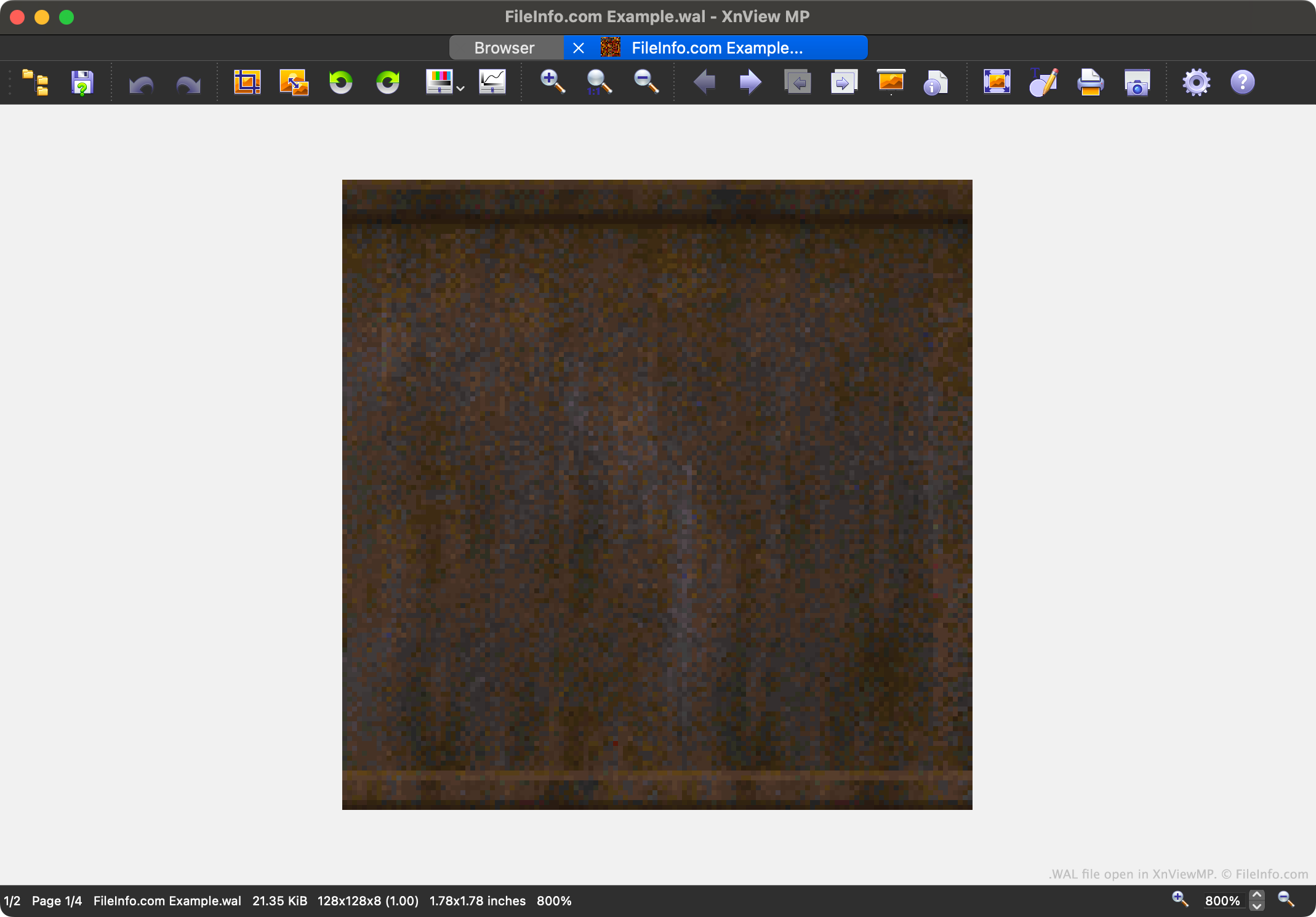
Quake 2 ist der zweite Teil der beliebten Quake-Videospielreihe. Es enthält Spielressourcen, die in verschiedenen proprietären Dateiformaten gespeichert sind, darunter das WAL-Format.
Jede WAL-Datei enthält ein Mipmap mit vier Stufen einer Textur aus dem Spiel. Jede Stufe des Mipmaps wird mit einer etwas niedrigeren Auflösung gespeichert. Das Laden von Texturen mit unterschiedlichen Auflösungen beschleunigt die Darstellung im Spiel von Quake 2 und reduziert Aliasing.
Spieler finden die WAL-Dateien von Quake 2 in den Ressourcenarchiven im .PAK-Format. Während die meisten Spieler niemals auf WAL-Dateien stoßen oder sie öffnen müssen, möchten Modder die Dateien möglicherweise öffnen, untersuchen, bearbeiten und ersetzen, um das Erscheinungsbild von Quake 2 anzupassen.
So öffnen Sie eine WAL-Datei
Sie können eine WAL-Datei mit XnViewMP (plattformübergreifend), Wally (Windows) oder wal (plattformübergreifend) öffnen. Beachten Sie, dass XnViewMP nur eine Version des Bildes anzeigt, das Ihre WAL-Datei enthält.