.COLORS 파일 확장자

2개의 파일 유형.colors 확장자를 사용합니다.

Painter Color Set

개발사 Corel
인기도
4.0  |  4 투표
 

COLORS 파일이란 무엇인가요?

A COLORS file is a color set created and used by Corel Painter, a digital painting application. It contains a set of colors that a user manually grouped together or created from an image or layer. Saving a color set as a COLORS file allows artists to import and use that color set in other projects.

추가 정보

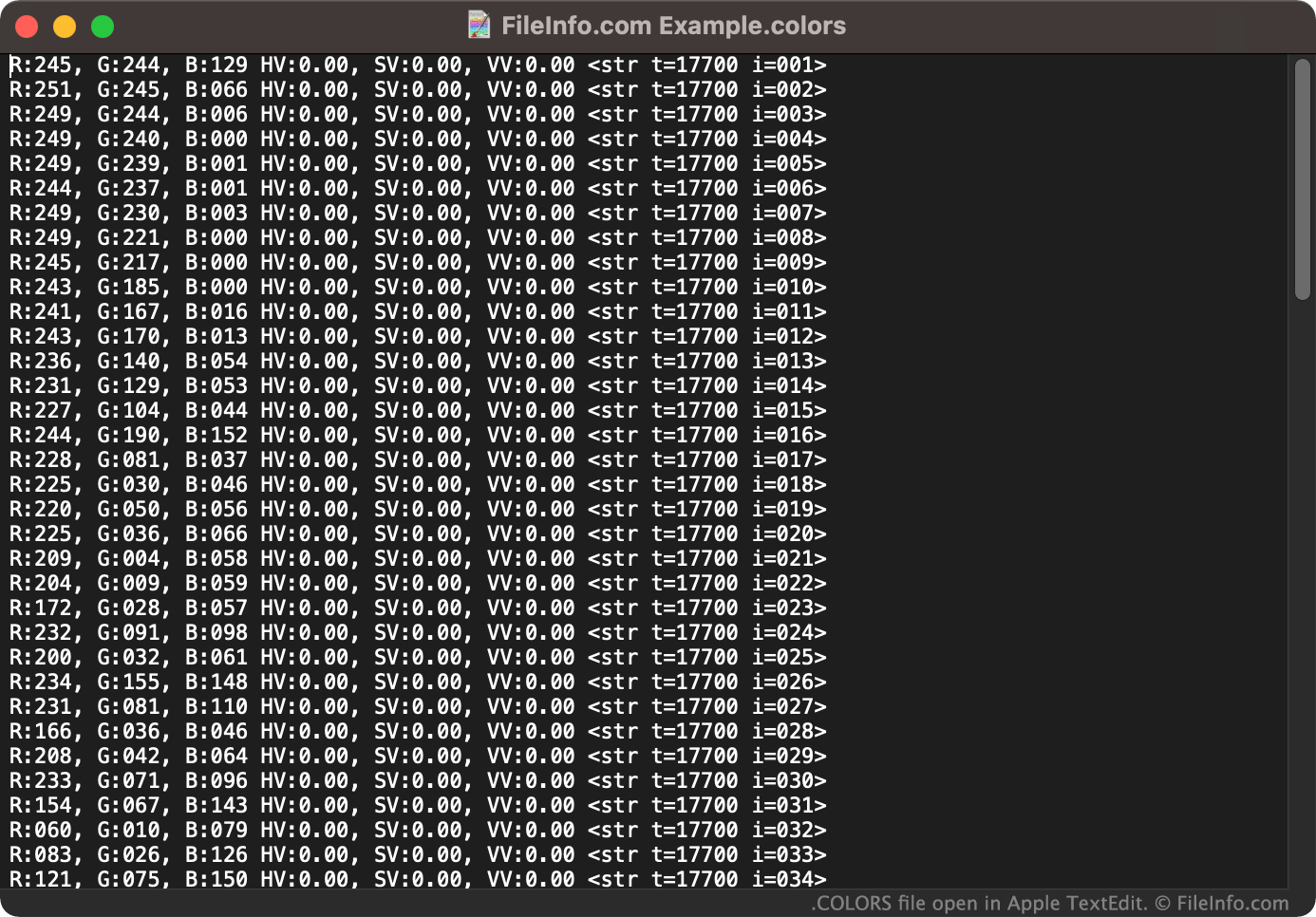
Apple TextEdit에서 열린 .colors 파일의 스크린샷
Apple TextEdit에서 열린 COLORS 파일

Artists can use Corel Painter's Color Set Libraries panel to group many colors together into a color set. For example, an artist who is creating multiple pieces of artwork that will be used by the same company may want to group that company's brand colors into a color set. Then, the artist can quickly choose the correct, company-approved color(s) from the color set while painting, drawing, or adding text and shape elements.

If an artist knows they will use a color set they've created again in the future, they can save that color set as a COLORS file. Then, the artist can import the color set and quickly select colors from it when working on future projects.

How do I save a Corel Painter color set?

To save a color set as a COLORS file:

  1. From Painter's Palette Drawer, select the Color Set Libraries panel.
  2. Select the sandwich menu button that appears next to the Color Set Libraries panel.
  3. Select Export Color Set....
  4. Follow the prompts to name and save your color set as a COLORS file.

COLORS 파일을 여는 방법

You can import the color set a COLORS file contains into Corel Painter (Windows, Mac). To do so:

  1. From Painter's Palette Drawer, select the Color Set Libraries panel.
  2. Select the sandwich menu button that appears next to the Color Set Libraries panel.
  3. Select Import Color Set....
  4. Navigate to and open your COLORS file.

If necessary, you can also open a COLORS file as a text document in any text editor, such as Microsoft Notepad (Windows) or Apple TextEdit (Mac). This will allow you to view the RGB values associated with the color set your COLORS file contains. (For example, you might want to open your COLORS file in a text editor if you do not have access to Corel Painter and need to see what colors the file contains.)

File Viewer Plus(으)로 400개 이상의 파일 형식을 여세요.무료 다운로드

COLORS 파일을 여는 프로그램

Windows
무료 체험판
Mac
무료 체험판
카테고리: 설정
업데이트: 2021-12-10

Scratch 2.0 Block Colors File

개발사 MIT
인기도
2.4  |  5 투표
 

A COLORS file contains color information used by Scratch 2, an application development platform created at the Massachusetts Institute of Technology (MIT). It contains color information about blocks that appear in the Scratch 2 interface, allowing users to better organize blocks of code. COLORS files cannot be opened in Scratch 3 and later versions.

추가 정보

Scratch is an easy-to-learn programming language that helps kids develop games, animations, and interactive stories. In Scratch, blocks are visual representations of code snippets that developers piece together to create a script or program.

COLORS files were created and referenced only by Scratch 2. Developers saved and loaded COLORS files using Scratch 2's Edit Block Colors menu, which was accessed by holding the Shift key when clicking the Edit menu. With the menu open, developers could click Load to open a COLORS file or click Save to save a COLORS file. However, MIT chose to phase the Edit Block Colors feature out of Scratch 3 and later versions, so Scratch no longer uses COLORS files.

참고: When using the web version of Scratch 2, developers' color information may have been saved in .BIN files.

COLORS 파일을 여는 방법

Unless you still have access to Scratch 2, you will not be able to open a COLORS file. Scratch 3 and later versions do not include the Edit Block Colors feature, so developers cannot open COLORS files in those versions of Scratch.

COLORS 파일을 여는 프로그램

Windows
Mac
Linux
Web
카테고리: 설정
업데이트: 2020-12-21

검증자 FileInfo.com

FileInfo.com 팀 이 페이지에 나열된 모든 파일 형식과 소프트웨어 프로그램을 독자적으로 조사했습니다. 저희의 목표는 100% 정확성이며, 검증한 파일 유형에 대한 정보만 게시합니다.

이 페이지에 추가하거나 업데이트할 내용을 제안하고 싶으시면 알려 주세요.