

.COLORS Přípona souboru
Sada barev Painteru
| Vývojář | Corel |
| Popularita |
4,0 | 4 hlasy |
Co je soubor COLORS?
Soubor COLORS je sada barev vytvořená a používaná aplikací Corel Painter, což je aplikace pro digitální malování. Obsahuje sadu barev, které uživatel ručně seskupil nebo vytvořil z obrázku či vrstvy. Uložení sady barev jako souboru COLORS umožňuje umělcům importovat a používat tuto sadu barev v jiných projektech.
Další informace
Umělci mohou pomocí panelu Color Set Libraries v aplikaci Corel Painter seskupit mnoho barev do jedné sady barev. Například umělec, který vytváří více uměleckých děl pro stejnou společnost, může chtít seskupit barvy značky této společnosti do jedné sady barev. Při malování, kreslení nebo přidávání textu a tvarových prvků pak může ze sady barev rychle vybrat správnou, společností schválenou barvu/barvy.
Pokud umělec ví, že vytvořenou sadu barev v budoucnu znovu použije, může ji uložit jako soubor COLORS. Poté může sadu barev importovat a při práci na budoucích projektech z ní rychle vybírat barvy.
Jak uložím sadu barev v aplikaci Corel Painter?
Chcete-li uložit sadu barev jako soubor COLORS:
- V panelu Palette Drawer aplikace Painter vyberte panel Color Set Libraries.
- Vyberte tlačítko nabídky se třemi čárkami, které se zobrazí vedle panelu Color Set Libraries.
- Vyberte .
- Podle pokynů pojmenujte a uložte sadu barev jako soubor COLORS.
Jak otevřít soubor COLORS
Sadu barev obsaženou v souboru COLORS můžete importovat do aplikace Corel Painter (Windows, Mac). Postup:
- V panelu Palette Drawer aplikace Painter vyberte panel Color Set Libraries.
- Vyberte tlačítko nabídky se třemi čárkami, které se zobrazí vedle panelu Color Set Libraries.
- Vyberte .
- Vyhledejte a otevřete soubor COLORS.
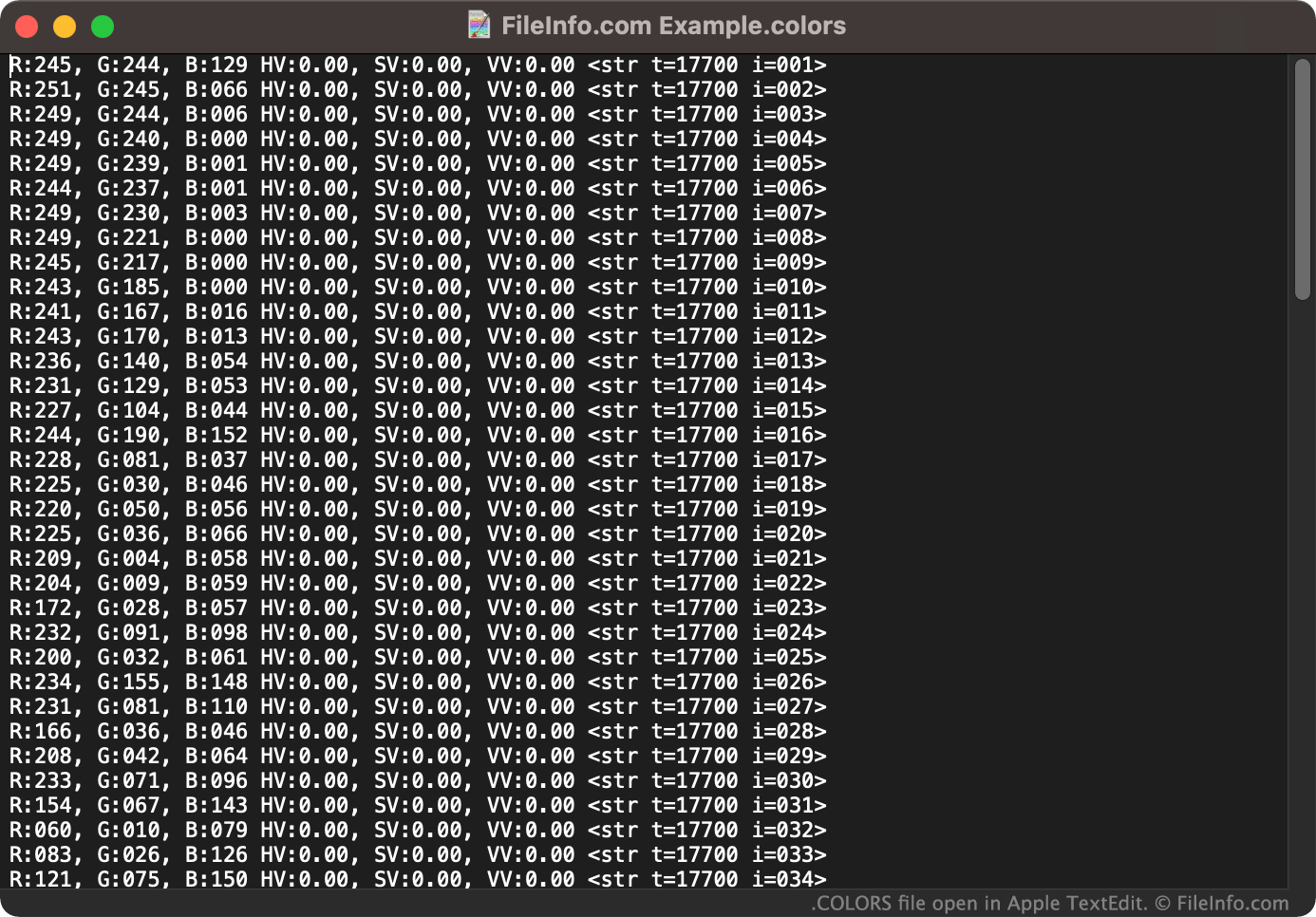
V případě potřeby můžete soubor COLORS otevřít také jako textový dokument v libovolném textovém editoru, například v aplikaci Microsoft Notepad (Windows) nebo Apple TextEdit (Mac). Umožní vám to zobrazit hodnoty RGB spojené se sadou barev, kterou soubor COLORS obsahuje. (Soubor COLORS můžete například chtít otevřít v textovém editoru, pokud nemáte přístup k aplikaci Corel Painter a potřebujete zjistit, jaké barvy soubor obsahuje.)