.SMP ファイル拡張子

AudioCuentos Audiobook

開発元 Salvat
人気度
4.4  |  5 
 

SMPファイルとは?

An SMP file is an encrypted .MP3 file that can be found on a memory card used by a Salvat AudioCuentos or Märchenheld Sammlung audio player. It contains a children's audiobook. SMP files can be played only by AudioCuentos and Märchenheld audio players.

詳細情報

Both Salvat AudioCuentos and Märchenheld offer a series of children's audiobooks that are played by placing a figurine atop a square, blue audio player (sometimes referred to as an audio cube). The audio player contains a memory card that stores a number of SMP files, each of which contains an audiobook. When a child places a figurine atop the audio player, the player loads and plays that figurine's associated SMP file.

In most circumstances, those who use AudioCuentos and Märchenheld audiobooks should never have to encounter or manually open an SMP file. The only way you would encounter an SMP file is if you removed the memory card from an AudioCuentos or Märchenheld audio player and connected it to your computer.

SMPファイルの開き方

You cannot open or play an SMP audiobook file on a computer or mobile device. You can, however, convert an SMP file to an MP3 file using audiocube.py (cross-platform) or SMP2MP3 (Windows). Then, you can play the MP3 file in most media players.

The only way to natively play an SMP file is to place it on a memory card, place the memory card within an AudioCuentos or Märchenheld audio player, and then place the SMP file's associated figurine atop the player.

File Viewer Plusで400種類以上のファイル形式を開けます。無料ダウンロード

SMPファイルを開くプログラム

Windows
無料
Mac
Linux

SmilePlant Project

開発元 Stellar Solutions
人気度
3.8  |  8 
 

An SMP file is a project file created by Stellar Solutions SmilePlant, a computerized maintenance management system (CMMS) that helps plant administrators supervise, manage, and maintain equipment and facilities. It stores structured information about plant assets such as equipment, production or storage areas, employees, and operational schedules. SMP files are part of a set of files within a SmilePlant project folder, allowing the system to organize data across multiple modules.

詳細情報

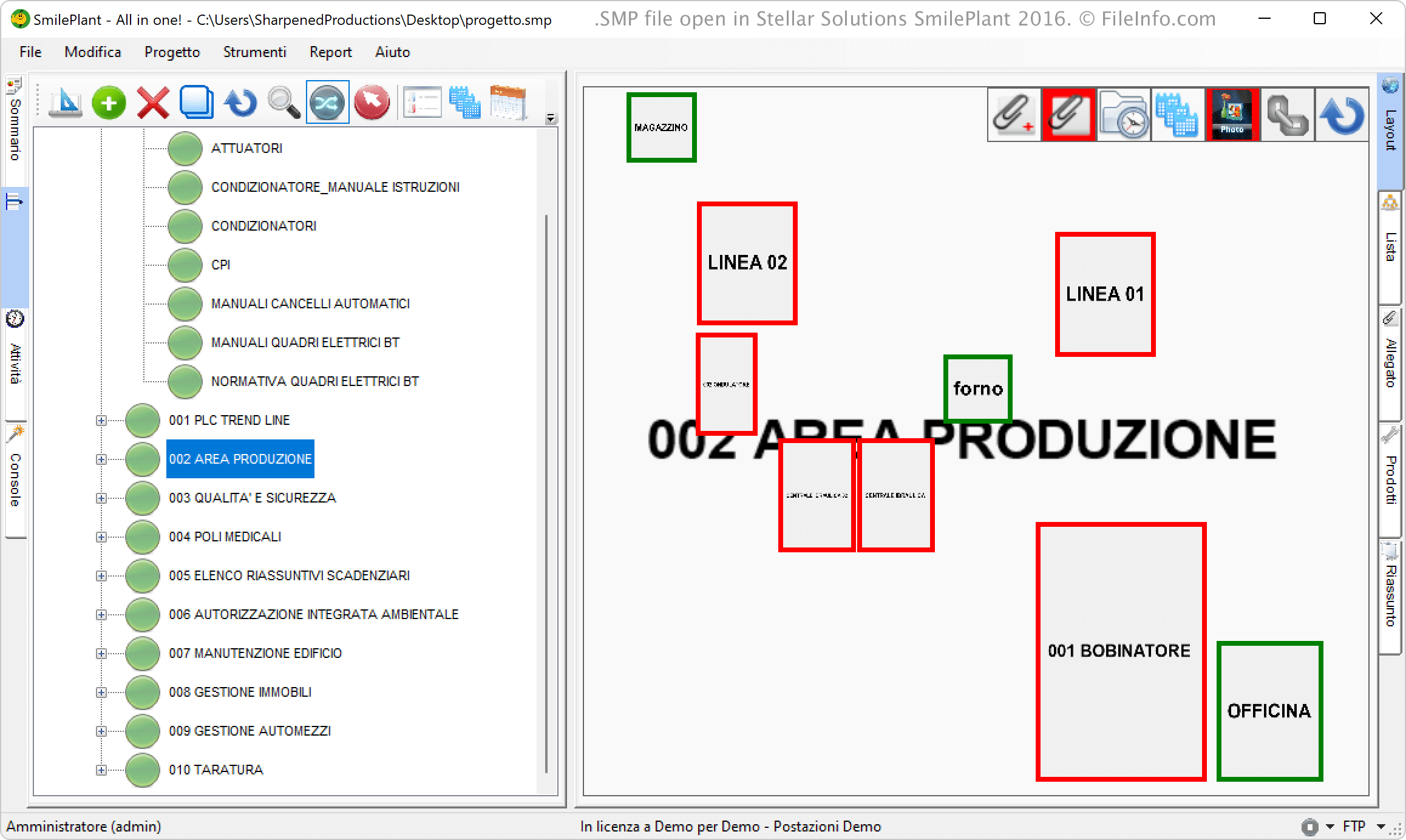
Stellar Solutions SmilePlant 2016で開いた.smpファイルのスクリーンショット
Stellar Solutions SmilePlant 2016で開いたSMPファイル

SmilePlant uses SMP files to keep track of a facility's maintenance lifecycle, from asset registration and preventive maintenance plans to work-order execution and inventory management. Administrators and maintenance teams rely on this data structure to schedule inspections, record machine downtime, and monitor spare-part usage. Since the information is stored in a project folder, SMP files help ensure that all SmilePlant modules consistently reference the same asset, personnel, and location details.

注: SmilePlant is developed in the Italian language.

SMPファイルの開き方

You can open SMP files with Stellar Solutions SmilePlant in Windows. To open an SMP file with SmilePlant, select File → Open Project... (File → Apri progetto... in Italian).

SMPファイルを開く、または参照するプログラム

Windows
カテゴリ: データ
更新日: 2025-10-30

ScrapeMap File

開発元 skyLyn Applications
人気度
3.7  |  6 
 

An SMP file is a ScrapeMap created by skyLyn Applications ScrapeMate, a program used to scrape information from websites and organize it in a database or spreadsheet. It stores information about the targeted data and how it should be organized and stored after it is scraped.

詳細情報

ScrapeMate is an application that makes it easier to collect information from websites and save it in a format you can view and modify. Unfortunately, skyLyn Applications no longer develops the software.

How to create an SMP file with ScrapeMate

You can create a ScrapeMap with ScrapeMate using the ScrapeMap Explorer pane. First, you choose the website to scrape, filter and sort the data you want to target, click the "Create ScrapeMap" icon, and choose the save location of the file. ScrapeMate then saves the ScrapeMap as an SMP file.

You will also be prompted to choose the output format of the data scraped from the website. For example, you can choose to export the data to "Excel" (.XLSX file), "CSV" (.CSV file), or "SQL" (.SQL file).

SMPファイルの開き方

You can open a ScrapeMap SMP file with ScrapeMate via the ScrapeMap Explorer pane. In the pane, click the "Open ScrapeMap" folder icon and navigate to the location of the SMP file.

SMPファイルを開くプログラム

Windows
skyLyn Applications ScrapeMate  —  提供終了
無料体験版
カテゴリ: 設定
更新日: 2022-12-28

SmartMusic Performance File

開発元 MakeMusic
人気度
2.8  |  14 
 

Music file used by SmartMusic, a music practice application for band, orchestra, and voice; saves an accompaniment that can be used for practicing solos and other musical parts; includes the sheet music information and can be used for assessment; replaced by the .SMPX in Finale 2014.

詳細情報

注: SMP files can be exported from Finale musical notation software.

SMPファイルを開くプログラム

Windows
無料体験版
Mac
無料体験版

IDRISI Palette File

開発元 Clark Labs
人気度
2.6  |  5 
 

Color palette file created by IDRISI Taiga, an application used for GIS imaging; stores color information for a raster image stored in a .RST file; acts as a legend for the colors displayed when the image is visualized.

SMPファイルを開く、または参照するプログラム

Windows
無料
Linux
無料
カテゴリ: GIS
更新日: 2011-05-19

SampleVision Audio Sample Format

開発元 Turtle Beach Systems
人気度
2.5  |  4 
 

An SMP file is an audio file created by Turtle Beach SampleVision, a now-discontinued application for managing digital audio samples. It stores individual audio samples in a mono, 16-bit format and supports loop points, allowing audio sections to repeat seamlessly (especially helpful for creating background music or sound effects in digital compositions).

詳細情報

Turtle Beach SampleVision was a popular application in the 1990s for managing and transferring digital audio samples between a computer and compatible MIDI samplers. Producers and musicians working with Turtle Beach SampleVision were the most likely to use SMP files. However, since Turtle Beach Systems no longer develops the software and format, SMP files are now obscure.

SMPファイルの開き方

You can open SMP files with FMJ-Software Awave Studio in Windows. To open an SMP file with Awave Studio, select File → Open.

SMPファイルの変換方法

FMJ-Software Awave Studio can convert SMP files to various file types, including the following formats:

  • .AIF - Audio Interchange File Format
  • .WAV - WAVE Audio
  • .IFF - Interchange File Format
  • .OGG - Ogg Vorbis Audio
  • .MP3 - MP3 Audio
  • .FLAC - Free Lossless Audio Codec

SMPファイルを開くプログラム

Windows

Xionics SMP Image

開発元 Xionics Document Technologies
人気度
2.3  |  3 
 

An SMP file is a black-and-white image created by Xionics Document Technologies fax software. It stores an image of a faxed document, often used for digital faxing and document transmission.

詳細情報

Xionics SMP Images are typically found in business environments where digital faxing is commonplace. Users create these files by scanning a document with the Xionics software suite, which then compiles the scanned data into the SMP format for transmission or archival purposes.

注: While the SMP format was once widely utilized in office settings, it has largely been superseded by more modern formats like .PDF and .TIFF, which offer greater compatibility and color support. As a result, SMP files are considered obsolete but may still be encountered in legacy systems or archived documents.

SMPファイルの開き方

You can open an SMP file with XnViewMP. To do so, select File → Open... from XnViewMP's menu bar.

SMPファイルの変換方法

You can use XnViewMP to convert SMP files to the following image formats (and several others):

  • .JPG - JPEG Image
  • .PNG - Portable Network Graphic
  • .GIF - Graphical Interchange Format
  • .TIFF - Tagged Image File Format
  • .BMP - Bitmap Image
  • .WEBP - WebP Image

SMPファイルを開くプログラム

Windows
無料
Mac
無料
Linux
無料

検証者 FileInfo.com

FileInfo.comチーム は、このページに掲載されているすべてのファイル形式とソフトウェアについて独自に調査しました。 私たちの目標は100%の正確性であり、検証済みのファイルタイプに関する情報のみを公開しています。

このページへの追加や更新をご提案いただける場合は、お知らせください。