

.TEMPLATE Bestandsextensie
Pages-sjabloon
| Ontwikkelaar | Apple |
| Populariteit |
3,4 | 18 stemmen |
Wat is een TEMPLATE-bestand?
Een TEMPLATE-bestand is een documentsjabloon van Apple Pages. Het bevat vooraf ingestelde informatie over de pagina-indeling, documentelementen en stijlen die worden gebruikt om een standaard opgemaakt document te maken, zoals een rapport of cv. Met TEMPLATE-bestanden kunnen gebruikers meerdere vergelijkbare .PAGES-documenten maken zonder elk document handmatig op te maken.
Meer informatie
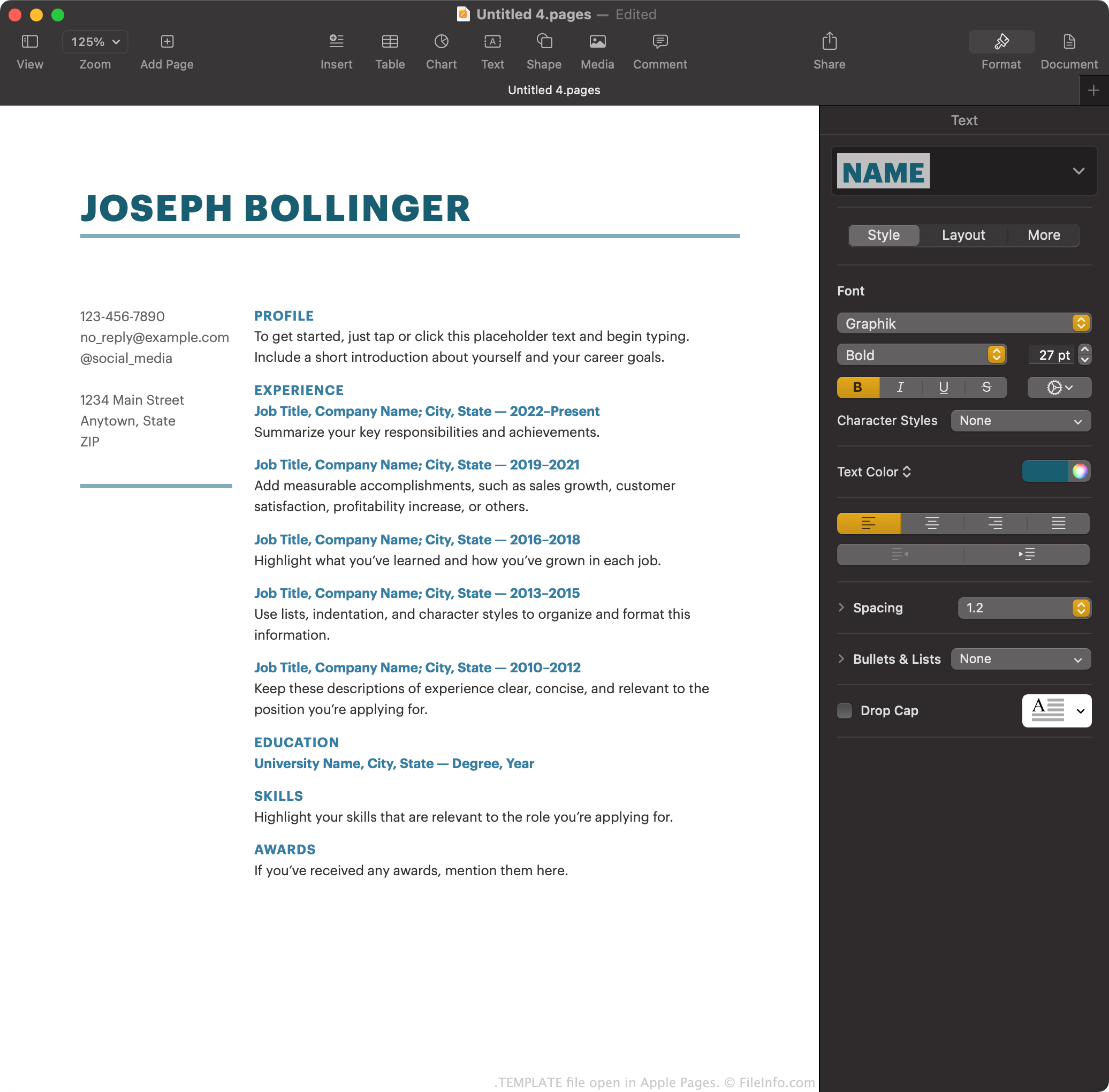
Apple Pages is de standaard tekstverwerker die bij macOS wordt geleverd. Hiermee kunnen gebruikers rapporten, posters, cv's, brochures en andere documenten maken.
Pages-gebruikers kunnen een document dat ze hebben gemaakt optioneel opslaan als Pages-sjabloon, zodat ze in de toekomst gemakkelijker vergelijkbare documenten kunnen maken. Als een gebruiker bijvoorbeeld een brochure uitgebreid heeft opgemaakt, kan die de brochure opslaan als Pages-sjabloon. In plaats van nieuwe brochures helemaal opnieuw te maken, kan de gebruiker de sjabloon openen om sneller aan de slag te gaan.
Pages slaat documentsjablonen op als TEMPLATE-bestanden. Gebruikers komen deze sjablonen voornamelijk tegen op het scherm van Pages, wanneer ze een nieuw document maken. Daar toont Pages de standaard TEMPLATE-bestanden en alle sjablonen die een gebruiker heeft gemaakt.
Een Pages-sjabloon maken
Een Pages-document waaraan je werkt opslaan als Pages-sjabloon:
- Selecteer .
- Selecteer om de sjabloon aan je lijst toe te voegen.
Je kunt ook selecteren om de sjabloon op je computer op te slaan als TEMPLATE-bestand. Dit kan bijvoorbeeld handig zijn als je de sjabloon wilt overzetten naar en gebruiken in Pages op een apparaat dat niet met je iCloud-account is verbonden.
Een TEMPLATE-bestand openen
Als Apple Pages is geïnstalleerd op een apparaat, kun je een TEMPLATE-bestand openen door er dubbel op te klikken (macOS) of erop te tikken (iOS). Apple Pages vraagt vervolgens of je de sjabloon aan de sjabloonkiezer wilt toevoegen, zodat je deze in de toekomst kunt selecteren via , of slechts één nieuw document met de sjabloon wilt maken.
Een TEMPLATE-bestand converteren
Nadat je een TEMPLATE-bestand hebt geopend in de macOS-versie van Apple Pages, kun je het document dat het bevat converteren naar een van de volgende indelingen (door te selecteren):
- .DOCX, .DOC - Microsoft Word-document
- .PDF - Portable Document Format
- .EPUB - Open eBook
- .RTF, .RTFD - Rich Text Format
- .TXT - Platte tekst
- Pages '09-document
In de iCloud-versie van Pages kun je het document in een TEMPLATE-bestand converteren naar PDF, DOCX of EPUB door de knop en vervolgens te selecteren.