

.TEMPLATE Rozszerzenie pliku
Szablon Pages
| Deweloper | Apple |
| Popularność |
3,4 | 18 Głosów |
Czym jest plik TEMPLATE?
Plik TEMPLATE to szablon dokumentu Apple Pages. Zawiera zapisane informacje o układzie strony, elementy dokumentu i style używane do tworzenia standardowo sformatowanego dokumentu, takiego jak raport lub życiorys. Dzięki plikom TEMPLATE użytkownicy mogą tworzyć wiele podobnych dokumentów .PAGES bez konieczności ręcznego formatowania każdego z nich.
Więcej informacji
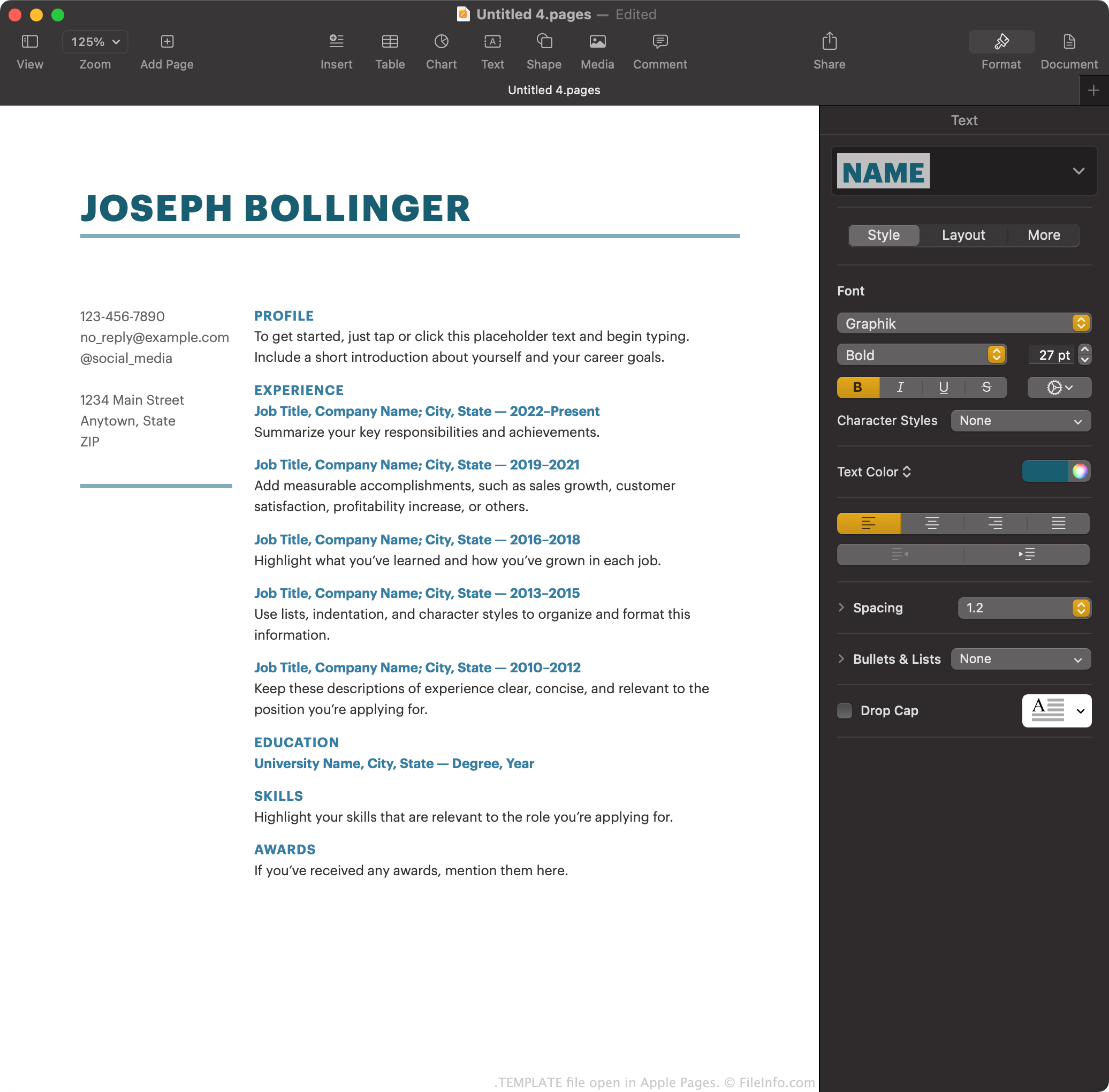
Apple Pages to domyślny procesor tekstu dołączony do systemu macOS. Umożliwia użytkownikom tworzenie raportów, plakatów, życiorysów, broszur i innych dokumentów.
Użytkownicy Pages mogą również zapisać utworzony dokument jako szablon Pages, aby ułatwić sobie tworzenie podobnych dokumentów w przyszłości. Jeśli na przykład użytkownik utworzył mocno sformatowaną broszurę, może chcieć zapisać ją jako szablon Pages. Wtedy zamiast tworzyć nowe broszury od podstaw może otworzyć szablon i szybciej rozpocząć pracę.
Pages zapisuje szablony dokumentów jako pliki TEMPLATE. Użytkownicy najczęściej mają do czynienia z tymi szablonami na ekranie w Pages podczas tworzenia nowego dokumentu. Pages wyświetla tam domyślne pliki TEMPLATE, a także wszystkie szablony utworzone przez użytkownika.
Jak utworzyć szablon Pages
Aby zapisać dokument Pages, nad którym pracujesz, jako szablon Pages:
- Wybierz opcję .
- Wybierz opcję , aby dodać szablon do listy .
Możesz także wybrać opcję , aby zapisać szablon na komputerze jako plik TEMPLATE. Możesz chcieć to zrobić na przykład wtedy, gdy chcesz przenieść szablon i używać go w Pages na urządzeniu, które nie jest połączone z Twoim kontem iCloud.
Jak otworzyć plik TEMPLATE
Aby otworzyć plik TEMPLATE na urządzeniu z zainstalowanym programem Apple Pages, kliknij plik dwukrotnie (macOS) lub dotknij go (iOS). Apple Pages zapyta następnie, czy chcesz dodać szablon do narzędzia wyboru szablonów, aby móc później wybierać go z sekcji , czy po prostu utworzyć pojedynczy nowy dokument przy użyciu szablonu.
Jak przekonwertować plik TEMPLATE
Po otwarciu pliku TEMPLATE w wersji Apple Pages dla systemu macOS możesz przekonwertować zawarty w nim dokument do dowolnego z następujących formatów (wybierając opcję ):
- .DOCX, .DOC — dokument programu Microsoft Word
- .PDF — Portable Document Format
- .EPUB — Open eBook
- .RTF, .RTFD — Rich Text Format
- .TXT — zwykły tekst
- Dokument Pages '09
W internetowej wersji Pages możesz przekonwertować dokument zawarty w pliku TEMPLATE do formatu PDF, DOCX lub EPUB, wybierając przycisk , a następnie opcję .