.TEMPLATE 파일 확장자

2개의 파일 유형.template 확장자를 사용합니다.

Pages Template

개발사 Apple
인기도
3.4  |  18 투표
 

TEMPLATE 파일이란 무엇인가요?

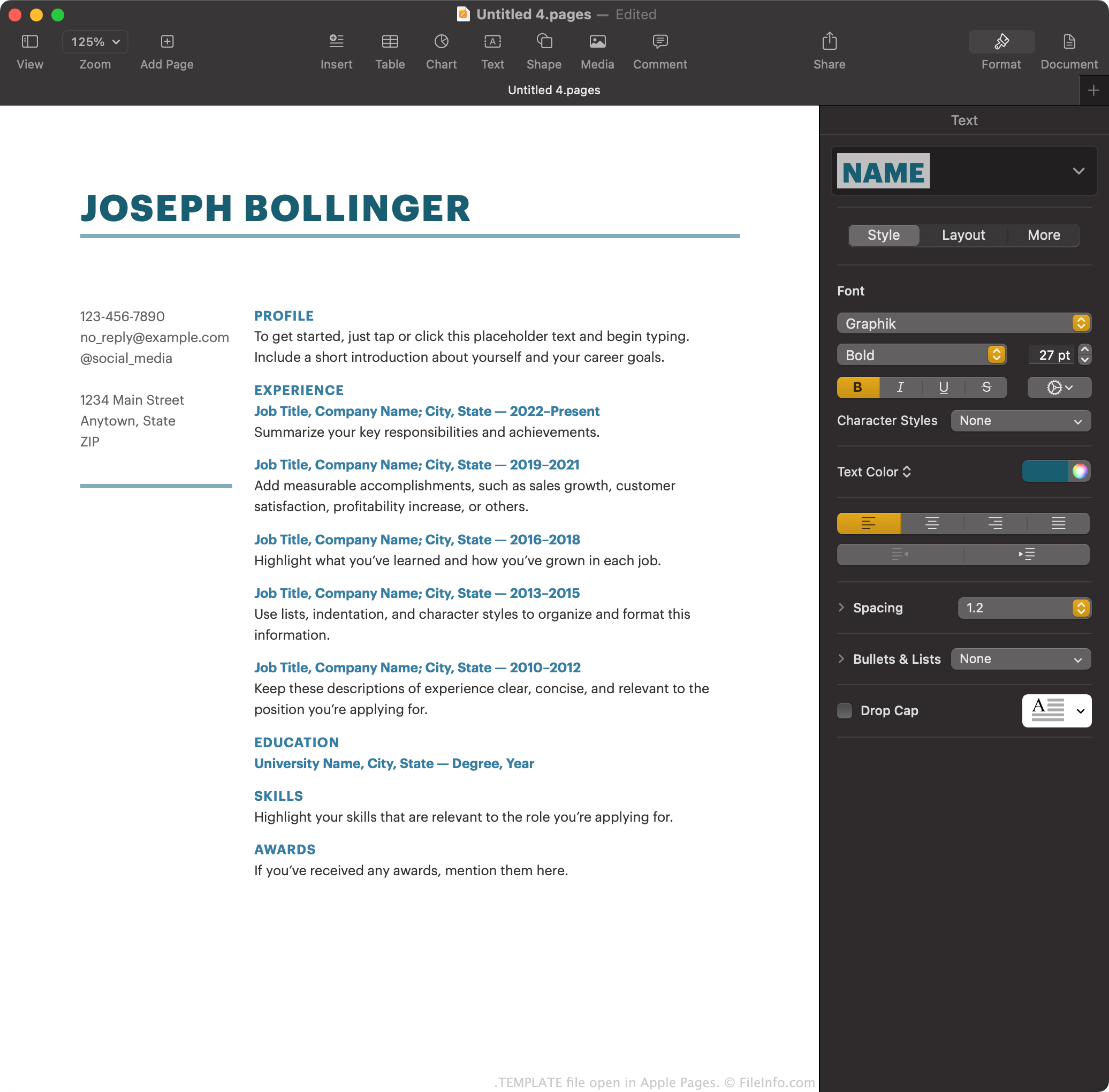
A TEMPLATE file is an Apple Pages document template. It contains preset page layout information, document elements, and styles used to create a standardly-formatted document, such as a report or resume. Using TEMPLATE files, users can create multiple similar .PAGES documents without manually formatting each of them.

추가 정보

Apple Pages에서 열린 .template 파일의 스크린샷
Apple Pages에서 열린 TEMPLATE 파일

Apple Pages is the default word processor included with macOS. It allows users to create reports, posters, resumes, brochures, and other documents.

Optionally, Pages users can save a document they've created as a Pages template, to make it easier to create similar documents in the future. For example, if a user has created a heavily-formatted brochure, they may want to save that brochure as a Pages template. Then, instead of creating new brochures from scratch, the user can open their template to get started more quickly.

Pages saves document templates as TEMPLATE files. Primarily, users encounter these templates on Pages' Choose a Template screen, when creating a new document. There, Pages shows its default TEMPLATE files, as well as any templates a user has created.

How to create a Pages template

To save a Pages document that you are working on as a Pages template:

  1. Select File → Save as Template....
  2. Select Add to Template Chooser to add the template to your My Templates list.

Alternatively, you can select Save... to save the template to your computer as a TEMPLATE file. You may want to do this if, for example, you want to transfer and use the template in Pages on a device that is not connected to your iCloud account.

TEMPLATE 파일을 여는 방법

To open a TEMPLATE file on a device with Apple Pages installed, either double-click (macOS) or tap (iOS) the file. Apple Pages will then ask whether you want to add the template to your Template Chooser, so you can select it from My Templates in the future, or just create a single new document using the template.

TEMPLATE 파일을 변환하는 방법

After opening a TEMPLATE file in the macOS version of Apple Pages, you can convert the document it contains to any of the following formats (by selecting File → Export):

  • .DOCX, .DOC - Microsoft Word Document
  • .PDF - Portable Document Format
  • .EPUB - Open eBook
  • .RTF, .RTFD - Rich Text Format
  • .TXT - Plain Text
  • Pages '09 Document

In the iCloud version of Pages, you can convert the document a TEMPLATE file contains to PDF, DOCX, or EPUB, by selecting the ... button and then Download a Copy....

File Viewer Plus(으)로 400개 이상의 파일 형식을 여세요.무료 다운로드

TEMPLATE 파일을 여는 프로그램

Mac
OS에 포함됨
iOS
OS에 포함됨

Jigdo File Template

개발사 Richard Atterer and Steve McIntyre
인기도
1.0  |  1 투표
 

A TEMPLATE file is a Jigdo file template. It is used to target and download pieces of a large file, so Jigdo can combine those pieces into a single file. TEMPLATE files are paired with accompanying .JIGDO files, which are used to finalize the file creation process.

추가 정보

Most often, technically-minded PC users use Jigdo (short for Jigsaw Downloader) to download and reconstitute disk images that have been split into several constituent files. To begin a download, users run the jigdo-lite script and specify a JIGDO file. Doing so allows Jigdo to retrieve an accompanying TEMPLATE file, which specifies all the files Jigdo must retrieve before creating the disk image.

After loading a TEMPLATE file, Jigdo will ask a user to specify which, if any, pieces of a disk image they already possess. When a user finishes specifying files, Jigdo uses the TEMPLATE and JIGDO file to download any missing constituent files and produce a finalized, complete disk image.

참고: Typically, disk images created using Jigdo contain and are used to install Linux-based operating systems.

TEMPLATE 파일을 여는 방법

TEMPLATE files are not meant to be opened. For complete instructions on how to use TEMPLATE and JIGDO files with Jigdo, refer to Jigdo's documentation.

TEMPLATE 파일을 열거나 참조하는 프로그램

Windows
무료
Mac
무료
Linux
무료
카테고리: 데이터
업데이트: 2023-05-11

검증자 FileInfo.com

FileInfo.com 팀 이 페이지에 나열된 모든 파일 형식과 소프트웨어 프로그램을 독자적으로 조사했습니다. 저희의 목표는 100% 정확성이며, 검증한 파일 유형에 대한 정보만 게시합니다.

이 페이지에 추가하거나 업데이트할 내용을 제안하고 싶으시면 알려 주세요.