

.PAGES 파일 확장자
Apple Pages 문서
| 개발사 | Apple |
| 인기도 |
3.5 | 480 표 |
PAGES 파일이란 무엇인가요?
PAGES 파일은 macOS 및 iOS용 워드 프로세서이자 페이지 레이아웃 프로그램인 Apple Pages에서 만든 문서입니다. 보고서, 포스터, 이력서, 뉴스레터, 책, 인증서 또는 브로셔처럼 빈 페이지에서 만들었거나 템플릿을 사용해 만든 문서를 저장합니다. PAGES 문서에는 일반적으로 텍스트와 페이지 서식 정보가 포함되지만 이미지, 표, 그래프 및 차트가 포함될 수도 있습니다.
추가 정보
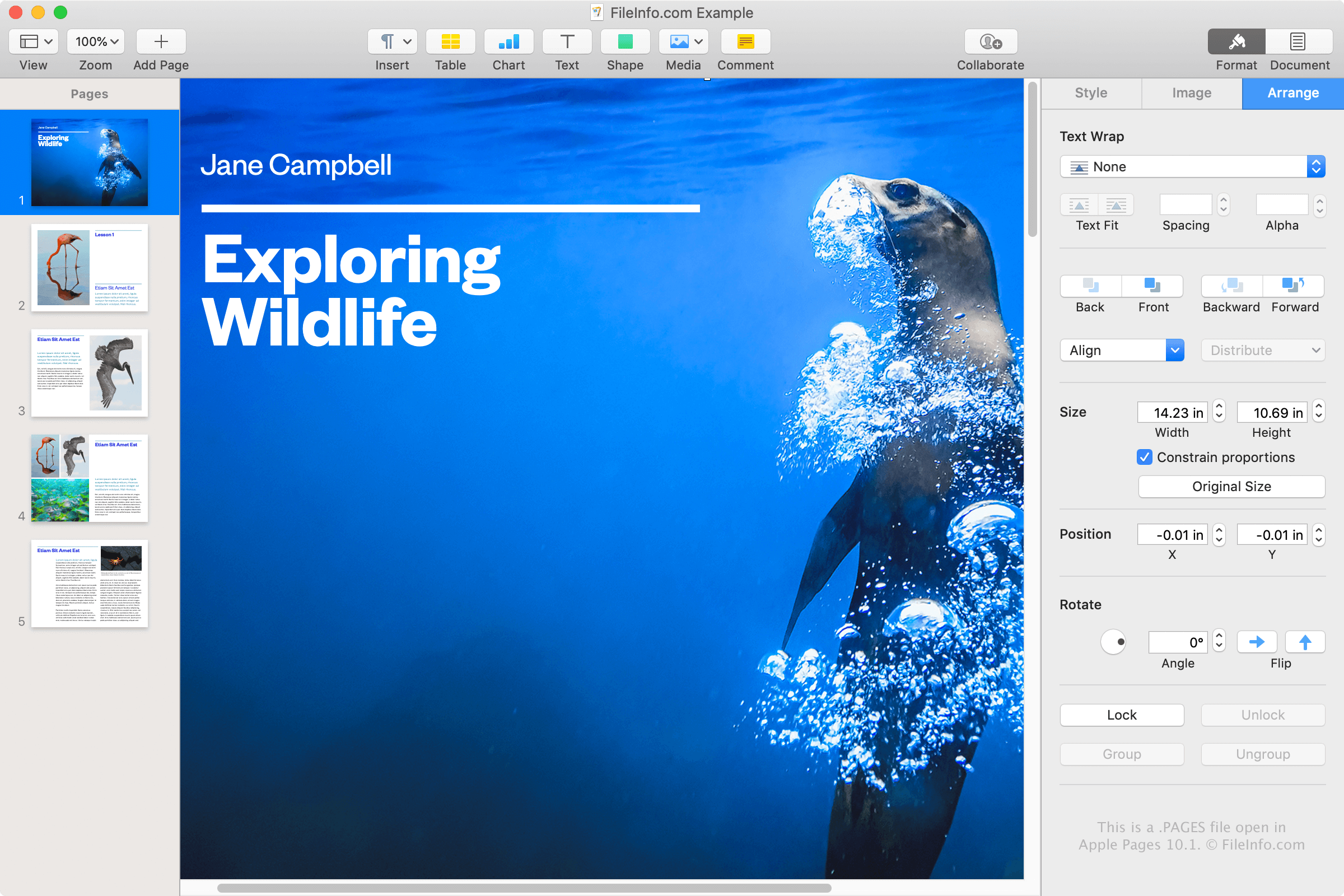
Apple Pages는 Microsoft Word와 비슷한 워드 프로세서이며, macOS에 함께 제공되는 iWork 오피스 제품군에 Numbers 및 Keynote와 함께 포함되어 있습니다. Pages를 사용하면 다양한 유형의 문서를 작성하여 PAGES 파일로 저장하거나 다른 형식으로 변환할 수 있습니다.
MacBook 또는 iPad와 같은 Apple 기기를 사용하고 Pages 응용 프로그램으로 문서를 저장하는 경우에만 PAGES 파일을 접하게 될 가능성이 높습니다. 그러나 Apple 기기를 사용하지 않는 경우에도 PAGES 파일을 접할 수 있습니다. 예를 들어 Mac에서 Pages를 사용하는 동료나 친구가 PAGES 파일로 저장한 편지를 사용자와 공유할 수 있습니다.
PAGES 파일을 만드는 방법
Pages는 Word가 기본적으로 문서를 DOCX 파일로 저장하는 것과 마찬가지로 문서를 기본적으로 PAGES 파일로 저장합니다. Mac에서 Pages로 PAGES 파일을 만들려면 를 선택하고 템플릿이나 빈 문서를 선택한 다음 를 선택합니다.
PAGES 파일을 여는 방법
Mac 또는 iOS 기기에서 Apple Pages로 PAGES 파일을 열 수 있습니다. Pages는 기본 보기 및 편집 기능을 제공하므로 가장 좋은 방법입니다.
Pages에 액세스할 수 없는 경우 PAGES 파일을 iCloud 온라인 계정에 업로드하여 iCloud 버전의 Pages에서 문서를 보고 편집할 수 있습니다. 여기에서 문서를 보고 편집하고, 문서 사본을 PAGES, PDF, DOCX 또는 EPUB 파일로 다운로드할 수 있습니다.
PAGES 파일은 .ZIP 형식으로 저장되므로 Zip 압축 해제 유틸리티를 사용해 압축을 풀어 PAGES 파일의 내용을 수동으로 볼 수도 있습니다. 이는 Pages를 설치할 수 없고 PAGES 문서의 내용을 확인해야 하는 Windows 사용자에게 특히 유용합니다. PAGES 파일에서 압축을 풀 수 있는 내용에는 문서 미리 보기를 제공하는 .JPG 파일과 선택 사항인 PDF 파일이 포함됩니다.
PAGES 파일의 내용을 수동으로 보려면 다음 지침을 따르세요:
- .pages 파일 확장자를 .zip.으로 변경합니다.
- Microsoft 파일 탐색기, Corel WinZip 또는 Apple Archive Utility와 같은 Zip 압축 해제 유틸리티를 사용해 결과로 생성된 ZIP 파일의 압축을 풉니다. 압축을 푼 파일에는 QuickLook이라는 폴더가 있어야 합니다. 이 폴더로 이동합니다.
- QuickLook 폴더에서 Thumbnail.jpg 파일을 엽니다. 이 파일은 문서의 첫 번째 페이지만 미리 보여 주지만 일부 상황에서는 여전히 유용할 수 있습니다.
- QuickLook 폴더에 Preview.pdf라는 PDF 파일이 있을 수도 있습니다. 이 파일을 열어 전체 PAGES 문서를 미리 봅니다. 사용자가 Pages에서 원본 문서를 추가 미리 보기 정보와 함께 저장하도록 선택한 경우에만 PDF 파일이 생성됩니다.
PAGES 파일을 변환하는 방법
Apple Pages는 PAGES 파일을 여러 가지 형식으로 변환할 수 있습니다. macOS 버전에서는 를 선택한 다음 다음 형식 중 하나를 선택합니다:
- .DOCX, .DOC - Microsoft Word 문서
- .PDF - Portable Document Format
- .EPUB - Open eBook
- .RTF, .RTFD - 서식 있는 텍스트 형식
- .TXT - 일반 텍스트
- Pages '09 문서
iCloud 버전에서는 버튼을 선택하고 를 선택한 다음 파일을 .PDF, .DOCX 또는 .EPUB 파일로 내보냅니다.
를 선택하여 Apple Preview로 PAGES 파일을 PDF 파일로 변환할 수도 있습니다.