

.PAGES Extensão de arquivo
Documento do Apple Pages
| Desenvolvedor | Apple |
| Popularidade |
3,5 | 480 Votos |
O que é um arquivo PAGES?
Um arquivo PAGES é um documento criado pelo Apple Pages, um processador de texto e programa de diagramação de páginas para macOS e iOS. Ele salva um documento, como um relatório, pôster, currículo, boletim informativo, livro, certificado ou folheto, criado a partir de uma página em branco ou com base em um modelo. Os documentos PAGES normalmente contêm texto e informações de formatação de página, mas também podem incluir imagens, tabelas, gráficos e diagramas.
Mais informações
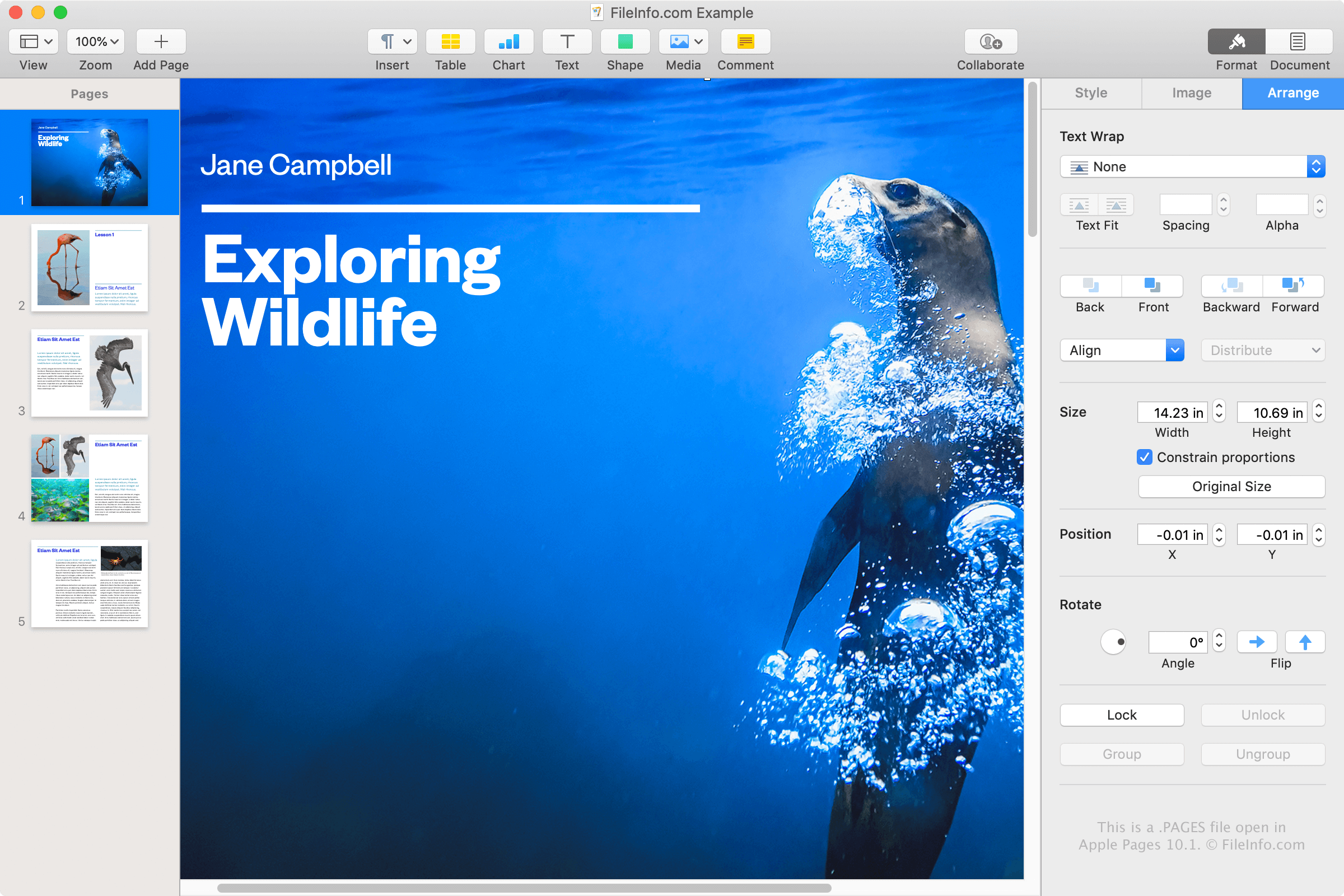
O Apple Pages é um processador de texto semelhante ao Microsoft Word e está incluído no pacote de escritório iWork, junto com o Numbers e o Keynote, que acompanha o macOS. Você pode usar o Pages para criar vários tipos de documentos e salvá-los como arquivos PAGES ou convertê-los para outro formato.
É muito provável que você só encontre um arquivo PAGES se usar um dispositivo Apple, como um MacBook ou iPad, e salvar documentos com o aplicativo Pages. No entanto, você também pode encontrar um arquivo PAGES mesmo que não use um dispositivo Apple. Por exemplo, um colega de trabalho ou amigo que usa o Pages em um Mac pode compartilhar com você uma carta salva como arquivo PAGES.
Como criar um arquivo PAGES
O Pages salva documentos como arquivos PAGES por padrão, assim como o Word salva documentos como arquivos DOCX por padrão. Para criar um arquivo PAGES com o Pages em um Mac, selecione , escolha um modelo ou um documento em branco e selecione .
Como abrir um arquivo PAGES
Você pode abrir um arquivo PAGES com o Apple Pages em um Mac ou dispositivo iOS. Essa é a melhor opção, pois o Pages oferece recursos nativos de visualização e edição.
Se você não tiver acesso ao Pages, poderá enviar arquivos PAGES para sua conta online do iCloud e visualizar e editar o documento na versão do Pages para iCloud. Nela, você pode visualizar e editar o documento e baixar uma cópia dele como arquivo PAGES, PDF, DOCX ou EPUB.
Como os arquivos PAGES são armazenados no formato .ZIP, você também pode visualizar manualmente o conteúdo de um arquivo PAGES extraindo-o com um utilitário de descompactação de arquivos ZIP. Isso é especialmente útil para usuários do Windows que não podem instalar o Pages e precisam visualizar o conteúdo de um documento PAGES. O conteúdo que pode ser extraído de um arquivo PAGES inclui um arquivo .JPG e um arquivo PDF opcional que fornecem uma prévia do documento.
Para visualizar manualmente o conteúdo de um arquivo PAGES, siga estas instruções:
- Renomeie a extensão do arquivo .pages para .zip.
- Extraia o arquivo ZIP resultante com um utilitário de descompactação de arquivos ZIP, como o Microsoft File Explorer, o Corel WinZip ou o Apple Archive Utility. Os arquivos extraídos devem conter uma pasta chamada QuickLook. Navegue até essa pasta.
- Na pasta QuickLook, abra o arquivo Thumbnail.jpg. Esse arquivo fornece apenas uma prévia da primeira página do documento, mas ainda pode ser útil em algumas situações.
- Na pasta QuickLook, também pode haver um arquivo PDF chamado Preview.pdf. Abra esse arquivo para visualizar uma prévia de todo o documento PAGES. Observe que o arquivo PDF só é criado se o usuário escolher salvar o documento original com informações adicionais de visualização no Pages.
Como converter um arquivo PAGES
O Apple Pages pode converter arquivos PAGES para vários formatos diferentes. Na versão para macOS, selecione e escolha um dos seguintes formatos:
- .DOCX, .DOC - Documento do Microsoft Word
- .PDF - Portable Document Format
- .EPUB - Open eBook
- .RTF, .RTFD - Rich Text Format
- .TXT - Texto sem formatação
- Documento do Pages '09
Na versão para iCloud, selecione o botão , selecione e exporte seu arquivo como arquivo .PDF, .DOCX ou .EPUB.
Você também pode converter arquivos PAGES para arquivos PDF com o Apple Preview, selecionando .