

.EPUB Extensão de arquivo
Livro digital EPUB
| Desenvolvedor | IDPF |
| Popularidade |
3,5 | 750 Votos |
O que é um arquivo EPUB?
Um arquivo EPUB é um livro digital (eBook) salvo no formato aberto Electronic Publication (EPUB), um formato padrão de publicação digital que editoras e consumidores usam para distribuir livros digitais. Muitos usuários encontram arquivos EPUB ao baixar livros digitais (como livros, revistas, publicações científicas etc.). Você pode abrir um arquivo EPUB com aplicativos de leitura de livros digitais, como Calibre e Apple Books, e em dispositivos.
Mais informações
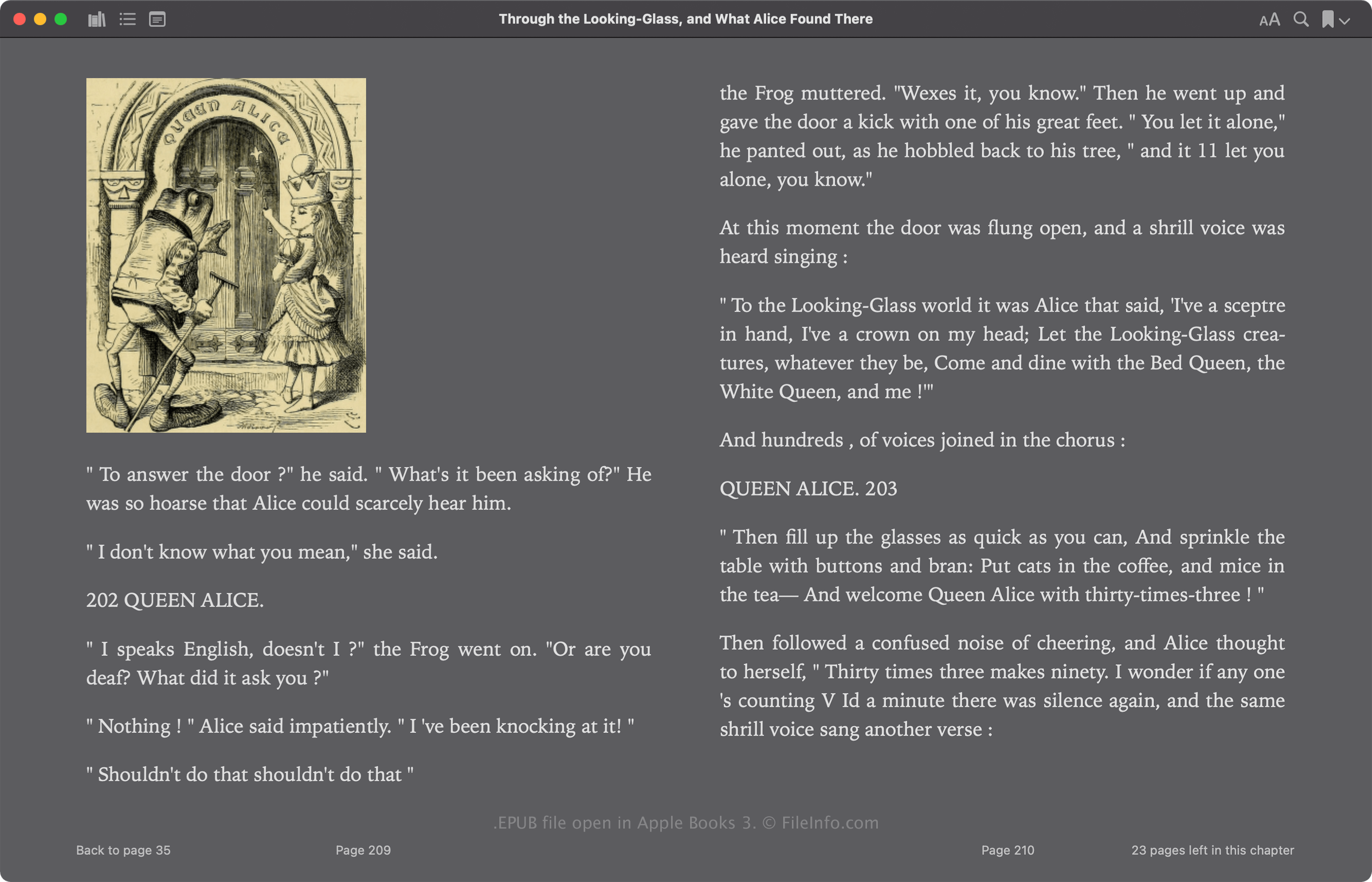
O International Digital Publishing Forum (IDPF) lançou inicialmente o formato EPUB em 2007 como substituto do formato Open eBook (OEB). O EPUB passou por várias revisões desde seu lançamento, e sua versão mais recente, a 3.3, foi lançada em maio de 2023.
O formato EPUB é baseado em Zip e armazena os recursos que compõem a publicação, incluindo .XML, .XHTML, .NCX, .CSS e .SVG. Esses arquivos contêm o conteúdo da publicação, incluindo seu texto, links dos capítulos, imagem da capa e imagens. Muitos livros digitais comerciais também incluem proteção de gerenciamento de direitos digitais (gerenciamento de direitos digitais), que limita a visualização apenas a dispositivos autorizados.
Como abrir um arquivo EPUB
Você pode abrir um arquivo EPUB e ler o livro digital que ele contém com vários aplicativos, incluindo Calibre, Apple Books, Adobe Digital Editions e Google Play Books.
Você também pode editar arquivos EPUB sem proteção de gerenciamento de direitos digitais com vários aplicativos. Um dos editores de livros digitais mais comuns é o Calibre.
Abrindo um arquivo EPUB como um arquivo Zip
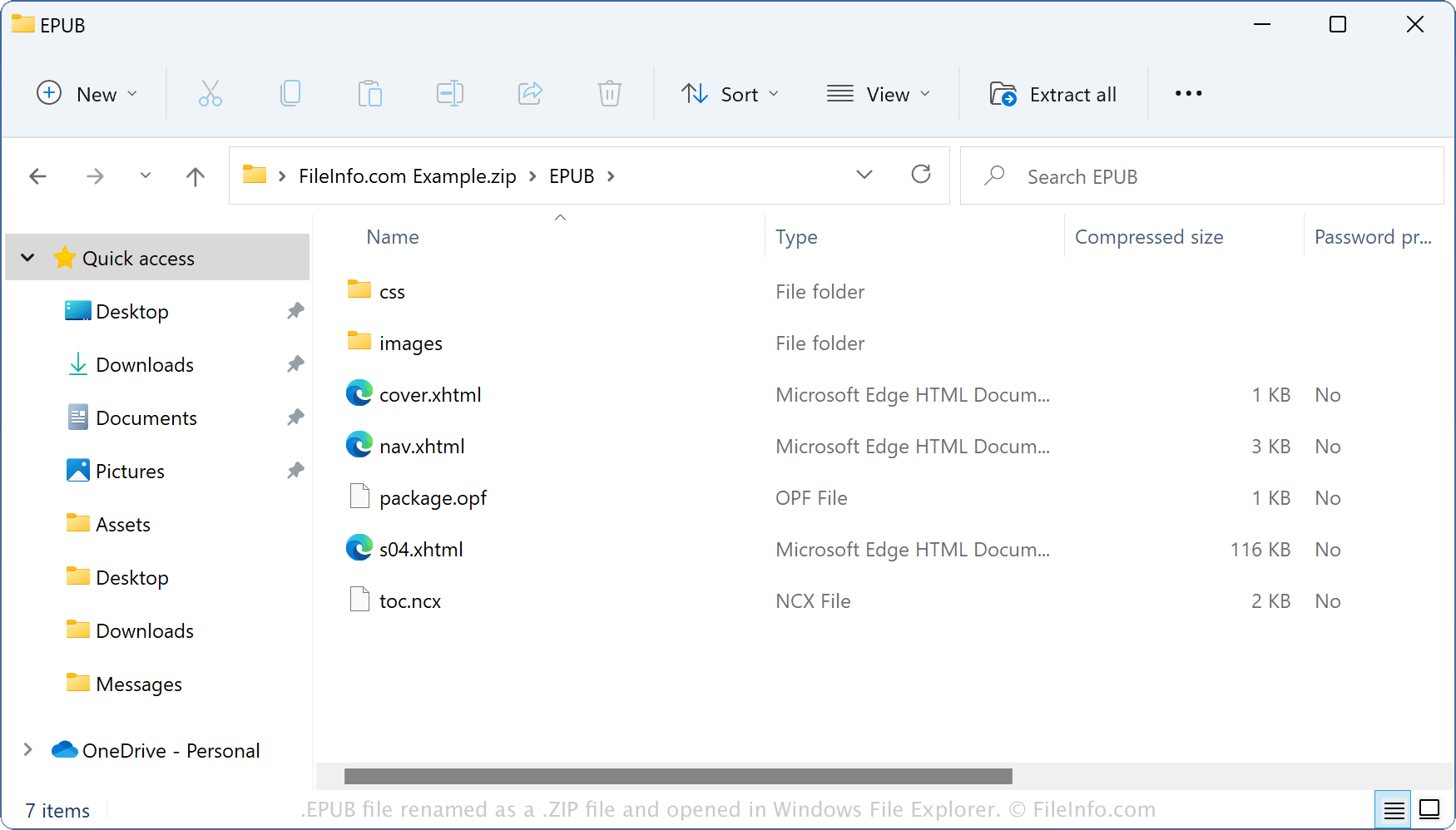
Como os arquivos EPUB armazenam seu conteúdo em um formato de contêiner semelhante ao Zip, você pode abri-los com utilitários de compactação Zip. Por exemplo, você pode abrir um arquivo EPUB como um arquivo Zip com o Explorador de Arquivos do Windows renomeando a extensão de arquivo .epub para .zip. Em seguida, você pode extrair seu conteúdo para visualizá-lo ou modificá-lo. No entanto, lembre-se de que editar o conteúdo de um arquivo EPUB pode corromper o livro digital.
Como converter um arquivo EPUB
O Calibre pode converter arquivos EPUB para vários tipos de arquivo, incluindo os seguintes formatos: