

.EPUB Extension de fichier
Livre numérique EPUB
| Développeur | IDPF |
| Popularité |
3,5 | 749 Votes |
Qu'est-ce qu'un fichier EPUB ?
Un fichier EPUB est un livre numérique (eBook) enregistré au format ouvert Electronic Publication (EPUB), un format de publication numérique standard que les éditeurs et les consommateurs utilisent pour distribuer des livres numériques. De nombreux utilisateurs rencontrent des fichiers EPUB lorsqu'ils téléchargent des livres numériques (tels que des livres, des magazines, des publications scientifiques, etc.). Vous pouvez ouvrir un fichier EPUB avec des applications de lecture, telles que Calibre et Apple Books, ainsi qu'avec des appareils de lecture.
Plus d'informations
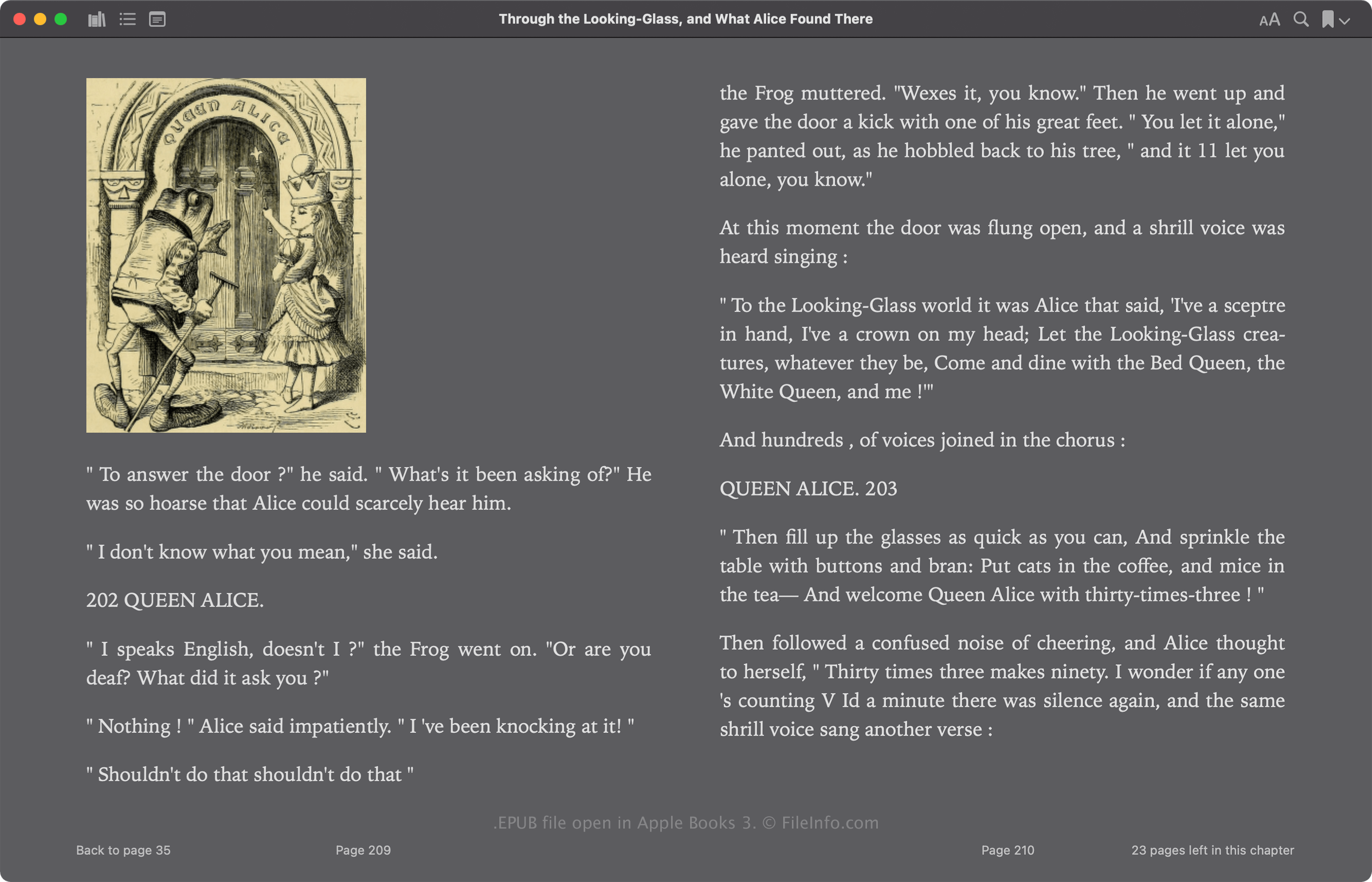
L'International Digital Publishing Forum (IDPF) a initialement publié le format EPUB en 2007 pour remplacer le format Open eBook (OEB). L'EPUB a connu plusieurs révisions depuis sa publication, et sa version la plus récente, la 3.3, est sortie en mai 2023.
Le format EPUB est basé sur Zip et stocke les ressources qui composent la publication, notamment les fichiers .XML, .XHTML, .NCX, .CSS et .SVG. Ces fichiers contiennent le contenu de la publication, notamment son texte, les liens vers les chapitres, sa couverture et ses images. De nombreux livres numériques commerciaux incluent également une protection par gestion des droits numériques (DRM), qui limite leur affichage aux appareils autorisés.
Comment ouvrir un fichier EPUB
Vous pouvez ouvrir un fichier EPUB et lire le livre numérique qu'il contient avec diverses applications, notamment Calibre, Apple Books, Adobe Digital Editions et Google Play Books.
Vous pouvez également modifier les fichiers EPUB qui ne sont pas protégés par DRM avec plusieurs applications. L'un des éditeurs de livres numériques les plus courants est Calibre.
Ouvrir un fichier EPUB comme archive Zip
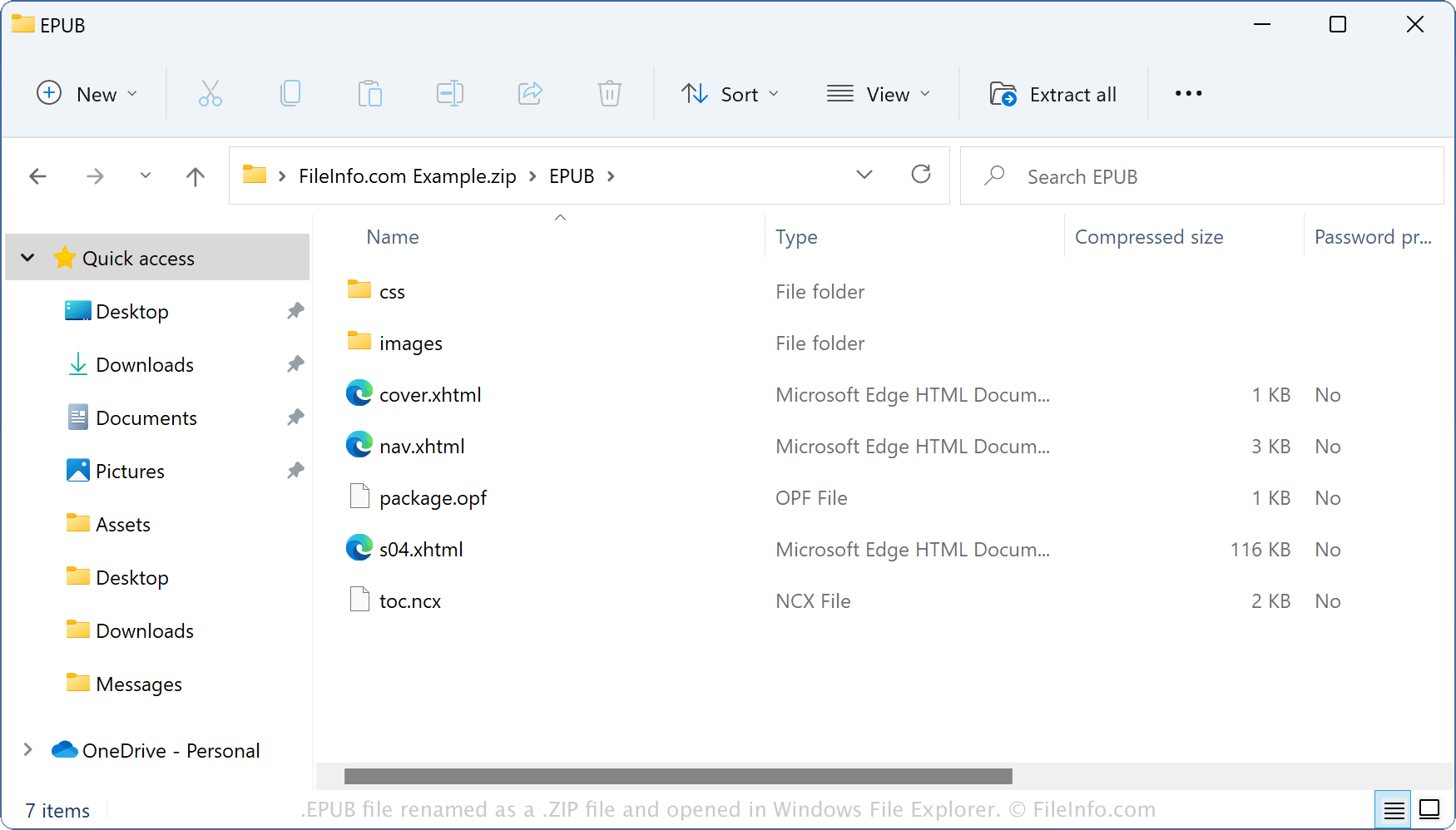
Comme les fichiers EPUB stockent leur contenu dans un format de conteneur similaire à Zip, vous pouvez les ouvrir avec des utilitaires de compression Zip. Par exemple, vous pouvez ouvrir un fichier EPUB comme archive Zip avec l'Explorateur de fichiers Windows en renommant l'extension de fichier .epub en .zip. Vous pouvez ensuite extraire son contenu pour l'afficher ou le modifier. Cependant, n'oubliez pas que la modification du contenu d'un fichier EPUB peut endommager le livre numérique.
Comment convertir un fichier EPUB
Calibre peut convertir les fichiers EPUB en différents types de fichiers, notamment les formats suivants :